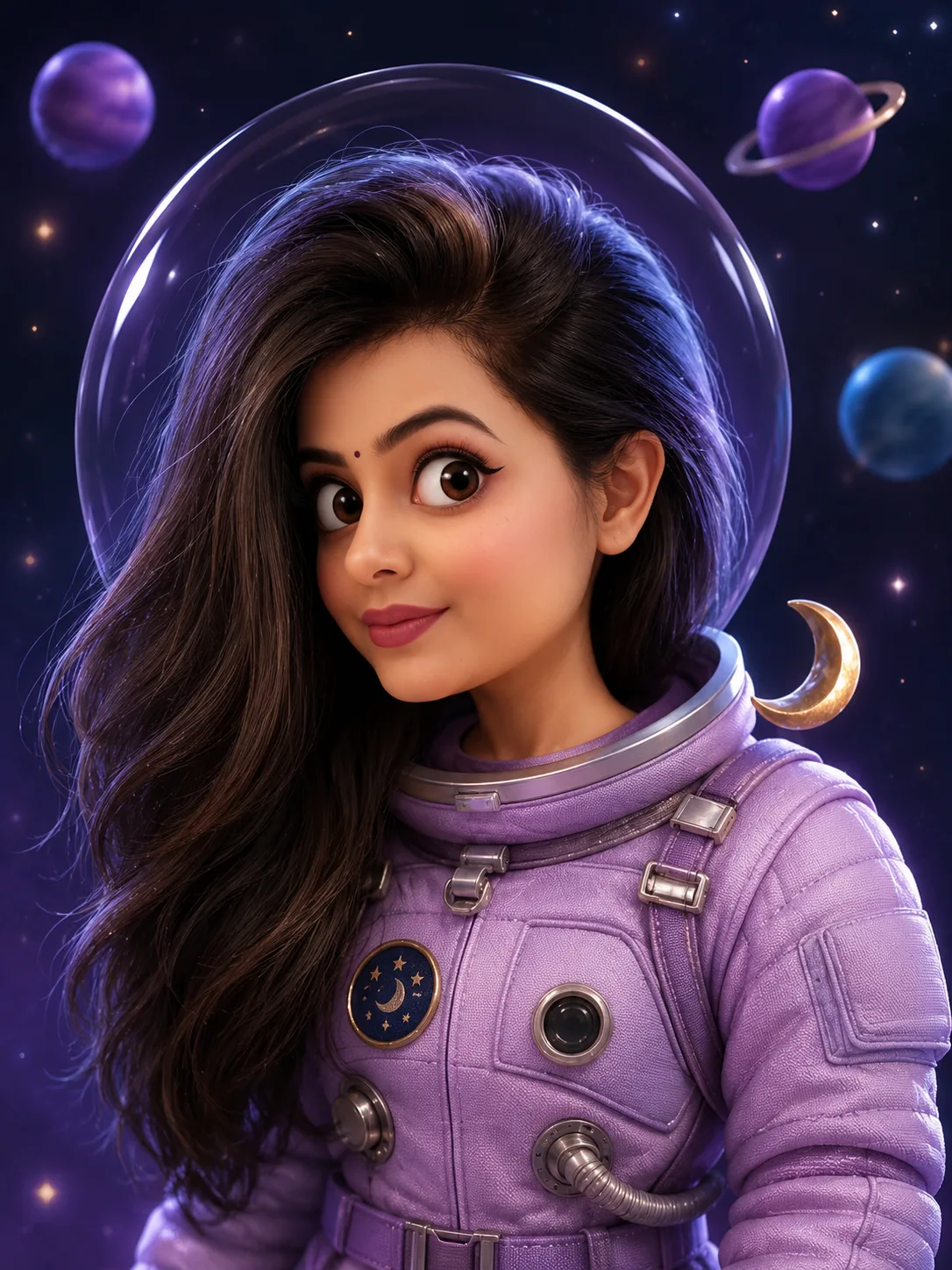
Whimsical Midnight Astronaut 3D Character Portrait
Turn your uploaded photo into a whimsical 3D astronaut character with oversized expressive eyes, a lavender space suit and a dreamy miniature galaxy.
Using the uploaded photo, create a whimsical 3D animated-film portrait of the same recognizable person transformed into a miniature Midnight Astronaut. KEEP — Preserve the exact facial identity and natural facial anatomy from the uploaded photograph. Retain the original forehead shape, eyebrow thickness and placement, eye shape and natural eye colour, nose bridge and tip, lip shape, cheek volume, cheekbone position, jawline, chin, ears and natural facial asymmetry. Keep the original skin tone, pores, freckles, fine marks and natural texture. Preserve the exact hairline, hairstyle, hair colour, hair density and visible facial hair. Maintain the person's recognizable facial proportions, neck structure and natural shoulder width. Do not replace the person's face with a generic animated character. CHANGE — Transform the overall proportions into a charming stylized 3D animated character with a large rounded head, oversized perfectly circular eyes and tiny pupils. Keep the original eye shape recognizable while enlarging the eyes in a controlled cartoon style. Add a small button nose, tiny pursed lips and slightly protruding ears. Create a funny bewildered expression with one subtly raised eyebrow and a direct camera gaze. Dress the character in a soft lavender astronaut suit made from padded technical fabric, with visible stitched seams, quilted panels and miniature silver fasteners. Position a transparent spherical bubble helmet behind the head without covering the face or original hairstyle. SCENE — Place the character inside a miniature midnight space environment. Add three small floating planets, delicate glowing stars and one tiny crescent moon accessory near the shoulder. Keep these elements behind the character with gentle depth-of-field blur. Use a deep muted navy-purple background resembling outer space. LIGHT — Use a large soft key light from the front-left at approximately 45 degrees, balanced by a subtle cool lavender fill from the right. Add a faint blue-violet rim light around the helmet and shoulders. Keep natural facial shadows consistent with the lighting direction. CAMERA — Shoot with an 85mm portrait lens at f/2.8, camera positioned at eye level and chest height framing. Keep the face sharply focused and background elements softly blurred. GRADE — Apply a soft matte 3D animated-film colour grade with muted lavender, midnight blue and gentle violet highlights. Preserve natural skin colour and subtle facial texture. Avoid excessive gloss, harsh contrast and artificial skin reflections. OUTPUT — Vertical 3:4 composition, chest-up framing, high-resolution 4K rendering, detailed character textures and clean edges. DO NOT — Slim the face, alter facial proportions, whiten the skin, change eye colour, remove freckles, replace the hairstyle, erase facial hair, apply plastic skin smoothing, invent jewellery or tattoos, hide the face behind the helmet, or turn the subject into an unrecognizable generic cartoon character.
Photo Guide
- Use a sharp, high-resolution face photo with visible natural details.
- Choose a front-facing or slightly turned camera angle.
- Use even facial lighting so the 3D transformation stays believable.
- Keep the original hairstyle, ears and forehead clearly visible.
- A lavender or neutral outfit is helpful but not required.
- Avoid sunglasses because they hide the eye details needed for this look.
How to Build
- 1Open Gemini or ChatGPT and select image generation.
- 2Upload one clear photograph of the person you want to transform.
- 3Paste the complete Prompt Content without removing the KEEP section.
- 4Choose a 3:4 portrait aspect ratio if the tool supports it.
- 5Select the highest available image quality or 4K output.
- 6Generate the image and inspect facial identity and astronaut details.
- 7If the result is wrong, strengthen KEEP and regenerate using the same photo.
Pro Tips
- Choose a photo with visible eyes so the oversized cartoon gaze stays recognizable.
- Keep the original hairline visible so the astronaut helmet does not hide it.
- Use a neutral expression so the bewildered expression is easier to create.
- Avoid strong coloured lighting so natural skin tone remains consistent.
- Keep the helmet behind the head so it does not distort facial proportions.
Share This Prompt
About the Author
Naziya
Creative AI writer at MFDA, sharing trendy photo-editing prompts and fresh ideas for beautiful, stylish AI images.