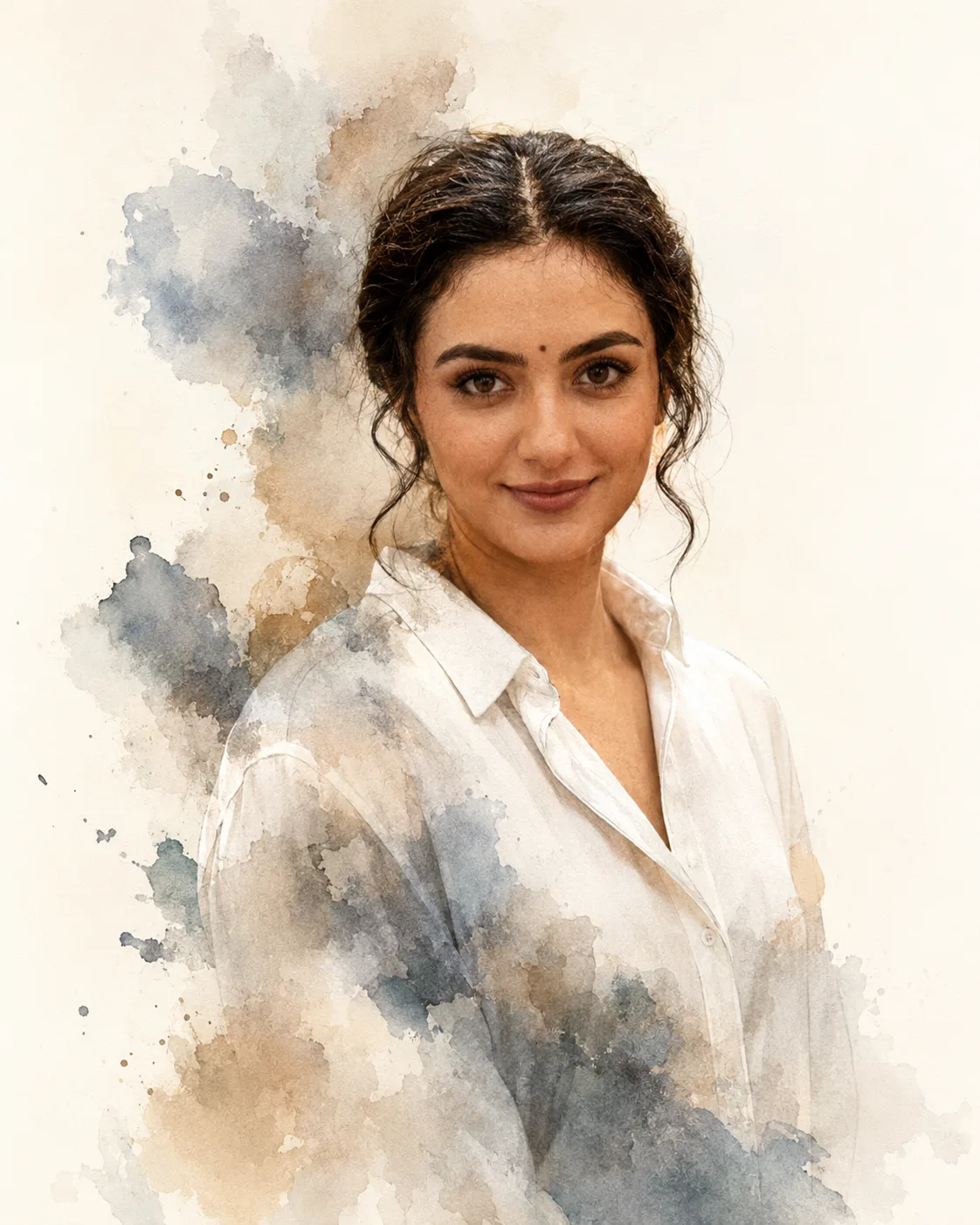
Watercolor Editorial Double Exposure Portrait
Create a sharp editorial portrait with a restrained watercolor double exposure flowing through the silhouette, while your real facial features stay unchanged.
Using the uploaded photo, create a watercolor editorial double-exposure portrait that looks like a fashion magazine cover, with the photographic face remaining sharp while a restrained painted layer moves through the subject’s silhouette. KEEP - Keep the exact face structure, eye shape and natural eye colour from the uploaded photo. Keep the real skin tone, pores, fine texture, facial marks, hairline, hairstyle, and any existing facial hair unchanged. Keep the subject’s natural body proportions, shoulder width, neck length, and overall build. Preserve the person’s recognisable identity rather than recreating the face from scratch. CHANGE - Change the wardrobe to a clean plain white or soft light-grey cotton shirt with a matte fabric surface and minimal styling. Change the background to a simple warm-white editorial studio backdrop. Change the pose to a relaxed three-quarter portrait with the shoulders slightly angled and the face turned naturally toward the camera. Add a controlled watercolor layer in muted grey, dusty blue, beige, and soft brown that flows through and slightly beyond the body silhouette. Keep the painted layer restrained so it supports the portrait instead of covering the face. Use soft directional studio lighting and a muted editorial colour grade. SCENE - Place the subject in a clean studio-style setting with no objects behind them. Use a softly blurred warm-white to pale-grey background, with enough separation around the shoulders for the watercolor edges to remain visible. The result should feel like a printed fashion editorial rather than a fantasy scene. LIGHT - Use a large soft light positioned 45 degrees to the camera-left, slightly above eye level, creating gentle modelling across the cheekbones and jaw. Add weak fill from camera-right so the shadow side retains natural skin detail. Use a neutral-warm 4800K to 5200K balance so the face blends naturally with the paper-like watercolor tones. CAMERA - Simulate an 85mm portrait lens at f/1.8, with the camera at chest height and focused precisely on the eyes. Use moderate compression and shallow depth of field while keeping the facial features crisp. GRADE - Apply restrained magazine-style contrast, slightly warm highlights, neutral skin tones, soft grey shadows, and subtle paper texture. Keep watercolor edges organic and visibly painted without making the face painterly. OUTPUT - Create a vertical 4:5 composition at 2048 × 2560 pixels, keeping the head, shoulders, and upper torso comfortably inside the frame. DO-NOT - no face slimming, no skin whitening, no changed eye colour, no plastic smoothing, no invented jewellery or tattoos, no altered facial structure, no exaggerated paint covering the face, and no busy background.
Photo Guide
- Use a sharp, high-resolution portrait where the face is fully visible.
- A front or slight three-quarter angle gives the watercolor layer room to flow.
- Soft window light works better than harsh overhead light for natural skin texture.
- Keep the hairline, jaw, shoulders, and upper torso visible in the frame.
- Plain clothing blends best because the watercolor texture stays visually dominant.
- A busy original background can muddy the clean editorial double-exposure effect.
How to Build
- 1Open Gemini and upload one clear portrait photo.
- 2Paste this prompt without changing the KEEP section.
- 3Choose a 4:5 portrait output at the highest available resolution.
- 4Generate the image with the watercolor layer kept behind the face.
- 5Check the eyes, jawline, hairline, and skin texture against the source.
- 6If the face drifts, regenerate using the same photo and prompt unchanged.
Pro Tips
- Use white or light-grey clothing so the painted layer remains easy to see.
- Keep both eyes unobstructed so facial identity stays anchored during blending.
- Choose soft natural light so watercolor shadows do not fight the real face.
- Avoid patterned shirts because they compete with the painted silhouette.
- Use a clean source background so the final double exposure stays controlled.
Share This Prompt
About the Author
Mina
**AI Prompt Engineer at MFDA.** I design precise, creative prompts for AI image generation, photo editing, portraits, fashion, and visual storytelling.