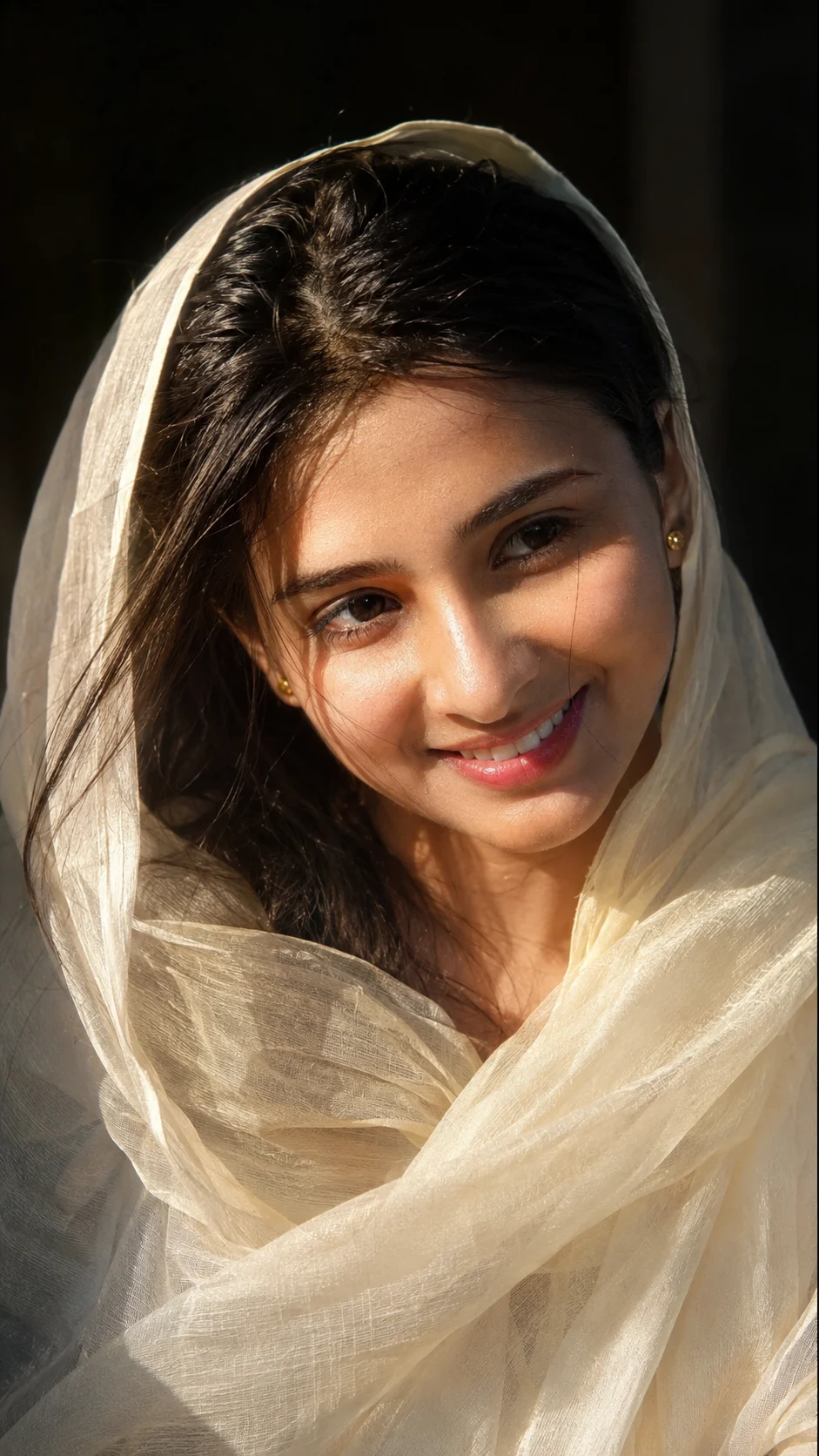
Warm Ivory Veil Close-Up Portrait
Create a warm 9:16 close-up portrait with an ivory veil, natural identity, dark background, and soft late-afternoon window light.
Using the uploaded photo, create a photorealistic vertical 9:16 close-up portrait of the same woman, keeping her recognizable identity while recreating a quiet warm ivory veil portrait. KEEP - Preserve the exact facial identity and visible structure from the uploaded photo, including forehead shape, eyebrow placement and natural shape, eye shape and natural eye colour, nose bridge and proportions, lips, cheeks, cheekbones, jawline, chin, ears, facial width, and natural facial asymmetry. Keep her original skin tone, visible pores, fine skin texture, natural marks, under-eye detail, hairline, natural dark hair density and texture. Preserve her authentic facial proportions, natural body proportions, and any visible facial hair exactly as shown in the reference. Do not replace her face with a generic model. CHANGE - Dress her in a lightweight translucent ivory dupatta draped naturally over the head and shoulders, with loose dark hair partly visible underneath and a few fine strands near the cheeks. Add only small understated gold stud earrings. Turn her face slightly toward the right side of the frame, with a relaxed closed-mouth smile and soft off-camera gaze. Replace the surroundings with a dark indoor setting and warm late-afternoon sunlight. SCENE - Place her beside a window or open indoor area during late afternoon. Keep the background nearly black with very little visible detail and strong shallow blur, so the face and translucent ivory fabric remain the visual focus. LIGHT - Use warm natural sunlight entering diagonally from the right side of the frame, illuminating the forehead, eye, nose, cheek, and lips while the opposite side transitions gradually into soft shadow. Keep the light physically consistent across the face and veil. CAMERA - Shoot from approximately chest height using an 85mm full-frame portrait perspective at f/1.8–f/2.2, with tight close-up framing, shallow depth of field, realistic facial proportions, and soft background separation. GRADE - Use warm natural skin colour, restrained cinematic contrast, gentle highlight roll-off, and subtle editorial toning without orange skin or crushed shadows. OUTPUT - Vertical 9:16 composition at the highest available resolution, with realistic fine hair strands, eyelashes, eyes, pores, fabric texture, and natural photographic detail. DO-NOT - No face slimming, skin whitening, changed eye colour, plastic smoothing, de-aging, beautification, altered facial proportions, invented jewellery, tattoos, facial features, or generic replacement face.
Photo Guide
- Use a sharp, high-resolution photo where both eyes and the full face stay visible.
- Choose a front or slight three-quarter angle so the jawline remains readable.
- Soft daylight is better than harsh flash for preserving natural skin texture.
- Keep the hairline and forehead unobstructed in the reference photo.
- A dark indoor source photo is not required; the ivory veil look is added later.
- Avoid heavy filters or beauty retouching because they can cause facial drift.
How to Build
- 1Use Gemini, ChatGPT, Midjourney, or Flux with image reference enabled.
- 2Set the output ratio to 9:16 before generating the portrait.
- 3Upload one clear reference photo with the face large in the frame.
- 4Paste the full prompt and keep reference strength around the middle first.
- 5Check the eye colour, jawline, nose, and hairline before accepting the result.
- 6If the first result is wrong, raise reference strength and simplify the pose.
Pro Tips
- Keep the reference face evenly exposed so the eye shape stays consistent.
- Use the 85mm perspective so facial features remain natural in the close crop.
- Keep the veil translucent so sunlight can interact with the fabric realistically.
- Use one main light direction so the shadow side does not look pasted on.
- Keep the background nearly black so facial identity remains the visual focus.
Share This Prompt
About the Author
Naziya
Creative AI writer at MFDA, sharing trendy photo-editing prompts and fresh ideas for beautiful, stylish AI images.