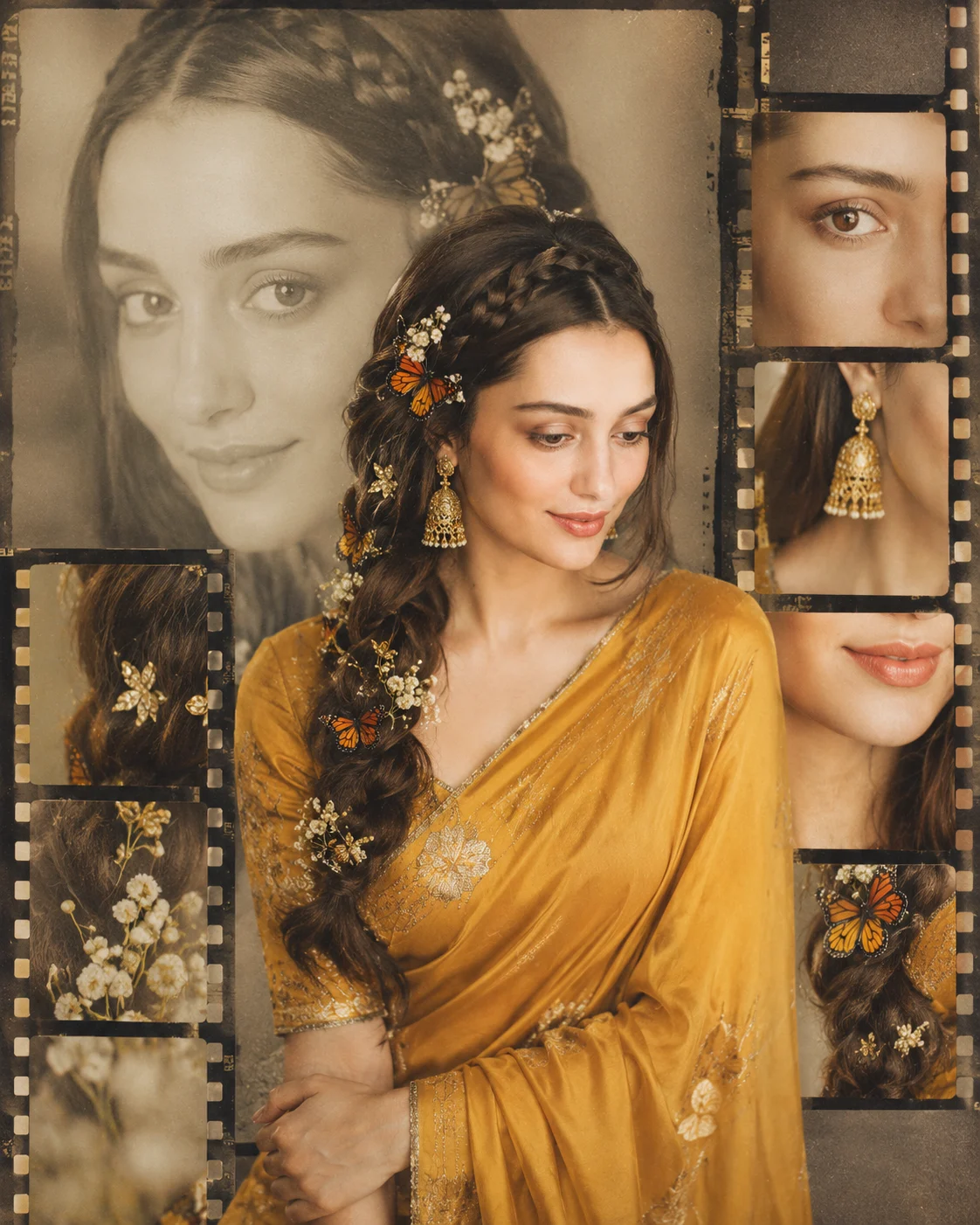
Vintage South Indian Saree Film Contact Sheet
Create a photorealistic South Indian saree portrait arranged as a refined vintage 35mm film contact sheet collage.
Using the uploaded photo, create a photorealistic vertical 4:5 South Indian fashion portrait arranged as a refined vintage 35mm film contact sheet collage. KEEP - Preserve the uploaded person's exact facial identity and natural expression. Keep the original forehead shape, eyebrow shape and placement, eye shape and natural eye colour, nose structure, lips, cheeks, cheekbones, jawline, chin, ears, facial proportions, and natural facial asymmetry. Preserve the original skin tone, visible pores, fine skin texture, natural marks, hairline, hair density, facial hair if present, and original body proportions. Do not replace the person with a generic South Indian model. CHANGE - Dress the person in a mustard-yellow traditional saree made from softly textured silk fabric, with a matching blouse featuring subtle traditional embroidery. Add refined gold jewellery and long traditional jhumka earrings. Style the existing dark hair into a detailed side braid with a braided crown, decorated with small white flowers, delicate golden leaf ornaments, and a few realistic orange-and-yellow butterflies. Change the setting into a warm vintage editorial studio arrangement. SCENE - Build the composition from overlapping 35mm photographic frames on a warm beige paper-like background. Place one large faded close-up portrait behind the main image, showing the braided hairstyle clearly. Place a sharp three-quarter portrait in front, with the person smiling naturally and looking slightly downward. Add smaller vertical film frames containing cropped views of the eyes, lips, braid, earrings, flowers, and butterflies. Keep the background softly blurred. LIGHT - Use soft window light coming from camera-left, slightly above eye level, with gentle warm illumination across the face and controlled shadow falloff on the opposite cheek. Keep the light direction consistent across every photographic layer. CAMERA - Use an 85mm lens at f/2.0, camera at chest height, with shallow depth of field and natural portrait compression. GRADE - Use muted mustard, antique gold, warm beige, and low-saturation brown tones with gentle contrast, subtle analog grain, faint film borders, and restrained vintage 35mm colour treatment. OUTPUT - Vertical 4:5 aspect ratio, 8K resolution, sharp facial detail and clean photographic layering. DO NOT - no face slimming, no skin whitening, no changed eye colour, no plastic smoothing, no invented jewellery or tattoos, no altered facial proportions, no duplicate facial features, no extra fingers, no text or watermark.
Photo Guide
- Use a sharp, high-resolution photo where the full face is clearly visible.
- Keep the camera near eye level so the facial proportions remain stable.
- Use even natural light; harsh side shadows can alter the reference face.
- Keep the hairline, eyebrows, eyes, nose, lips, and jaw unobstructed.
- A visible braid or dark hairstyle helps the layered film treatment blend naturally.
- Avoid beauty filters; they can cause facial texture and identity drift.
How to Build
- 1Open Gemini and choose image generation with the uploaded photo as reference.
- 2Upload one clear portrait with the face large enough to inspect.
- 3Paste this prompt without changing the KEEP section.
- 4Set the canvas to vertical 4:5 and request photorealistic output.
- 5Generate once, then compare the eyes, jawline, skin tone, and expression.
- 6If the first result is wrong, regenerate using the same photo and prompt.
Pro Tips
- Keep the reference expression natural so the downward smile stays recognizable.
- Choose a photo with visible skin texture so the film grain looks photographic.
- Keep the face unobstructed so small contact-sheet crops retain the identity.
- Avoid tinted source photos so the mustard and beige grade stays controlled.
- Use a detailed hairline reference so the braided crown does not look synthetic.
Share This Prompt
About the Author
Naziya
Creative AI writer at MFDA, sharing trendy photo-editing prompts and fresh ideas for beautiful, stylish AI images.