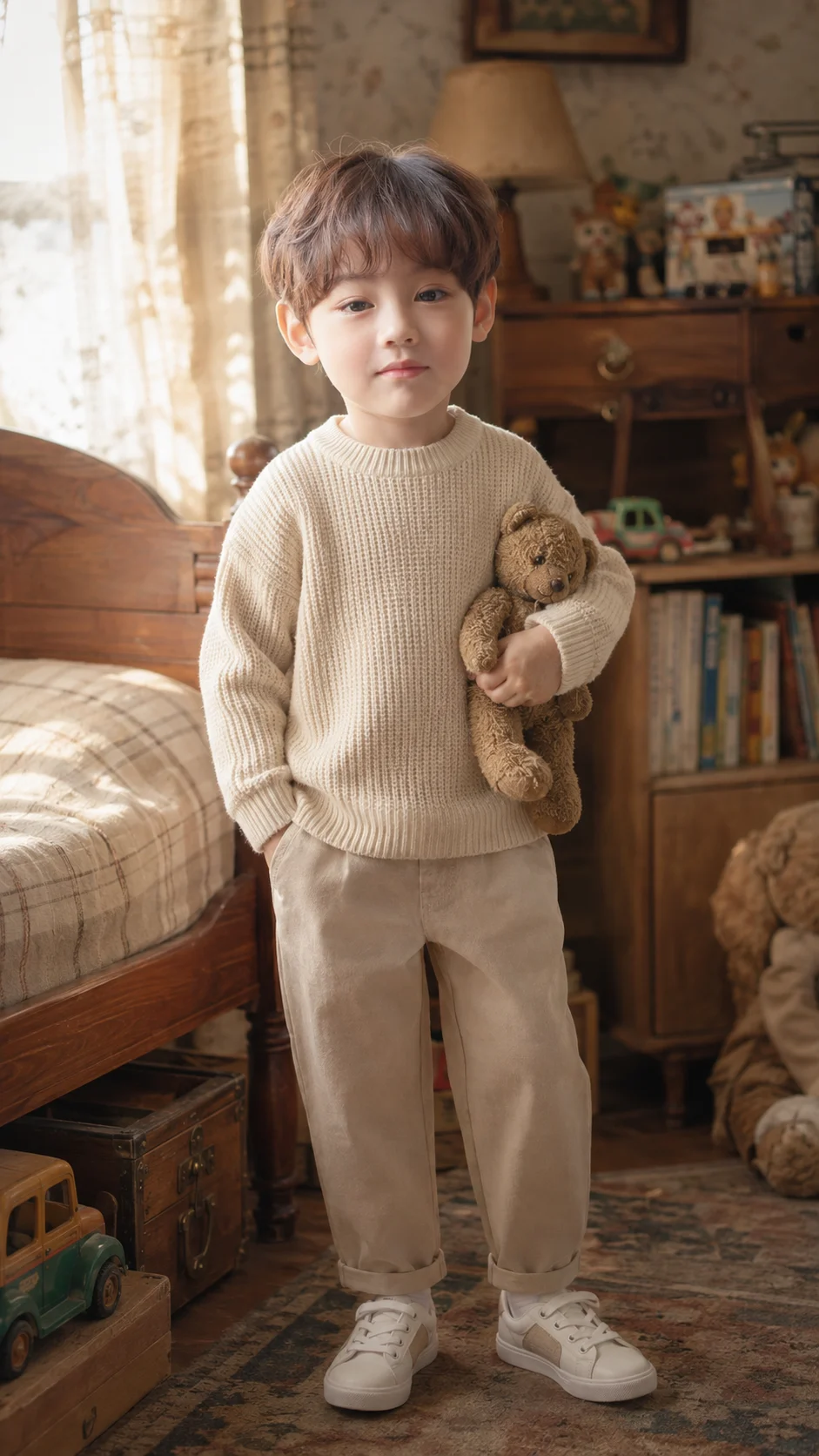
Vintage Childhood Bedroom Boy Portrait
Create a nostalgic full-body childhood bedroom portrait with warm window light, vintage details, natural textures, and preserved facial identity.
Using the uploaded photo, create a photorealistic cinematic full-body portrait of the same young boy standing naturally inside a cozy vintage childhood bedroom. KEEP - Preserve the uploaded boy’s exact facial identity and visible facial structure: forehead shape, eyebrow shape and placement, eye shape and natural eye colour, nose structure and proportions, lips, cheeks, cheekbones, jawline, chin, ears, facial proportions, natural asymmetry, and original expression. Keep his original skin tone, visible pores, fine skin texture, natural facial marks, hairline, hair density, hairstyle, and any visible facial hair exactly as shown. Preserve his natural body proportions, shoulder width, limb proportions, height relationship, and overall physical build. Do not replace him with a generic child or alter his recognizable features. CHANGE - Dress him in a soft cream knitted sweater with visible woven texture, straight-cut beige trousers, clean white socks, and simple low-profile sneakers. Place a small worn-looking teddy bear naturally against his side. Change the setting into a warm, nostalgic bedroom while keeping his face and body identity unchanged. SCENE - Place him beside a wooden bed and vintage wooden furniture, with soft fabric curtains, neatly arranged children's books, a few age-appropriate toys, and subtle lived-in bedroom details behind him. Keep the background gently blurred but recognizable enough to show the childhood-bedroom setting. LIGHT - Use warm late-afternoon window light entering from one side, around 3500-4200K, with soft directional illumination across the boy’s face and gentle shadow falloff on the opposite side. Add soft rectangular window-light patterns to the room without creating harsh facial shadows. CAMERA - Photograph at eye level with an approximately 50mm full-frame lens at f/2.8, keeping the camera at chest height and the entire body within frame. GRADE - Apply a warm muted cinematic grade with slightly softened contrast, natural beige and brown tones, restrained saturation, subtle film grain, and realistic skin colour. OUTPUT - 9:16 vertical composition, 2160 × 3840 resolution, full body visible from head to shoes. DO-NOT - No face slimming, no skin whitening, no changed eye colour, no plastic smoothing, no facial reshaping, no de-aging or aging, no generic replacement, no invented jewellery or tattoos.
Photo Guide
- Use a clear photo with enough resolution to see the boy’s face and hairline.
- A front or three-quarter angle works best; avoid extreme side profiles.
- Use even daylight so the original skin tone and eye colour stay visible.
- Keep the full head, hairline, shoulders and body outline unobstructed.
- A neutral expression is useful because the final pose changes naturally.
- Avoid blurry, heavily filtered photos; face drift is the main failure point.
How to Build
- 1Open Gemini and upload one clear reference photo of the boy.
- 2Paste the full prompt exactly as written, without removing KEEP or CHANGE.
- 3Choose a portrait generation mode if Gemini offers one.
- 4Set the output frame to 9:16 vertical at the highest available quality.
- 5Check that the entire body, sweater texture and bedroom remain visible.
- 6If the first result is wrong, regenerate using the same photo and stress identity preservation.
Pro Tips
- Use a photo with visible hairline detail so the hairstyle stays consistent.
- Choose soft daylight so warm window light blends naturally with his skin.
- Keep both eyes clearly visible so their shape and colour do not drift.
- Avoid sunglasses or hats because they remove key identity landmarks.
- Use a sharp original photo so pores and natural facial texture survive.
Share This Prompt
About the Author
Naziya
Creative AI writer at MFDA, sharing trendy photo-editing prompts and fresh ideas for beautiful, stylish AI images.