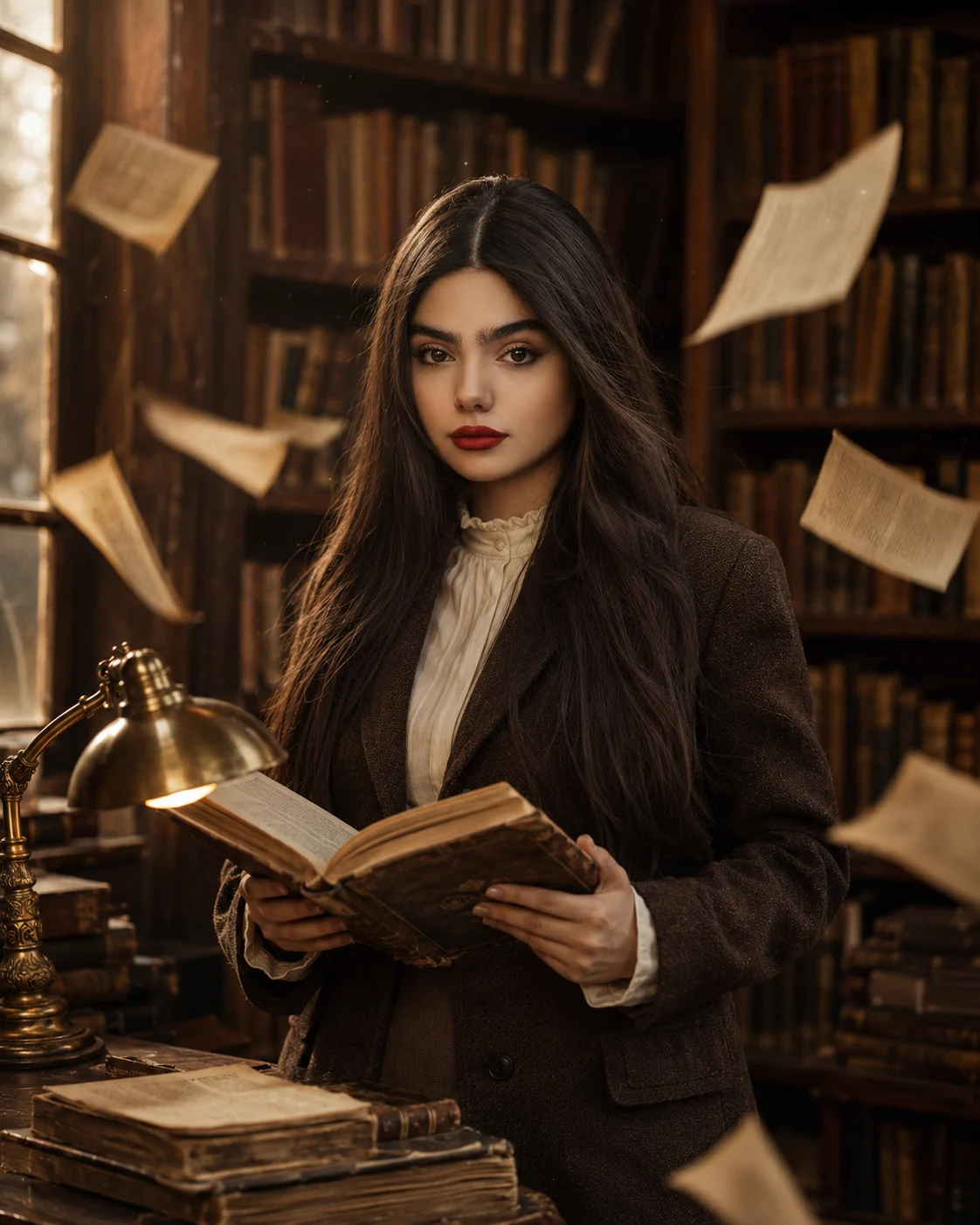
Vintage Bookstore Portrait With Aged Books
Create a realistic bookstore portrait that keeps your identity intact while adding vintage clothing, aged books, warm window light, and cinematic depth.
Using the uploaded photo, create a photorealistic vertical 4:5 cinematic portrait of the same person standing naturally inside an old atmospheric bookstore filled with tall wooden bookshelves and aged books. KEEP — Preserve the exact facial identity and visible structure from the uploaded photo: forehead shape, eyebrow placement and shape, eye shape and natural eye colour, nose bridge and tip, lips, cheeks, cheekbones, jawline, chin, ears, facial width, natural asymmetry, original skin tone, visible pores, fine skin texture, authentic age, and natural facial proportions. Keep the original hairline, hair density, natural hair colour, hairstyle structure, and facial hair if visible. Keep the original body proportions, shoulder width, neck length, arms, hands, and overall recognizable appearance. Do not beautify or reinterpret the person. CHANGE — Dress the person in [a deep-brown wool vintage blazer] over [a cream cotton high-neck blouse]. Place [an open aged hardcover book] naturally in both hands. Add [several loose cream paper pages] moving gently around the subject and [an antique brass reading lamp] on a nearby wooden table. Keep the wardrobe tactile, with visible wool fibres, cotton weave, worn leather, aged paper, and dark polished wood. SCENE — Set the portrait inside a narrow old bookstore during late afternoon. Place towering dark wooden shelves behind the person, packed with uneven rows of aged books. Keep the nearest shelves softly detailed while distant shelves dissolve into shallow-focus blur. Add a few subtle dust particles in the air and worn wood grain around the frame. LIGHT — Use warm amber window light entering from camera-left, mixed with a weaker warm reading-lamp glow from below. Keep the face illuminated from the same side as the window so the skin, nose, cheeks, and jaw receive believable directional shadows. CAMERA — Shoot at 50mm, f/1.8, camera at chest height, with natural perspective compression and sharp focus on the eyes. Keep the background softly separated without losing the recognizable bookstore setting. GRADE — Use muted brown, cream, and amber tones, moderate contrast, gentle highlight roll-off, subtle 35mm film grain, and restrained vintage colour treatment. OUTPUT — Vertical 4:5 aspect ratio, 2160 × 2700 pixels, photorealistic detail. DO-NOT — No face slimming, no skin whitening, no changed eye colour, no plastic smoothing, no invented jewellery or tattoos, no face replacement, no distorted hands, no extra fingers, no artificial floating pages, no text, no watermark.
Photo Guide
- Use a sharp photo at least 1500px wide with the full face visible.
- Choose a front or slight three-quarter angle so both eyes remain clear.
- A soft daylight photo blends better with the warm bookstore window light.
- Keep the hairline, jawline, shoulders, and hands visible when possible.
- Avoid heavy beauty filters because they can erase skin texture.
- Dark indoor source photos can make the warm shelf lighting look pasted on.
How to Build
- 1ChatGPT: choose Create image and set the canvas to 4:5.
- 2Upload one sharp photo with the face unobstructed and well exposed.
- 3Paste the full prompt without removing the KEEP section.
- 4Replace each [bracketed] item only if you want a wardrobe change.
- 5Generate several versions while keeping the same source photo.
- 6If the first result drifts, regenerate with stronger KEEP details and lighting.
Pro Tips
- Use a front-facing source so the eye shape stays stable across generations.
- Keep natural skin texture visible so warm light does not create plastic skin.
- Use a visible jawline so the bookshelf shadows do not hide facial structure.
- Keep both hands visible if possible so the open-book pose stays anatomically clean.
- Do not change the lighting direction between runs, so facial shadows stay consistent.
Share This Prompt
About the Author
Naziya
Creative AI writer at MFDA, sharing trendy photo-editing prompts and fresh ideas for beautiful, stylish AI images.