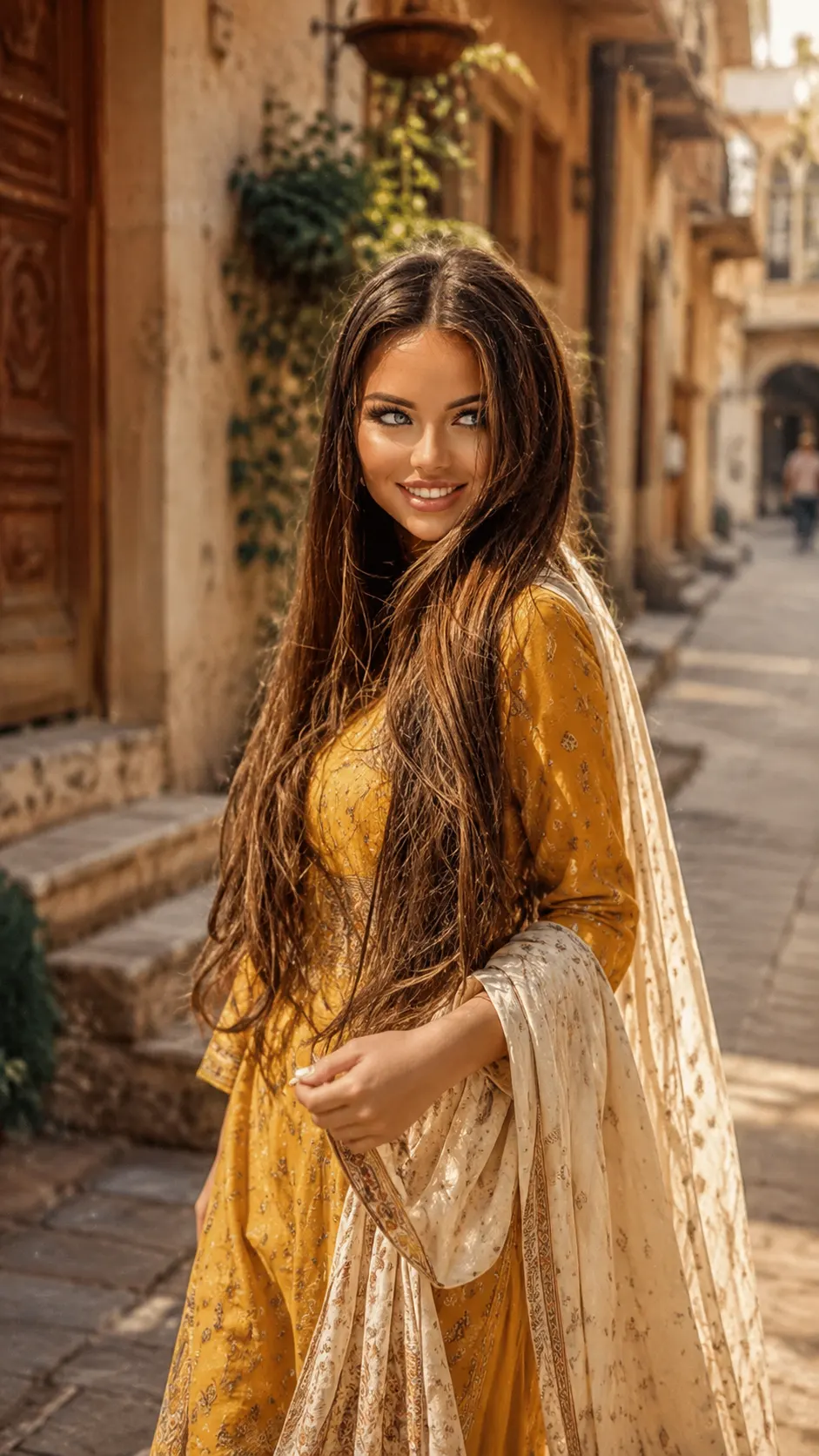
Vintage 35mm Indian Street Portrait Look
Create a natural 35mm-style Indian street portrait with mustard traditional clothing, golden-hour light, and authentic film texture.
Using the uploaded photo, create a photorealistic vertical 9:16 portrait of the same person walking through an old Indian street during golden hour, with a candid 35mm documentary feel. KEEP - Keep the uploaded person's exact facial identity and facial structure unchanged. Preserve forehead shape, eyebrow placement, eye shape and natural eye colour, nose bridge and tip, lips, cheeks, cheekbones, jawline, chin, ears, facial width, natural asymmetry, original skin tone, visible pores, fine texture, natural marks, under-eye detail, and authentic age. Keep the original hairline, hair density, long dark hair texture, colour, and natural length. Preserve any facial hair if visible in the uploaded photo. Keep body proportions, shoulder width, neck length, limb proportions, and natural posture characteristics. Do not turn the person into a generic fashion model. CHANGE - Dress the person in a mustard-yellow traditional cotton kurta with subtle hand-block printed patterns and a lightweight cream cotton dupatta. Let the dupatta hang naturally and have the person hold one edge while walking. Change the setting to an old Indian street with textured plaster walls, aged wooden doors, hanging plants, and warm architectural details. Use late-afternoon golden-hour light, a slightly muted warm colour palette, gentle film softness, and visible but restrained 35mm grain. SCENE - Place the person mid-walk on a narrow heritage-style Indian street shortly before sunset. Keep the person sharp while the distant buildings, doors, plants, and street details fall into moderate optical blur. LIGHT - Use warm sunlight coming from the front-left side, softly illuminating the face and catching individual hair strands. Keep shadows gentle rather than harsh, with approximately 4000-4500K warm daylight colour. CAMERA - Shoot at 50mm, approximately f/2.8, with the camera at chest height and natural eye-level perspective. Use slight motion in the walking pose without blurring the face. GRADE - Apply restrained Kodak-style 35mm film character, warm highlights, slightly faded blacks, muted saturation, fine grain, and subtle natural lens softness. OUTPUT - Vertical 9:16 aspect ratio, high-resolution portrait, approximately 2160 x 3840 pixels. DO-NOT - No face slimming, no skin whitening, no changed eye colour, no plastic smoothing, no invented jewellery or tattoos, no facial reshaping, no artificial hair, and no exaggerated beauty retouching.
Photo Guide
- Use a sharp, high-resolution front or three-quarter face photo with visible features.
- Golden-hour outdoor reference lighting blends better with this warm street look.
- Keep the forehead, hairline, jawline, and both eyes clearly visible.
- Choose a photo showing natural skin texture rather than a beauty-filtered selfie.
- Avoid extreme side angles because they can change facial proportions.
How to Build
- 1Use Gemini and upload a sharp, well-lit face photo.
- 2Paste the prompt exactly without removing the KEEP section.
- 3Choose 9:16 portrait output at the highest available resolution.
- 4Keep face or identity preservation enabled if the tool offers it.
- 5Generate once, then compare the eyes, jawline, hair, and skin tone.
- 6If the result drifts, regenerate using the same photo and full prompt.
Pro Tips
- Use a naturally textured photo so the 35mm grain does not hide facial detail.
- Keep the hairline visible so the vintage styling does not alter the forehead.
- Choose a three-quarter source angle so the walking pose still feels believable.
- Avoid heavy makeup in the source so natural skin texture survives the grade.
- Keep the dupatta lightweight so its folds look like real cotton in motion.
Share This Prompt
About the Author
Naziya
Creative AI writer at MFDA, sharing trendy photo-editing prompts and fresh ideas for beautiful, stylish AI images.