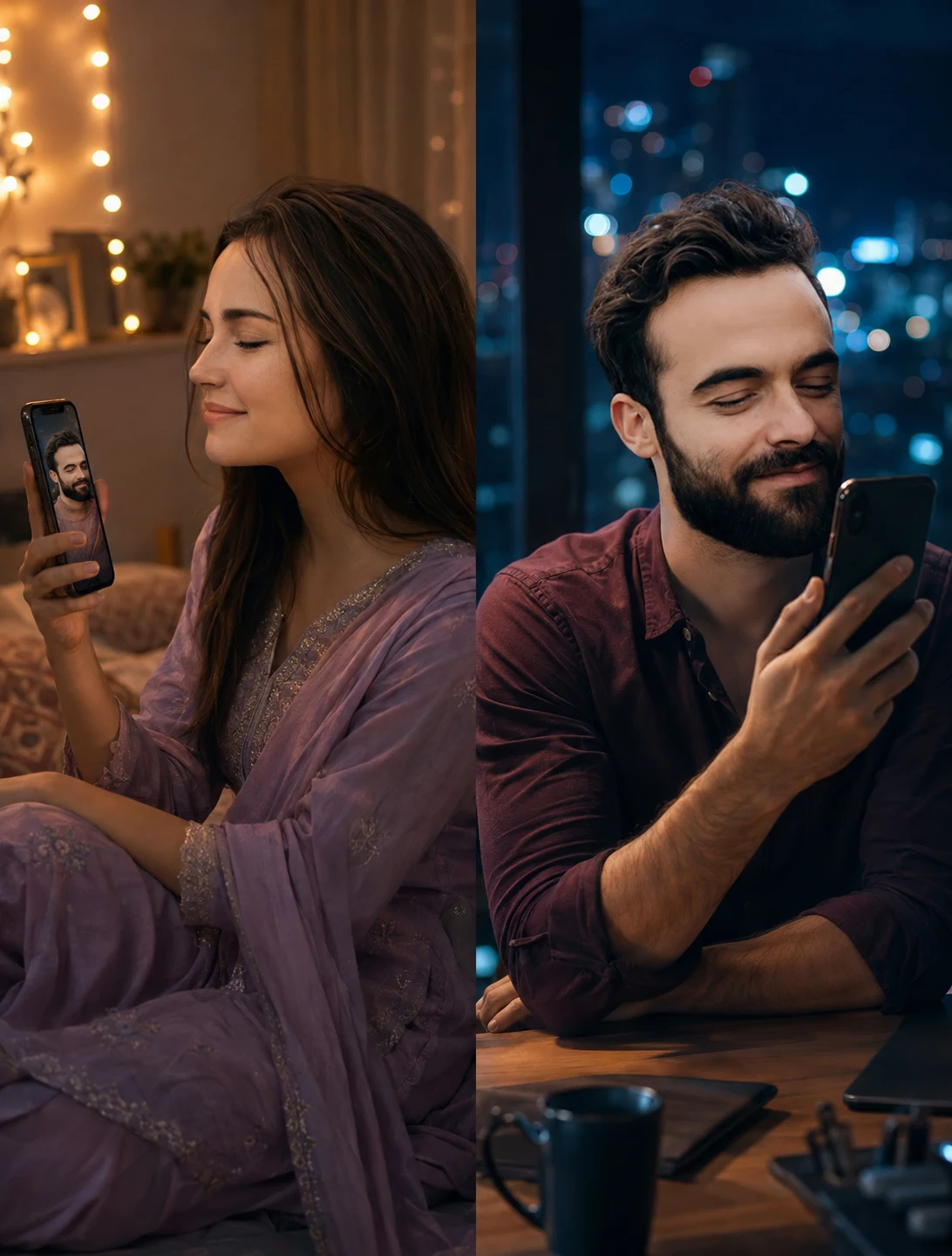
Video Call Long Distance Couple Portrait Prompt
Create a realistic long-distance couple portrait with a warm bedroom, cool city apartment, phone glow, and cinematic video-call connection.
Using the uploaded photos, create a photorealistic cinematic romantic couple portrait in a vertical 4:5 composition, showing two people connected through a late-night video call while physically apart. KEEP - Keep each person's exact face structure from their uploaded photo, including forehead shape, eyebrow placement, eye shape and natural eye colour, nose structure, lips, cheeks, cheekbones, jawline, chin, ears, facial proportions, natural asymmetry, skin tone and visible skin texture. Keep each person's original hairline, hairstyle, facial hair where present, and natural body proportions. Do not merge their identities or make either face resemble the other person. CHANGE - Change the setting into two separate nighttime locations. Dress the woman in an elegant traditional outfit made from softly textured lavender silk with subtle embroidery. Dress the man in a dark burgundy cotton shirt with naturally rolled sleeves. Change the lighting to warm amber on her side and cool blue on his side, while keeping both faces naturally lit. Apply a cinematic teal-and-warm-neutral colour grade without changing skin colour. SCENE - Place the woman seated comfortably on a bed in a cozy bedroom at night, holding a smartphone showing the man's video-call image. Behind her, use warm fairy lights and softly blurred bedroom details. Place the man seated at a wooden desk in a modern apartment at night, holding his phone during the same call. Behind him, show a large window with a distant city skyline, heavily blurred into blue and white bokeh. LIGHT - Light the woman's face from the front-left with soft warm 3200K light, matching the phone glow near her hands. Light the man's face from the front-right with soft cool 5000K window light, with a gentle phone reflection on his lower face. Keep shadows soft and physically consistent. CAMERA - Use an 85mm lens at f/1.8, camera at chest height, with both faces sharp and backgrounds compressed into shallow-focus bokeh. GRADE - Use restrained cinematic contrast, warm amber highlights, cool blue shadows, natural skin tones, subtle film grain, and realistic night exposure. OUTPUT - Render at a vertical 4:5 aspect ratio, 2160 × 2700 pixels, with realistic hands, phones, fabric texture, and facial detail. DO-NOT - No face slimming, no skin whitening, no changed eye colour, no plastic smoothing, no invented jewellery or tattoos.
Photo Guide
- Use a clear 4K or high-resolution face photo with minimal compression.
- Front-facing or slight three-quarter angles preserve facial structure best.
- Even daylight on the source face helps retain natural skin texture.
- Keep the forehead, hairline, jaw, ears, and facial hair clearly visible.
- Avoid sunglasses or heavy shadows because they hide identity details.
- For this look, a clean portrait works better than a heavily filtered selfie.
How to Build
- 1Open ChatGPT and upload both clear reference photos.
- 2Paste the full prompt and choose a 4:5 portrait output.
- 3Keep image quality on the highest available setting.
- 4Check that each phone shows the correct partner's face.
- 5Regenerate if hands, phones, or facial identity look distorted.
- 6If the first result is wrong, strengthen KEEP and regenerate from originals.
Pro Tips
- Use photos with similar head size so neither face gets visually over-weighted.
- Choose a face photo with visible skin texture so the night grade stays realistic.
- Keep the woman's hairline visible so the warm bedroom lighting feels natural.
- Use a darker shirt photo for the man so blue window light remains believable.
- Avoid source photos with beauty filters so facial proportions do not drift.
- Keep the phones near the faces so their glow can light the skin correctly.
Share This Prompt
About the Author
Naziya
Creative AI writer at MFDA, sharing trendy photo-editing prompts and fresh ideas for beautiful, stylish AI images.