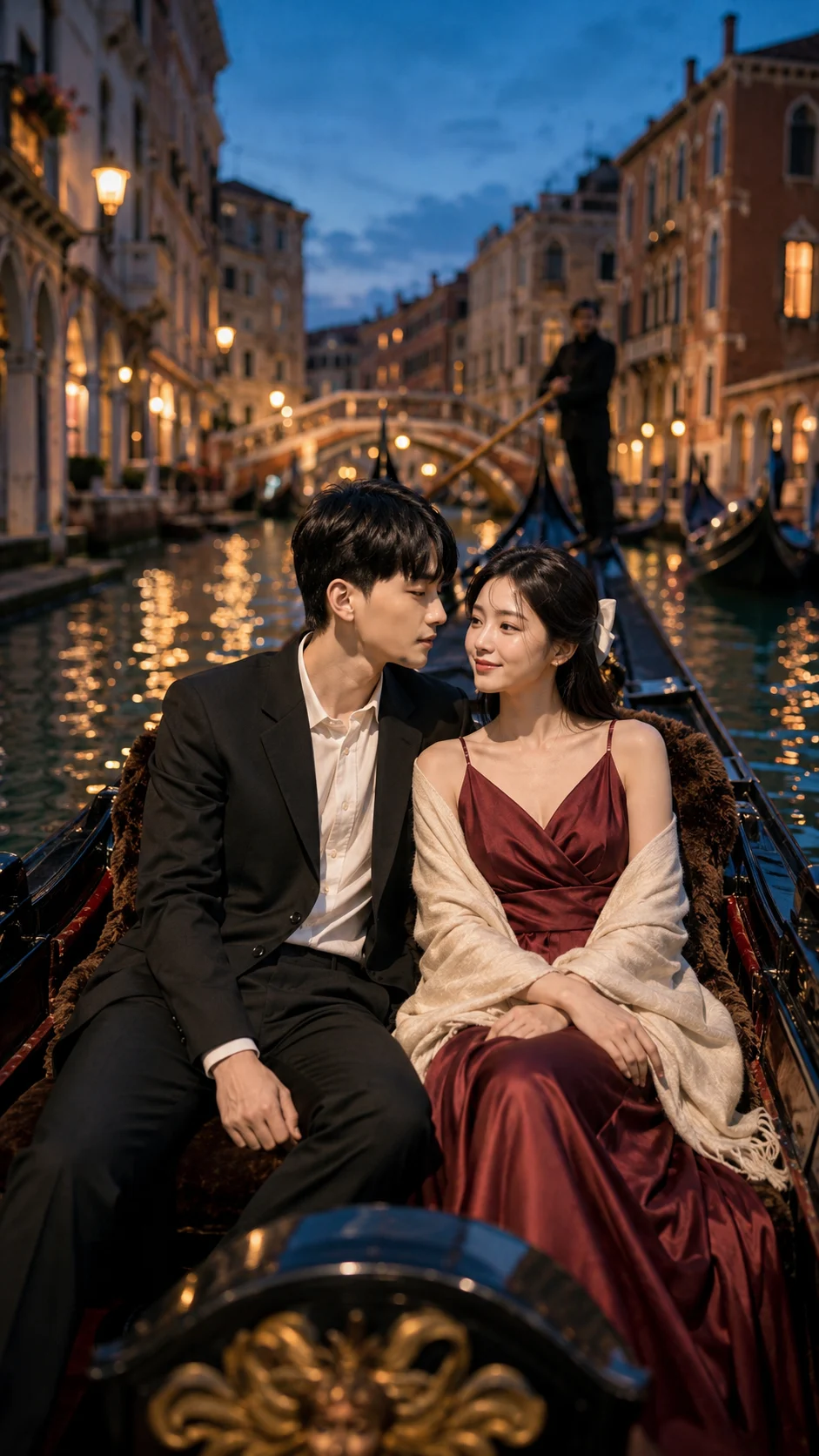
Venetian Gondola Couple Portrait at Blue Hour
Turn your photo into a romantic Venetian gondola portrait at blue hour, with authentic likeness, tailored styling, canal reflections, and cinematic depth.
Using the uploaded photo, create a photorealistic cinematic couple portrait of the same people seated together in a traditional Venetian gondola during blue hour. KEEP - Preserve the uploaded person's exact facial identity and visible facial structure, including forehead shape, eyebrow placement, eye shape and natural eye colour, nose proportions, lips, cheeks, cheekbones, jawline, chin, ears, facial proportions, and natural asymmetry. Keep the original skin tone, visible pores, fine skin texture, natural facial marks, hairline, hair density, hairstyle characteristics, and any visible facial hair exactly as shown. Preserve the person's natural body proportions, shoulder width, height relationship, and recognizable physical appearance. Keep natural expression characteristics rather than replacing them with a generic model face. CHANGE - Dress the woman in a [flowing burgundy silk dress] with a [delicate cream shawl], and dress the man in a [tailored black wool suit] with an [ivory cotton shirt]. Seat them close together inside a [traditional black wooden Venetian gondola], with their foreheads gently touching and soft affectionate expressions. Add [historic Venetian buildings], [arched bridges], [warm window lights], and subtle [floating lantern reflections] across the canal. SCENE - Set the portrait on a narrow Venetian canal at blue hour, shortly after sunset. The gondola occupies the foreground while old masonry buildings and small bridges recede behind the couple. Keep the architecture softly blurred with realistic atmospheric depth, while the faces, clothing texture, and gondola edge remain sharply defined. Add only subtle mist hovering above the water. LIGHT - Use soft ambient blue-hour light from the front-left to illuminate both faces evenly, with warm practical window light coming from behind and side. Keep the warm reflections weaker than the facial light so the skin does not look artificially pasted into the scene. CAMERA - Capture at 85mm, f/1.8, camera positioned at seated chest height and slightly above the gondola rim. Use shallow depth of field with sharp eyes and natural background compression. GRADE - Use a restrained teal-and-warm-amber cinematic grade, moderate contrast, gentle highlight roll-off, natural skin tones, and fine 35mm-style film grain. OUTPUT - Vertical 9:16 composition at 2160 × 3840 resolution. DO-NOT - No face slimming, no skin whitening, no changed eye colour, no plastic smoothing, no invented jewellery or tattoos.
Photo Guide
- Use a sharp photo at least 1500px on its longest side.
- A three-quarter face angle helps preserve facial depth in the close pose.
- Use soft, even light so both eyes and facial contours remain visible.
- Keep hairline, facial hair, jawline, and ears unobstructed.
- Blue-hour styling blends best from a photo with neutral daylight skin tones.
- Avoid sunglasses or heavy shadows; they can cause facial identity drift.
How to Build
- 1Open Gemini and choose image generation with your uploaded photo.
- 2Upload one clear reference photo showing the full face and upper body.
- 3Paste the prompt exactly, then set the canvas to 9:16 vertical.
- 4Use the highest available image quality and keep facial reference strength high.
- 5Generate once, then compare the eyes, jawline, skin tone, and body proportions.
- 6If the first result is wrong, regenerate after naming the exact drifted feature.
Pro Tips
- Use a photo with visible ears so the close forehead pose stays believable.
- Choose natural facial hair visibility so grooming does not change your identity.
- Avoid heavily filtered source photos so pores and skin tone remain consistent.
- Keep both faces similarly exposed so the gondola lighting feels physically real.
- Use a relaxed expression because tense faces often drift during regeneration.
Share This Prompt
About the Author
Naziya
Creative AI writer at MFDA, sharing trendy photo-editing prompts and fresh ideas for beautiful, stylish AI images.