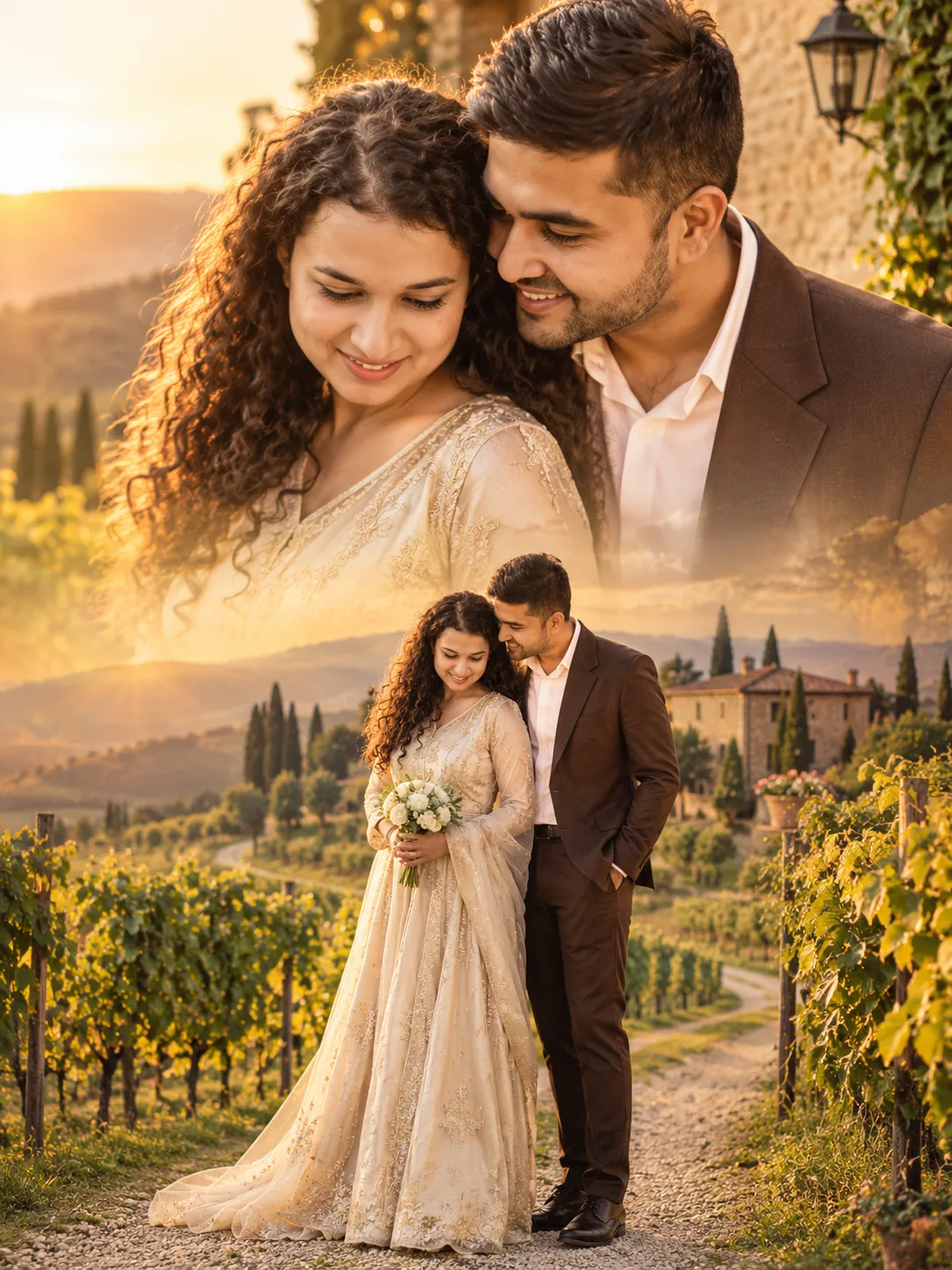
Tuscan Vineyard Couple Portrait at Golden Hour
Create a romantic Tuscan vineyard portrait with ivory silk, a tailored brown suit, golden-hour light, and a seamless double-exposure composition.
Using the uploaded photos, create a photorealistic romantic couple portrait in the Tuscan countryside, combining an intimate upper close-up with a full-body scene in a vertical 3:4 composition. KEEP — Preserve both individuals' recognizable facial identities and original facial structures, including forehead shape, eyebrow placement, eye shape and natural eye colour, nose bridge and tip, lips, cheeks, cheekbones, jawlines, chins, ears, facial width, and natural asymmetry. Retain each person's original skin tone, visible pores, fine texture, age, hairline, hairstyle, and facial hair where present. Maintain natural body proportions, shoulder width, and height relationships. Keep their individual identities distinct; do not blend their facial features or substitute generic model faces. CHANGE — In the upper portrait, position the couple close together beside an aged stone villa, with their foreheads gently touching and their expressions calm and affectionate. Dress the woman in an ivory silk gown with delicate champagne-coloured embroidery. Dress the man in a tailored dark-brown suit, an ivory shirt, and polished dark shoes. In the lower portrait, show the same couple standing on a winding gravel path between vineyards. The woman holds a small bouquet of cream-coloured flowers, while the man keeps one hand in his trouser pocket. Preserve realistic garment construction and natural fabric movement. SCENE — Set the portrait during late-afternoon golden hour. Include rolling Tuscan hills, orderly grapevine rows, tall cypress trees, terracotta details, and an old stone villa. Keep distant hills softly blurred while retaining visible vineyard patterns and stone textures. Blend both portrait sections through translucent golden haze and subtle landscape textures. LIGHT — Place the low sun behind and slightly to one side of the couple. Use warm backlighting for their hair and shoulders, with soft frontal fill to keep facial details visible. Match the light direction across both sections. CAMERA — Use an 85mm portrait lens at f/1.8, camera at chest height, natural perspective, and shallow depth of field. GRADE — Apply warm amber highlights, muted olive greens, earthy browns, soft cream tones, and restrained cinematic contrast. Keep skin colours natural. OUTPUT — Vertical 3:4 aspect ratio, high-resolution photorealistic rendering, detailed skin texture, individual hair strands, and visible silk weave. DO NOT slim faces, whiten skin, change eye colour, apply plastic smoothing, invent jewellery or tattoos, distort hands, or alter either person's identity.
Photo Guide
- Use a sharp, high-resolution photo with both faces clearly visible.
- Choose a front-facing or slight three-quarter angle for each person.
- Use soft daylight so facial shadows remain natural and easy to match.
- Keep hairlines, ears, jawlines, and natural skin texture visible.
- Outdoor daylight blends best with the Tuscan golden-hour background.
- Avoid heavily filtered selfies because they distort facial structure and skin texture.
How to Build
- 1Open Gemini and select image generation with photo upload enabled.
- 2Upload clear reference photos of both people.
- 3Paste the complete prompt into the image-generation input.
- 4Choose a vertical 3:4 aspect ratio if the tool offers it.
- 5Generate the image and check both faces against the reference photos.
- 6If the result is wrong, regenerate with clearer photos and specify the exact mismatch.
Pro Tips
- Use separate, sharp face photos so both identities remain distinct in the blend.
- Choose neutral expressions to make the forehead-touching pose look natural.
- Keep the original hairlines visible so golden backlighting does not change them.
- Use a clear daylight reference to match the warm vineyard lighting.
- Choose detailed outfit references if silk and suit textures look artificial.
- Check the upper and lower faces separately because double exposure can cause drift.
Share This Prompt
About the Author
Naziya
Creative AI writer at MFDA, sharing trendy photo-editing prompts and fresh ideas for beautiful, stylish AI images.