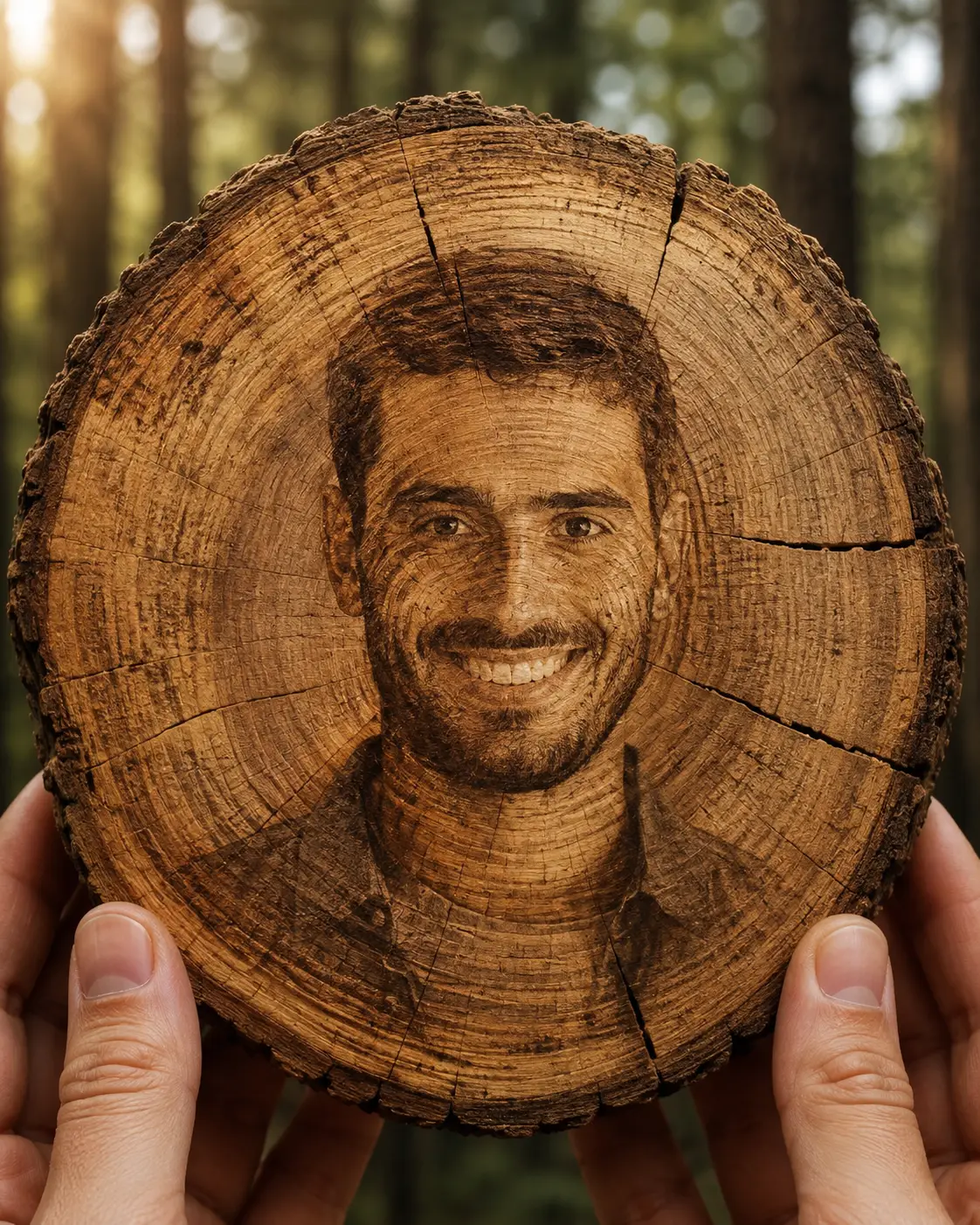
Tree Ring Portrait
Turn your photo into a realistic tree-ring portrait where natural wood grain forms a detailed side-profile while your identity stays intact.
Using the uploaded photo, create a photorealistic macro portrait where the person’s recognizable identity is preserved inside the natural growth rings of an ancient tree cross-section. KEEP - Keep the exact face structure from the uploaded photo, including forehead shape, cheek structure, jawline, chin, nose proportions, lip shape, and natural facial asymmetry. Keep the original eye shape and natural eye colour. Keep the original skin tone, pores, fine texture, facial marks, and realistic complexion. Keep the original hairline and recognizable hair characteristics. Keep all natural facial hair, including beard or moustache shape, density, and colour. Keep the person’s body proportions and overall recognizable physical identity unchanged. CHANGE - Replace the normal portrait setting with a freshly cut circular section of aged tree trunk. Transform the person into a detailed side-profile formed organically by the tree’s growth rings, wood fibres, cracks, knots, and grain patterns rather than placing a normal photograph onto the wood. Change the clothing into a barely visible dark brown textured linen collar integrated subtly into the lower wood area. Use warm natural brown, honey, walnut, and muted amber tones throughout the wooden surface. SCENE - Show the tree cross-section upright and held close to the camera by natural fingertips at its lower edge. The face-shaped pattern should emerge from the concentric growth rings while remaining clearly recognizable. Place a softly blurred ancient forest behind the wood, with tall tree trunks and muted green foliage visible through shallow depth of field. LIGHT - Use warm late-afternoon sunlight entering from the upper left, softly grazing the wood surface and revealing raised fibres, shallow cracks, and ring depth without creating harsh shadows across the portrait. CAMERA - Shoot at 100mm macro, f/4, camera at the centre height of the tree section, with close focusing and strong optical compression. Keep the wood grain and portrait pattern extremely sharp while the forest falls into smooth natural bokeh. GRADE - Apply a warm documentary film grade with restrained contrast, earthy brown highlights, slightly muted greens, preserved wood texture, and realistic natural saturation. OUTPUT - Create a vertical 4:5 composition at 8K resolution with fine wood fibres and ring details clearly resolved. DO-NOT - no face slimming, no skin whitening, no changed eye colour, no plastic smoothing, no invented jewellery or tattoos, no pasted photographic face, no distorted anatomy, no artificial printed portrait
Photo Guide
- Use a sharp, high-resolution photo where the full face is clearly visible.
- A slight side-facing or three-quarter photo helps the wood profile read naturally.
- Use soft daylight so the original skin tone and facial texture remain accurate.
- Keep the hairline, jawline, nose and facial hair unobstructed.
- A blurry face or heavy beauty filter can make the wood portrait lose identity.
How to Build
- 1Open Gemini and choose image generation with photo upload.
- 2Upload one clear, high-resolution portrait as the identity reference.
- 3Paste the full prompt and keep the output ratio at 4:5.
- 4Generate several versions without changing the identity instructions.
- 5If the first result loses the face, use a sharper source photo and regenerate.
Pro Tips
- Use a bearded reference if possible so the wood grain has stronger facial detail.
- Choose warm daylight so the brown wood tones feel naturally connected.
- Avoid sunglasses because hidden eyes weaken recognizable facial structure.
- Keep the source face sharp so the generated side-profile has enough landmarks.
- Prefer a simple background so the tree-ring pattern remains the visual focus.
Share This Prompt
About the Author
Naziya
Creative AI writer at MFDA, sharing trendy photo-editing prompts and fresh ideas for beautiful, stylish AI images.