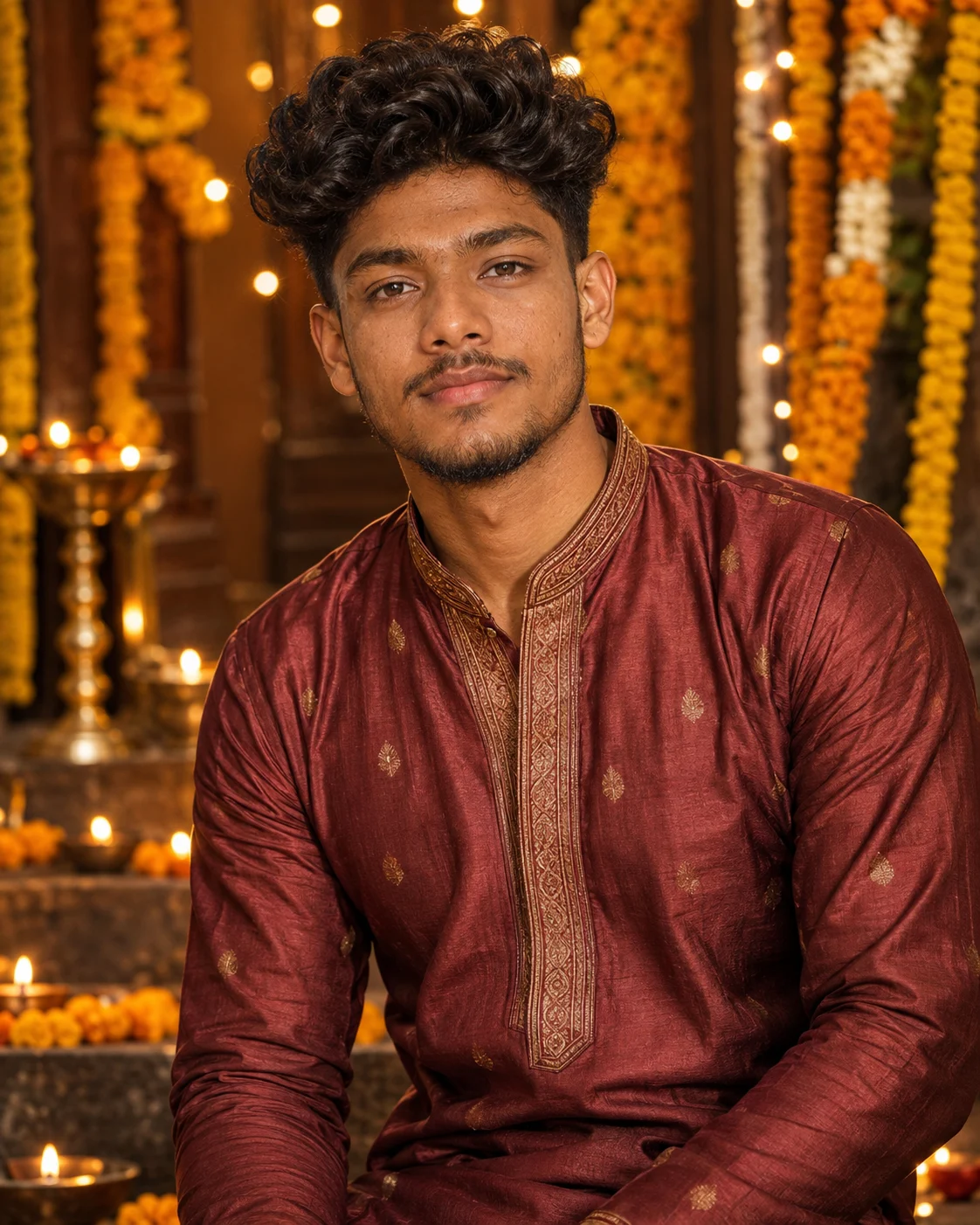
Traditional Red Kurta Ganesh Celebration Portrait
Create a realistic Ganesh Chaturthi portrait with traditional clothing, marigold decor, warm diyas, and your original face preserved.
Using the uploaded photo, create a warm festive Indian portrait while preserving the person’s real identity and natural appearance. KEEP - Keep the exact face structure, natural jawline, cheek shape, nose shape, lip shape, eye shape and eye colour from the uploaded photo. Keep the original skin tone, visible skin texture, natural facial marks, hairline, hairstyle, and facial hair exactly as shown. Keep the person’s real body proportions, shoulder width, neck length, and overall build. Do not reshape the face or body to make the person look slimmer or different. CHANGE - Change the wardrobe to [traditional outfit], using realistic [cotton/silk] fabric in [warm festive colour], with visible woven texture and natural folds. Change the background to a tastefully decorated Indian festive setting with [marigold flowers, diyas, soft decorative lights] arranged behind the subject. Change the pose to a relaxed standing or seated portrait with natural shoulders and hands. Use warm directional daylight with gentle festive highlights. Apply a warm, slightly golden colour grade without changing the person’s real skin tone. SCENE - Place the subject at a decorated festive celebration setting during late afternoon or early evening. Keep marigold garlands, small glowing diyas, and subtle decorative elements behind them. Use a shallow depth of field so the decorations remain recognizable but softly blurred rather than competing with the face. LIGHT - Place the main light slightly above and 45 degrees to the front of the face, with soft warm daylight around 4300–4800K. Add gentle ambient fill from the opposite side so the eye sockets and jaw remain naturally visible. CAMERA - Use an 85mm portrait lens at f/1.8, camera positioned around chest height, with natural perspective compression and sharp focus on both eyes. GRADE - Use warm golden highlights, moderate contrast, natural skin tones, restrained saturation, and subtle film-like grain. OUTPUT - Create a vertical 4:5 portrait at 2048 × 2560 pixels with realistic photographic detail. DO-NOT - No face slimming, no skin whitening, no changed eye colour, no plastic smoothing, no invented jewellery or tattoos.
Photo Guide
- Use a sharp 2000px+ photo where the full face stays clearly visible.
- A front or slight 15-degree angle works best for the 85mm portrait look.
- Use daylight or soft window light; harsh overhead light can distort facial shadows.
- Keep the hairline, eyes, jawline, and shoulders unobstructed in the source.
- Avoid heavy beauty filters because they can weaken the original skin texture.
- A very dark indoor selfie can clash with the warm evening festival lighting.
How to Build
- 1Open Gemini and choose its image generation feature with photo upload.
- 2Upload one clear portrait and select a vertical 4:5 output.
- 3Paste the full prompt content without removing the KEEP section.
- 4Choose 2048 × 2560 if your Gemini interface offers resolution controls.
- 5Generate once, then inspect the eyes, jawline, hands, and skin texture.
- 6If the first result is wrong, upload a sharper source and regenerate with the same settings
Pro Tips
- Choose a silk or cotton outfit so the fabric folds look physically believable.
- Keep marigolds behind the shoulders so the face remains the visual focus.
- Use brass diyas instead of bright LEDs for softer, more natural highlights.
- Avoid adding many accessories so facial and clothing details do not compete.
- Keep the face near the frame centre so the 85mm compression stays flattering.
Share This Prompt
About the Author
Naziya
Creative AI writer at MFDA, sharing trendy photo-editing prompts and fresh ideas for beautiful, stylish AI images.