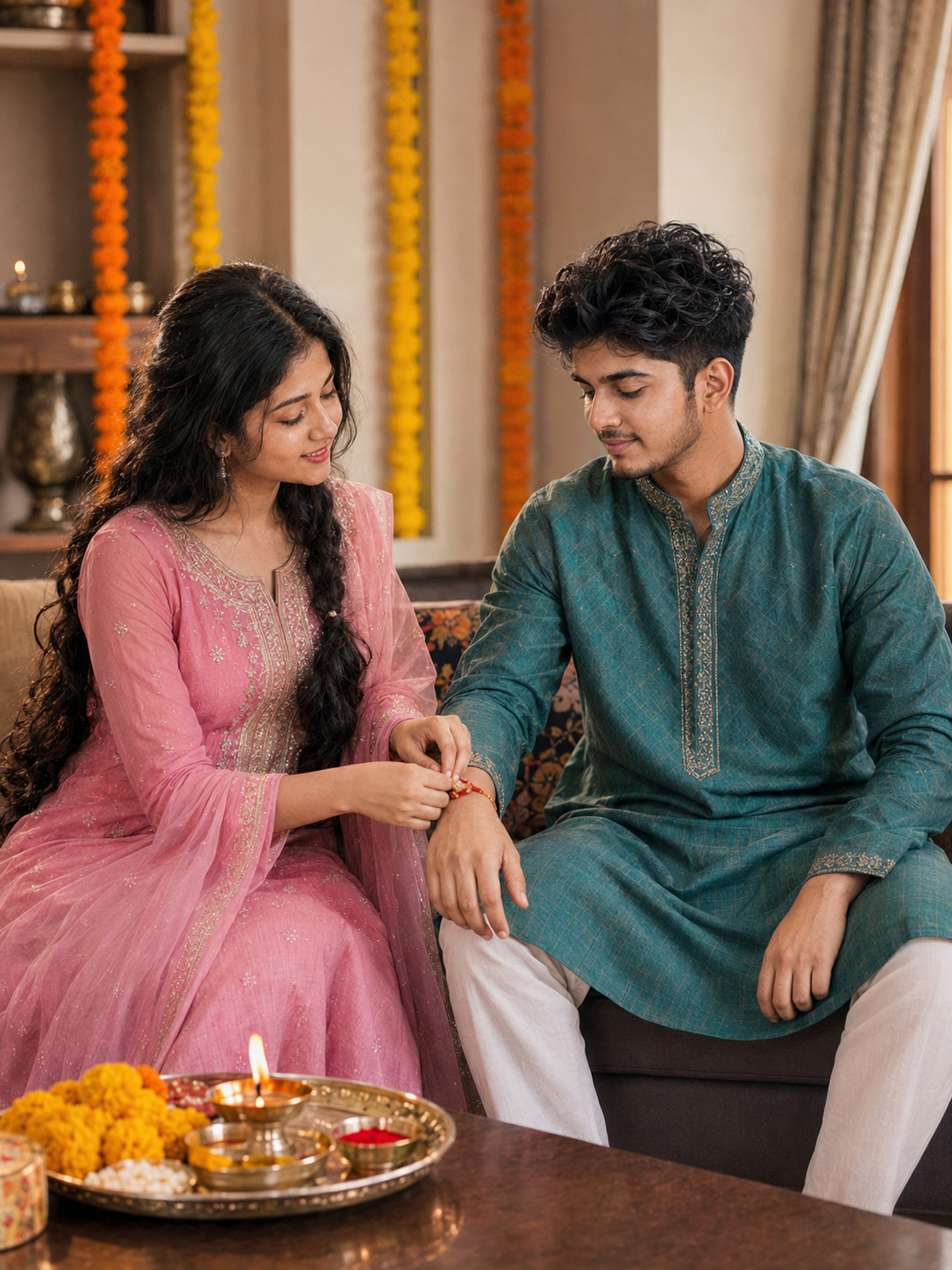
Traditional Rakhi Ceremony Home Sibling Photo
Generate a warm, cinematic evening portrait of siblings celebrating Raksha Bandhan with soft diya lighting and festive marigold decorations.
Using the uploaded photo, create a realistic photograph of a traditional Rakhi ceremony inside an Indian home. KEEP: Keep the uploaded person's exact face structure, natural facial proportions, eye shape and eye colour, skin tone and visible skin texture, hairline, natural hair density, facial hair if present, and body proportions. Keep their recognizable jawline, cheeks, nose, lips, ears, facial asymmetry, and natural expression characteristics. Do not replace or redesign their facial identity. CHANGE: Change the wardrobe to a silk [insert outfit color] ethnic outfit. Change the pose to a candid seated posture where the sister focuses down while tying a cotton thread Rakhi around her brother's right wrist, with the brother looking down towards the wrist. Change the background to a domestic living room setting. SCENE: Place the subjects seated beside a dark wooden coffee table holding a polished brass puja thali with fresh yellow marigolds, red kumkum, rice, and brass diya. The background features soft-focus indoor walls decorated with hanging marigold garlands, captured during daytime with a cozy home atmosphere. LIGHT: Use soft, natural window illumination coming from the side at a 45-degree angle, combined with subtle warm ambient room lighting. Keep light evenly balanced across both faces. CAMERA: Photograph using a 50mm lens at f/2.8 aperture from chest height to maintain an eye-level realistic perspective with moderate depth of field. GRADE: Apply a clean, true-to-life color grade with balanced skin tones, warm earthy accents, and moderate natural contrast. OUTPUT: Render a 3:4 vertical composition at 8K resolution. DO-NOT: No face slimming, no skin whitening, no changed eye colour, no plastic smoothing, no invented jewellery or tattoos, no altered body proportions, no duplicate facial features, no extra limbs, no distorted hands, no text, no watermark, and no logo.
Photo Guide
- Upload a clear front-facing photo with visible facial details
- Ensure natural indoor or daylight illumination on subject face
- Keep both subjects visible without cropped hands or heads
- A photo taken with heavy beauty filters will distort final skin texture
How to Build
- 1Open Gemini or Midjourney in your browser
- 2Upload your reference photo to the tool input
- 3Copy and paste the prompt content into the prompt field
- 4Replace bracketed text with your preferred outfit color
- 5Set output aspect ratio to vertical 3:4 format
- 6If hands distort re-run with increased image weight setting
Pro Tips
- Focus lighting on hands so the wrist interaction stays crisp
- Keep background items minimal so faces remain primary focus
- Specify cotton or silk thread type to prevent oversized rakhi art
- Use 50mm focal length to preserve realistic face proportions
Share This Prompt
About the Author
Jitesh Mali
Author