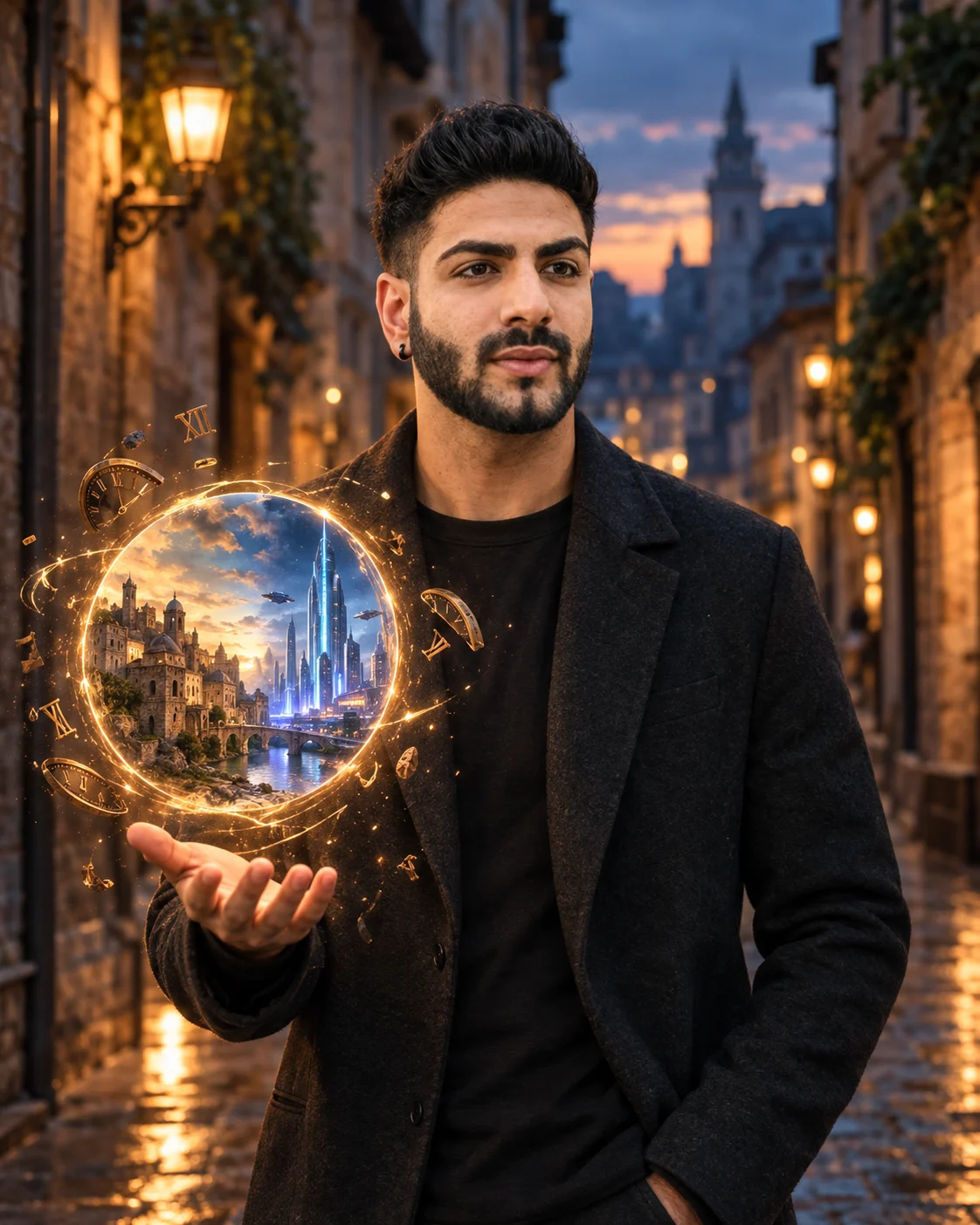
Time Portal Fantasy Portrait Prompt
Create a cinematic time-travel portrait with your real identity preserved, a glowing portal, ancient and futuristic worlds, and floating clock fragments.
Using the uploaded photo, create a photorealistic cinematic portrait of the same person standing in a narrow European street at dusk, with a miniature circular time portal floating directly above their open palm. KEEP: Keep the exact face structure, facial proportions, jawline, cheekbones, nose shape, lips, chin, eye shape and natural eye colour from the uploaded photo. Keep the natural skin tone and visible skin texture, including realistic pores and small natural details. Keep the original hairline, hairstyle characteristics and facial hair pattern. Keep the person's body proportions, shoulder width and overall physical build unchanged. The person must remain clearly recognizable as the same individual. CHANGE: Change the wardrobe to a tailored charcoal-black wool jacket over a plain dark crew-neck shirt, with realistic wool texture and subtle fabric folds. Change the pose so one arm is relaxed while the other hand is held open at waist-to-chest height, palm facing upward beneath the portal. Change the background into a cinematic European stone alley at dusk. Add warm practical lights, aged walls and subtle wet pavement reflections. Change the lighting to a realistic mixture of warm streetlight and cool evening ambient light. SCENE: Place the person naturally in the narrow European alley just after sunset. Behind them, the circular portal floats 10–15 cm above the open palm. Inside the portal, show an ancient stone city on one side and a sleek futuristic city with illuminated towers on the other, visibly separated within the same circular opening. Surround the portal with small floating clock fragments, thin golden dust particles and slight spatial distortion. LIGHT: Light the face primarily from the front-left with a soft warm source around 3200K, while cool blue dusk light around 6000K softly fills the opposite side. Cast a subtle warm glow from the portal onto the palm, fingers and lower face so the effect belongs to the scene. CAMERA: Shoot at 85mm, f/1.8, camera at chest height, with shallow depth of field and natural facial perspective. GRADE: Use a cinematic teal-and-warm-gold grade, controlled highlights, deep but detailed shadows and restrained contrast. OUTPUT: Create a vertical 4:5 composition at 4096 × 5120 resolution with sharp facial detail. DO-NOT: no face slimming, no skin whitening, no changed eye colour, no plastic smoothing, no invented jewellery or tattoos.
Photo Guide
- Use a sharp photo of at least 1200px on the shortest side.
- Choose a front or slight three-quarter angle showing both eyes clearly.
- Soft natural window light works better than harsh overhead lighting.
- Keep the full forehead, hairline, jaw and facial hair visible.
- A dark indoor photo can weaken the dusk lighting match.
How to Build
- 1Open Gemini and upload your clearest identity photo.
- 2Paste this complete prompt without changing the KEEP section.
- 3Choose image generation with portrait output enabled.
- 4Use a 4:5 vertical canvas if the tool offers aspect ratios.
- 5Generate once, then compare the face against the uploaded photo.
- 6If the face drifts, reuse the same photo and prompt with stronger identity preservation.
Pro Tips
- Keep both eyes unobstructed so the portal lighting matches the face.
- Use a photo with visible jaw edges so the silhouette stays consistent.
- Avoid sunglasses because they hide the eye shape and colour.
- Choose a simple shirt in the source photo so wardrobe changes stay clean.
- Keep the palm clearly visible so the portal appears physically attached to the scene.
Share This Prompt
About the Author
Naziya
Creative AI writer at MFDA, sharing trendy photo-editing prompts and fresh ideas for beautiful, stylish AI images.