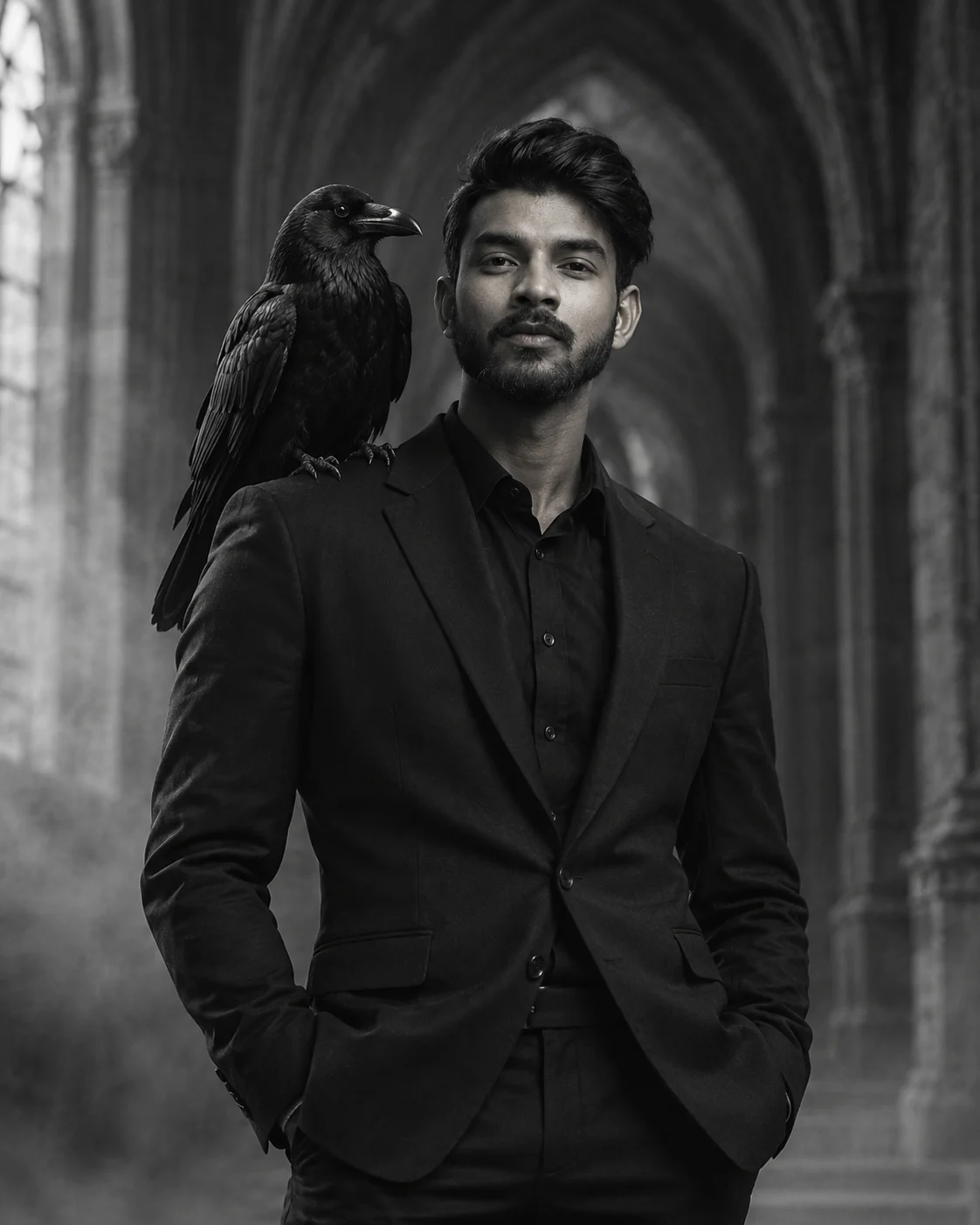
The Raven Keeper Gothic Black Suit Portrait
Create a dark gothic portrait with a tailored black suit, a raven on your shoulder, ancient stone arches, drifting mist, and cinematic monochrome lighting.
Using the uploaded photo, create a photorealistic vertical fine-art portrait of the same person standing beneath towering Gothic stone arches, with a lifelike black raven perched naturally on one shoulder. KEEP — Preserve the person's exact recognizable identity from the uploaded photo, including original face shape, forehead proportions, facial width, eyebrow placement, eye shape and natural eye colour, nose bridge and tip, lips, cheeks, cheekbones, jawline, chin, ears, and natural facial asymmetry. Retain the original skin tone, visible pores, realistic skin texture, age characteristics, hairline, hair density, hair texture, and natural hair colour. Preserve existing facial hair, including its outline, density, and length, if present. Keep the person's natural neck length, shoulder width, body proportions, and recognizable posture. Do not replace the face with a generic fashion model. CHANGE — Dress the person in a fitted black wool suit with structured shoulders, a matte black dress shirt, and tailored black trousers. Add realistic fabric grain, natural sleeve creases, and clean lapel edges. Place a glossy black raven on the person's shoulder, with anatomically correct claws, layered feathers, a sharply defined beak, and alert natural eyes. Use a restrained, dark monochrome aesthetic without adding jewellery or decorative accessories. SCENE — Set the portrait inside an ancient Gothic stone hall with towering pointed arches, weathered charcoal-grey masonry, and a shadowed corridor receding behind the subject. Thin mist drifts near the stone floor. Keep the architecture softly blurred while the face, suit texture, and raven remain sharply defined. The atmosphere suggests a quiet, overcast late afternoon. LIGHT — Use soft directional window light from the upper left, illuminating the face and the raven from the same direction. Add subtle cool rim light along the shoulders and feathers, with natural shadow transitions and no artificial glow on the skin. CAMERA — Shoot at eye level with an 85mm portrait lens at f/2.8. Frame from mid-thigh upward, keeping the head, shoulder-perched raven, and surrounding arches visible. GRADE — Apply black-and-white film grading, deep charcoal shadows, controlled silver highlights, rich midtone detail, and subtle fine-grain texture. OUTPUT — Vertical 4:5 aspect ratio, 8K-quality detail, realistic anatomy, lifelike feathers, and natural photographic depth. DO NOT slim the face, whiten the skin, change eye colour, smooth away natural skin texture, alter facial hair, invent jewellery or tattoos, distort the raven's anatomy, or blend the bird into the person's clothing.
Photo Guide
- Use a sharp, high-resolution photo where the face is clearly visible.
- Choose a front-facing or slight three-quarter angle to preserve facial structure.
- Use even light on the face so the new window lighting blends naturally.
- Keep the hairline, ears, jawline, and facial hair unobstructed.
- A dark outfit is fine, but avoid a black background that hides your silhouette.
- A clear shoulder area helps the raven sit naturally without covering the face.
How to Build
- 1Open Gemini and select image generation with your uploaded reference photo.
- 2Upload one clear photo of the person whose identity must remain unchanged.
- 3Paste the complete Prompt Content without removing the KEEP or CHANGE sections.
- 4Choose a 4:5 portrait aspect ratio and the highest available image quality.
- 5Generate the image with the face, shoulder, and raven visible in the frame.
- 6If the face drifts, regenerate using the same photo and reinforce the KEEP section.
Pro Tips
- Choose a photo with visible shoulders so the raven has a natural perch.
- Keep the head angle close to the reference to reduce facial identity drift.
- Use a photo with visible hair detail so the Gothic rim light stays believable.
- Avoid heavy beauty filters because they can erase pores and facial asymmetry.
- Keep the raven on the lit side of the face so both subjects retain feather detail.
Share This Prompt
About the Author
Naziya
Creative AI writer at MFDA, sharing trendy photo-editing prompts and fresh ideas for beautiful, stylish AI images.