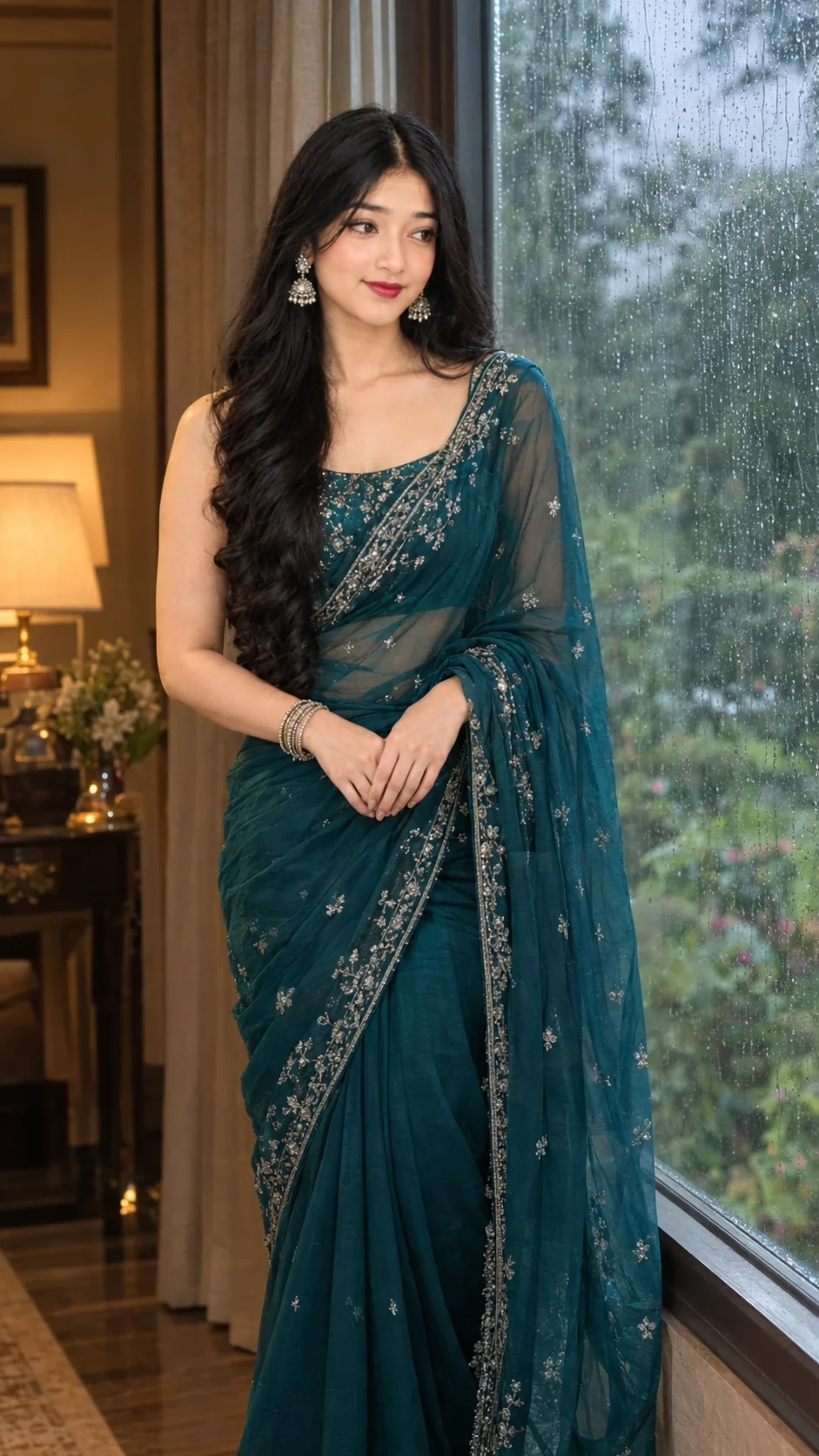
Teal Saree Monsoon Window Cinematic Portrait
Create a cinematic portrait in a deep teal embroidered saree beside a rain-streaked window, with soft monsoon light and a warm, thoughtful mood.
Using the uploaded photo, create a photorealistic 9:16 cinematic fashion portrait of the same woman in a deep teal saree beside a rain-streaked window during the monsoon. KEEP — Preserve the woman's original identity and facial structure, including her jawline, cheekbones, nose shape, lip shape, eye shape, and natural eye colour. Keep her original skin tone, visible skin texture, facial proportions, hairline, hairstyle characteristics, and any facial hair exactly as shown in the uploaded photo. Maintain her natural body proportions, shoulder width, neck length, and overall build. Do not replace her face with a generic fashion model's features or alter her apparent age. CHANGE — Replace her clothing with a deep teal georgette saree featuring delicate silver embroidery along the border and subtle embroidered details across the fabric. Drape a translucent georgette pallu over one shoulder, allowing it to fall naturally with soft folds and realistic fabric movement. Position her beside a large window, with her body turned slightly toward the glass and her face looking thoughtfully just outside the frame. Keep the expression relaxed and natural rather than exaggerated. SCENE — Place her indoors beside a tall window covered in distinct rain droplets and thin water trails. Beyond the glass, show a lush monsoon garden with muted green foliage, softened by shallow depth of field. The setting should feel quiet and intimate, with no invented furniture or decorative objects competing with the subject. LIGHT — Use cool, diffused daylight entering from the window side to illuminate the face naturally, with a gentle warm lamp glow from the opposite side. Blend both light sources across the cheeks and clothing without creating mismatched shadows. Keep the skin tones believable despite the cool surroundings. CAMERA — Use an 85mm portrait lens at f/1.8, with the camera at eye level and a medium portrait crop. Keep the eyes and facial details sharply focused while the garden remains softly blurred. GRADE — Apply restrained cinematic colour grading with deep teal fabric, cool blue-green window shadows, warm amber highlights, moderate contrast, and natural skin colours. OUTPUT — Render in a vertical 9:16 aspect ratio at 2160 × 3840 resolution, with realistic raindrops, detailed embroidery, visible skin texture, and natural fabric translucency. DO NOT slim the face, whiten the skin, change eye colour, smooth the skin into plastic, alter body proportions, or invent jewellery, tattoos, facial features, or accessories absent from the uploaded photo.
Photo Guide
- Use a sharp, high-resolution photo where the face is clearly visible.
- Choose a front-facing or three-quarter angle with both eyes unobstructed.
- Soft daylight helps the cool window light blend naturally with the face.
- Keep the original hairline, hairstyle, jawline, and skin texture visible.
- A brightly filtered selfie can make the cinematic lighting look artificial.
- A clear face photo works best; heavy shadows can distort identity preservation.
How to Build
- 1Open Gemini or ChatGPT and choose image generation or photo editing.
- 2Upload your original photo as the identity reference.
- 3Paste the full prompt without removing the KEEP or CHANGE sections.
- 4Choose a 9:16 vertical aspect ratio if the tool offers that setting.
- 5Select the highest available resolution and enable reference-image fidelity.
- 6Generate the portrait and inspect the face, saree drape, and window lighting.
- 7If the result looks wrong, regenerate with a specific correction to the faulty detail.
Pro Tips
- Use a photo with visible facial detail so the jawline survives the new lighting.
- Choose a reference with loose or visible hair so the hairline stays consistent.
- Keep the eyes unobstructed so their shape and natural colour remain accurate.
- Request subtle silver embroidery if patterns become too dense or artificial.
- Keep the warm lamp glow gentle so the skin does not turn orange.
- Retain the rain-streaked glass in corrections so the monsoon setting stays recognisable.
Share This Prompt
About the Author
Naziya
Creative AI writer at MFDA, sharing trendy photo-editing prompts and fresh ideas for beautiful, stylish AI images.