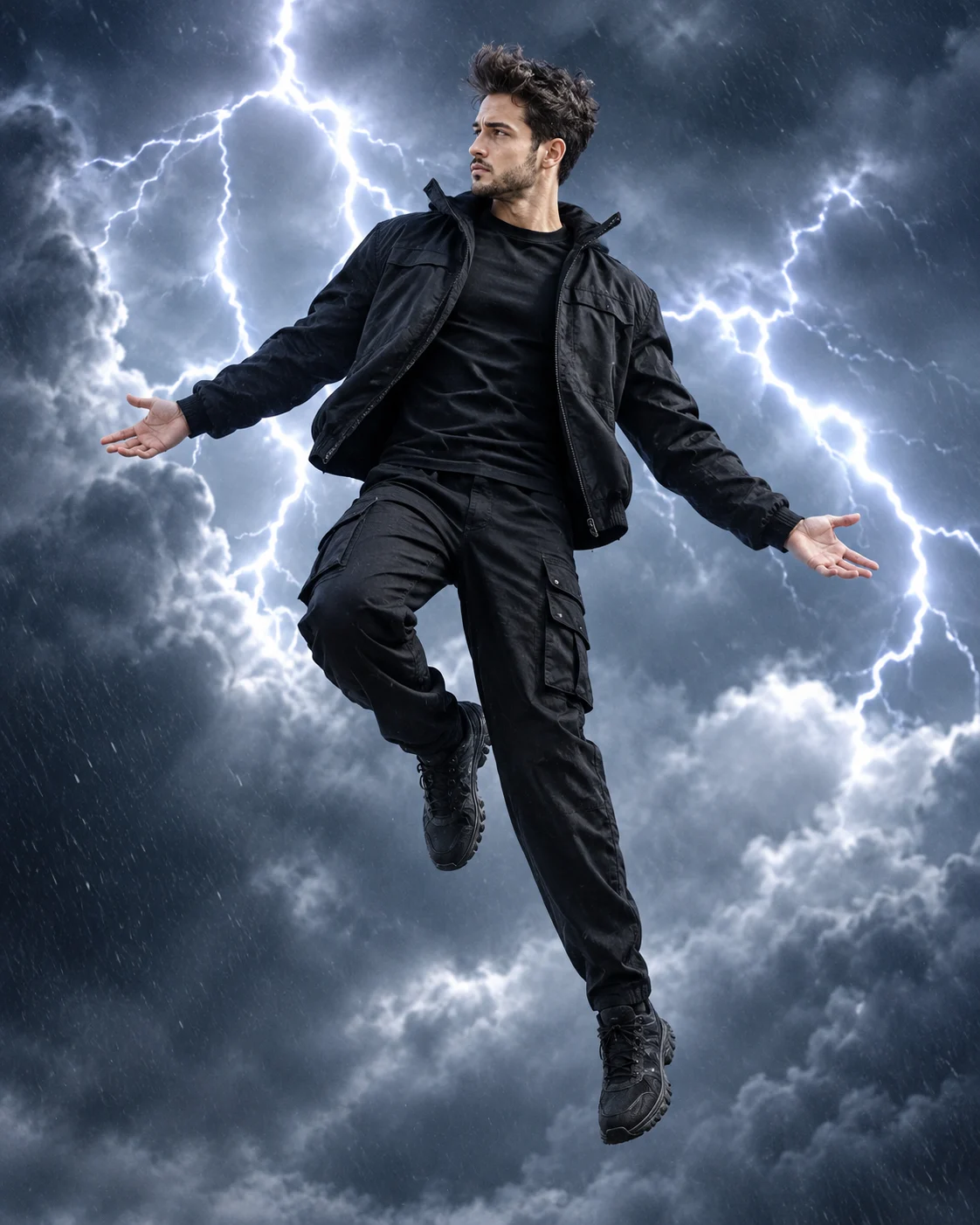
Storm Within: Cinematic Floating Portrait in a Thunderstorm
Create a cinematic floating portrait surrounded by dark thunderclouds, distant lightning and dramatic storm lighting while preserving your original facial identity.
Using the uploaded photo, create an ultra-realistic full-body cinematic photograph of the same recognizable man suspended weightlessly in the middle of a massive nighttime thunderstorm. Use a vertical 4:5 composition with dramatic atmospheric depth and a physically believable floating pose. KEEP — Preserve the exact facial identity and natural anatomy from the uploaded photograph. Retain the original forehead proportions, eyebrow shape and placement, eye shape and natural eye colour, nose bridge and tip, lip shape, cheek volume, cheekbones, jawline, chin, ears and natural facial asymmetry. Maintain the original skin tone, authentic skin texture, visible pores, natural marks and age. Preserve the original hairline, hairstyle, hair density, texture and colour. If facial hair is present, retain its original density, outline, length and distribution. Keep the original neck width, shoulder structure, body build and natural proportions. The finished face must remain immediately recognizable as the person in the reference. CHANGE — Dress him in an oversized matte-black technical streetwear jacket with a subtle nylon texture, black layered inner shirt, relaxed black cargo trousers with functional side pockets and dark chunky sneakers. Replace the original setting with a vast storm-filled night sky. Position his body diagonally in mid-air, leaning slightly backward with his chest raised, head tilted toward the clouds and arms naturally extended outward. Keep one knee bent while the opposite leg hangs downward. Both feet must remain visibly suspended. SCENE — Place the subject among dense charcoal-grey thunderclouds at midnight. Distant lightning branches across the background behind his silhouette, illuminating separate cloud layers. Add drifting atmospheric mist and fine rain particles around his legs without obscuring his face or clothing. LIGHT — Use a cool blue-white lightning flash from behind and slightly to camera-left as the rim light. Add a soft frontal fill at approximately 5000K to maintain natural facial detail. Keep highlights controlled and shadows deep. CAMERA — Full-body framing, 85mm lens, f/2.8, camera positioned slightly below chest height. Keep the face, hands, shoes and floating pose sharply defined. GRADE — Deep charcoal blacks, storm-blue shadows, restrained silver highlights and natural skin colour. Apply a cinematic high-contrast film grade without artificial skin retouching. OUTPUT — Vertical 4:5 aspect ratio, 8K detail, photorealistic textures and realistic atmospheric lighting. DO NOT add visible support wires, ground contact, extra limbs, distorted hands, face slimming, skin whitening, changed eye colour, plastic smoothing, invented jewellery or tattoos. Do not replace the original identity or turn the subject into a generic model.
Photo Guide
- Upload a sharp, high-resolution photo with the complete face visible.
- Choose a front-facing or slight three-quarter camera angle.
- Use even facial lighting so the original skin details remain readable.
- Keep the hairstyle, hairline and facial hair clearly visible.
- A dark outfit is not required; clothing will be replaced by black streetwear.
- Avoid heavily backlit selfies because lightning effects can obscure facial detail.
How to Build
- 1Open Gemini or ChatGPT and select its image generation feature.
- 2Upload your original photograph as the identity reference.
- 3Copy the complete prompt content into the image generation input.
- 4Choose a vertical 4:5 aspect ratio and the highest available quality.
- 5Enable reference-image or identity preservation if the tool offers it.
- 6Generate the image and inspect the face, hands, shoes and floating pose.
- 7If the result is wrong, strengthen the KEEP instructions and regenerate.
Pro Tips
- Choose a photo with visible facial details so storm shadows do not erase identity.
- Keep the original hairline visible because blue rim lighting can distort its outline.
- Use a full-body reference when possible to improve floating-pose proportions.
- Avoid sunglasses because the lightning should illuminate the original eyes.
- Request subtle lightning behind the subject so it does not overpower his face.
Share This Prompt
About the Author
Naziya
Creative AI writer at MFDA, sharing trendy photo-editing prompts and fresh ideas for beautiful, stylish AI images.