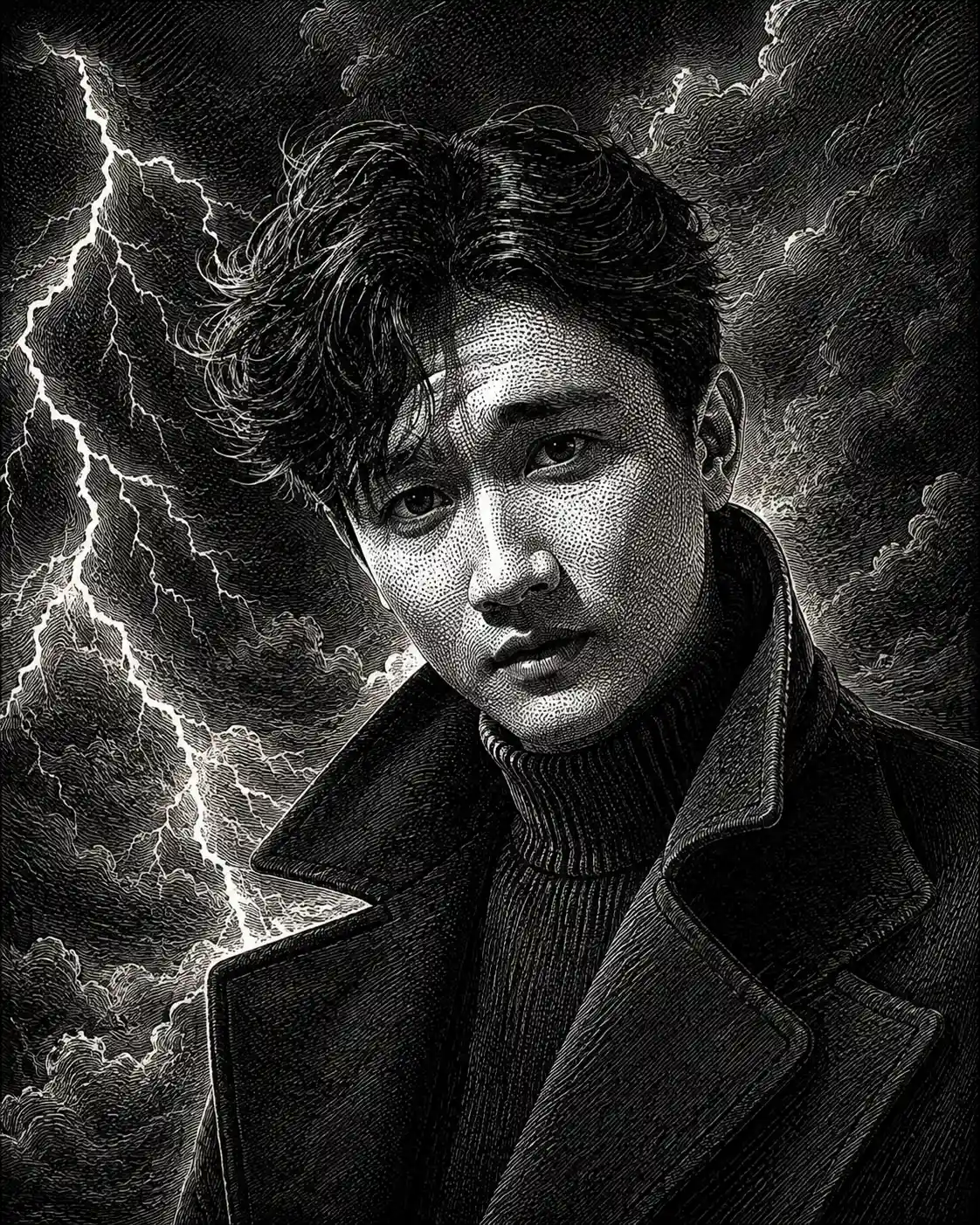
Storm and Lightning Black-and-White Engraved Portrait
Create a dramatic black-and-white engraved portrait with wind-swept hair, storm clouds, lightning-inspired highlights, and intricate vintage cross-hatching.
Using the uploaded photo, create a highly detailed black-and-white engraved head-and-chest portrait of the same person, surrounded by turbulent storm clouds and sharp lightning-inspired highlights, using vintage copperplate etching and banknote engraving techniques. KEEP — Preserve the person's exact facial identity, forehead proportions, eyebrow placement, original eye shape and colour, nose bridge and tip, lip shape, cheek volume, cheekbones, jawline, chin, ears, facial width, and natural asymmetry. Maintain the original skin tone through accurate monochrome tonal translation, retaining visible pores, natural marks, and realistic skin texture. Keep the original hairline, hair density, natural hair texture, and facial hair pattern wherever visible. Preserve the person's body proportions, neck width, and shoulder structure. Do not replace the face with a generic model or reshape distinctive features. CHANGE — Style the hair as naturally wind-swept while retaining its original hairline, length, and texture. Dress the subject in a black wool overcoat with a raised collar over a finely ribbed black turtleneck. Introduce intricate engraved fabric folds, directional hair strands, dense cross-hatching, delicate stippling, and narrow white etching lines that suggest lightning illuminating the face. Use a powerful, composed expression without altering recognizable facial features. SCENE — Place the subject against a turbulent night sky filled with layered charcoal-black storm clouds. Position branching lightning in the distant background on one side of the head, leaving the face unobstructed. Keep the clouds softly atmospheric while preserving crisp engraved detail around the subject. LIGHT — Simulate cool, bright lightning illuminating the face from the upper left, with softer frontal fill to retain facial detail. Use sharp white highlights on the forehead, nose bridge, cheekbones, and individual hair strands, balanced by deep shadows beneath the jaw and coat collar. CAMERA — Use an 85mm portrait lens at f/2.8, camera at eye level, with a centered head-and-chest composition and natural facial proportions. GRADE — Convert the entire image to strict black and white, using rich blacks, crisp white highlights, fine grey halftones, vintage copperplate linework, and dense directional cross-hatching. The result must resemble a hand-engraved illustration, not a photograph or 3D render. OUTPUT — Vertical 4:5 aspect ratio, 2048 × 2560 pixels, sharply defined engraved contours, fine micro-stippling, and clean edge detail. DO NOT alter facial identity, slim the face, whiten the skin, change eye colour, smooth skin into plastic, invent jewellery or tattoos, add colour, distort anatomy, obscure the eyes, or include text, logos, borders, or watermarks.
Photo Guide
- Use a sharp, high-resolution photo with both eyes clearly visible.
- Choose a front-facing or slightly angled portrait with a visible hairline.
- Avoid harsh facial shadows that hide the nose, cheeks, or jawline.
- A dark outfit helps the engraved black coat blend naturally into the scene.
- Keep the original hairstyle visible so wind-swept changes remain believable.
- Avoid blurry faces; fine engraving cannot recover missing facial details.
How to Build
- 1Open ChatGPT or Gemini and upload your original portrait photo.
- 2Select image generation or image editing mode if the option is available.
- 3Paste the complete Prompt Content without removing the KEEP section.
- 4Choose a vertical 4:5 aspect ratio and the highest available resolution.
- 5Generate the portrait and inspect the eyes, jawline, and hairline.
- 6If the result is wrong, regenerate with the original photo and reinforce KEEP.
Pro Tips
- Use a photo with clearly defined eyes so engraved facial details stay recognizable.
- Choose visible hair texture so the wind-swept strands look naturally etched.
- Keep the lightning behind the head so white highlights do not erase facial features.
- Preserve frontal facial detail so deep cross-hatching does not distort the nose.
- Retain natural facial hair patterns so the engraved jawline matches the reference.
- Use strict monochrome output so lightning highlights remain consistent with the style.
Share This Prompt
About the Author
Naziya
Creative AI writer at MFDA, sharing trendy photo-editing prompts and fresh ideas for beautiful, stylish AI images.