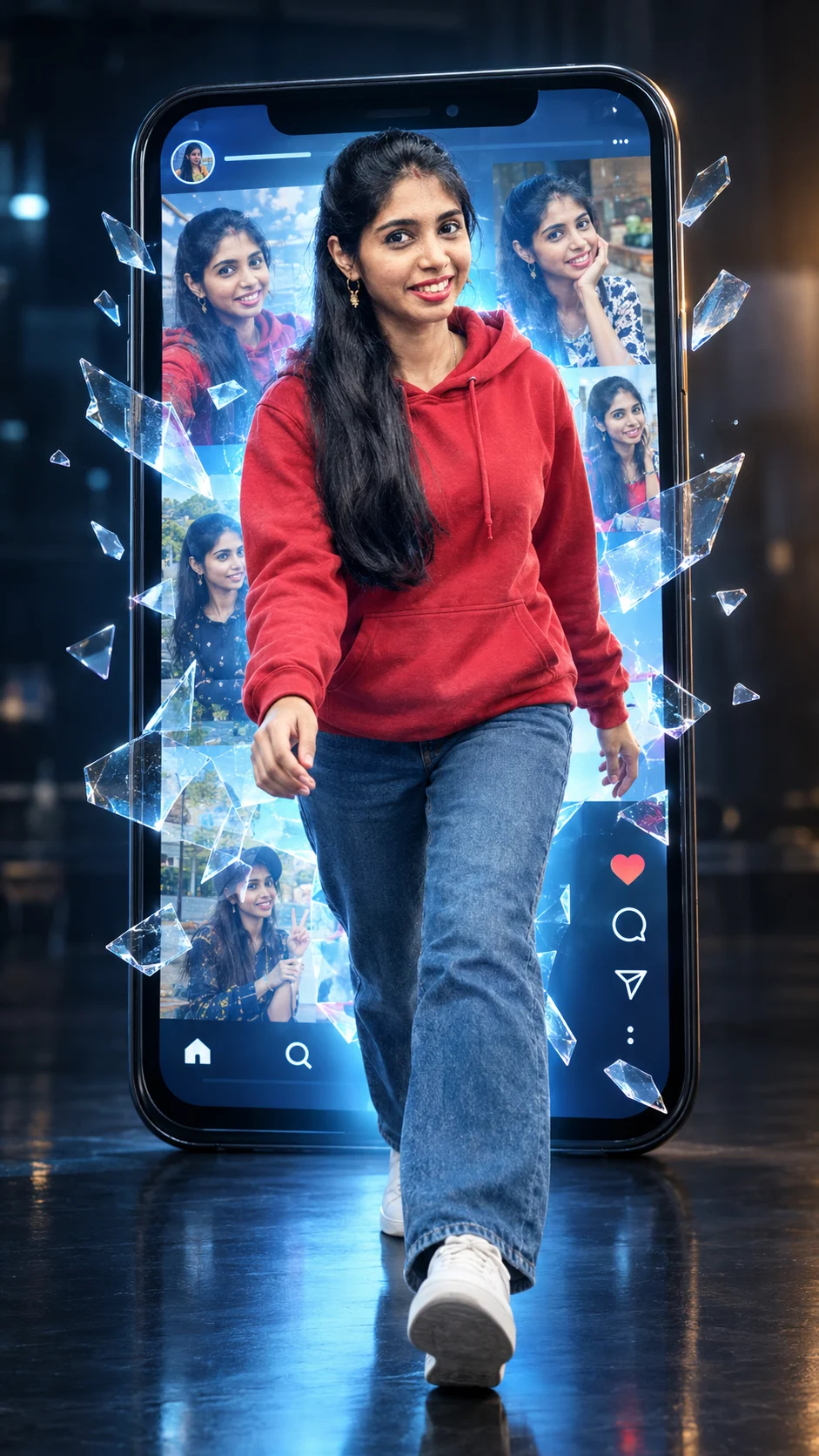
Smartphone Screen Breakout Portrait
Turn your uploaded photo into a cinematic scene where you step through a giant smartphone screen surrounded by digital copies and glass fragments.
Using the uploaded photo, create a photorealistic cinematic 3D surreal portrait of the same woman physically stepping out through the screen of a giant upright modern smartphone. KEEP - Keep the uploaded woman's exact face structure, including forehead shape, eyebrow structure, eye shape and natural eye colour, nose shape, lips, cheek placement, jawline, chin shape, facial proportions, and natural facial asymmetry. Keep her original skin tone, visible pores, fine texture, freckles, marks, and natural complexion. Keep the original hairline, hair density, hair texture, and recognizable hairstyle characteristics. Keep facial hair exactly as present, if any. Keep her natural body proportions, shoulder width, torso length, waist, arms, legs, height relationship, and realistic body shape. Do not make her thinner, taller, younger, or more symmetrical. CHANGE - Change the wardrobe to a clean [red hoodie] made from soft cotton fleece, paired with [blue denim jeans] and [white sneakers]. Change the pose so she is walking forward through the phone screen, with one leg extended toward the camera and her arms naturally balanced. Change the setting to a dark creative studio with a glossy black floor. Use a giant black-framed smartphone standing vertically behind and around her. SCENE - The smartphone screen displays a vivid social-media-style digital world containing multiple smaller versions of the uploaded woman in different poses. The real woman emerges beyond the screen plane while translucent glass-like fragments hover around the opening. Keep the studio background softly blurred so the phone and subject remain dominant. LIGHT - Use soft blue-white light coming directly from the smartphone screen onto the front of her face and clothing, combined with a subtle warm rim light from camera-right. Keep the facial illumination continuous across the screen boundary. CAMERA - Shoot at 35mm, f/4, camera positioned at waist height, with realistic wide-angle perspective and enough depth of field to keep her full body and phone structure sharp. GRADE - Use a cool blue-and-neutral cinematic grade, moderate contrast, clean blacks, restrained saturation, realistic skin colour, and subtle glossy commercial-photography finishing. OUTPUT - Create a vertical 9:16 composition at 1440 × 2560 resolution, with the woman centered and the smartphone forming a strong frame around her. DO NOT slim the face, whiten the skin, change eye colour, smooth skin into plastic, invent jewellery or tattoos, alter body proportions, duplicate the real woman, or distort hands, feet, phone edges, or facial features.
Photo Guide
- Use a sharp photo at least 1024px wide with the face clearly visible.
- A front-facing or slight three-quarter angle works best for this breakout scene.
- Use even daylight so the phone's blue light can blend onto the face naturally.
- Keep the full head and shoulders visible; avoid cropped hairlines or faces.
- A dark hoodie or red clothing helps separate the subject from the digital screen.
- Heavy blur, filters, or covered facial features can cause identity drift.
How to Build
- 1Open Gemini and upload one clear, high-resolution reference photo.
- 2Paste the full Smartphone Screen Breakout prompt unchanged.
- 3Choose image generation or photo editing mode, not text-only mode.
- 4Set the canvas to vertical 9:16 before generating if available.
- 5Generate once, then inspect the face, hands, feet, and phone perspective.
- 6If the first result is wrong, regenerate using the same photo and prompt.
Pro Tips
- Use a photo with visible hairline so the emerging head blends naturally.
- Keep the face evenly exposed so blue screen light does not flatten features.
- Choose a simple outfit in the source photo so wardrobe changes stay clean.
- Avoid sunglasses because the digital screen needs clear eye reference.
- Check the hands first after generation because glass fragments can cause errors.
Share This Prompt
About the Author
Naziya
Creative AI writer at MFDA, sharing trendy photo-editing prompts and fresh ideas for beautiful, stylish AI images.