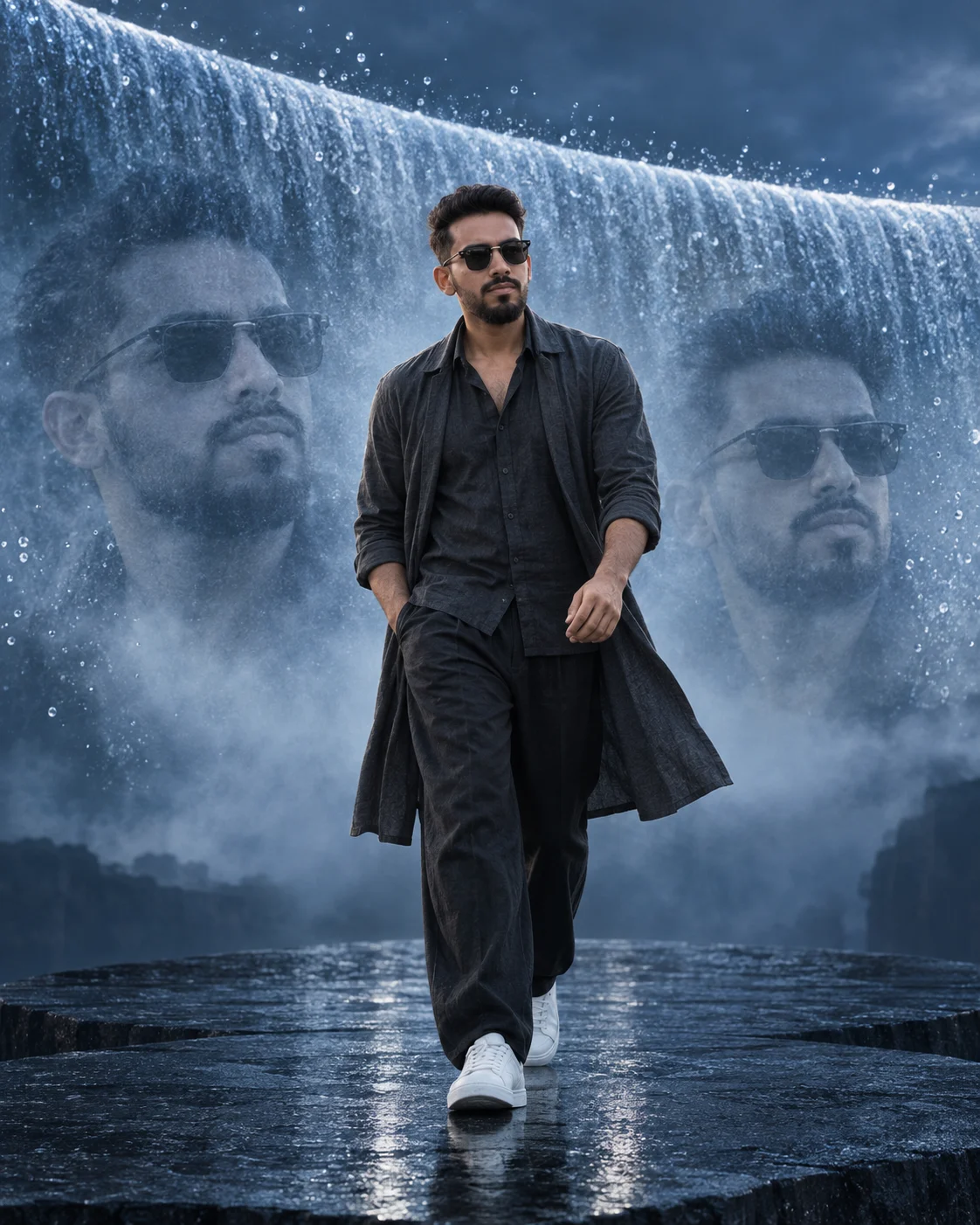
Silver Waterfall Fashion Dimension
Create a cinematic fashion portrait with a curved floating waterfall, frozen droplets, mist portraits, and a dark stone platform around your photo.
Using the uploaded photo, create a photorealistic surreal fashion poster of the same person walking forward on a black stone platform beneath a massive curved floating waterfall. KEEP - Keep the exact face structure from the uploaded photo, including jawline, cheekbones, forehead, nose shape, lips, chin, eye shape and eye colour. Keep the natural skin tone, visible skin texture, hairline, hairstyle, facial hair pattern and facial-hair density. Keep the person's body proportions, shoulder width, height impression and natural build unchanged. Preserve the person's recognizable identity without reshaping or beautifying the face. CHANGE - Change the wardrobe to a tailored charcoal-black linen shirt, wide black trousers and clean white leather sneakers. Add a long lightweight charcoal overshirt moving slightly with the air. Change the setting to a monumental black stone platform surrounded by a dark atmospheric void. Place a gigantic waterfall behind the subject, curving horizontally in a smooth architectural arc rather than falling straight down. Freeze individual water droplets around the arc so they look suspended in mid-air. Do not add jewellery. SCENE - Set the scene during blue hour in an open surreal landscape. The subject walks directly toward the camera on wet black stone. The curved waterfall occupies the upper background, while fine mist spreads behind the shoulders. Blend two large close-up portraits of the same person into the waterfall mist, one on each side, softly visible rather than sharply outlined. Keep distant details slightly blurred. LIGHT - Use soft cool light from the upper front-left, with gentle reflected highlights from the water on the face and clothing. Keep the face naturally exposed and use a cool 6500K colour temperature. CAMERA - Use an 85mm lens at f/2.8, camera at chest height, with the full body sharply framed and moderate background compression. GRADE - Use a cool silver-blue colour grade, controlled contrast, deep blacks, clean skin tones and subtle cinematic film grain. OUTPUT - Create a vertical 4:5 composition at 2048×2560 resolution. DO-NOT - No face slimming, no skin whitening, no changed eye colour, no plastic smoothing, no invented jewellery or tattoos.
Photo Guide
- Use a sharp daylight portrait with at least 1500px on the face.
- Keep the camera near eye level so the walking perspective stays natural.
- A front or slight three-quarter face angle works best for the mist portraits.
- Choose a photo where the full hairline and facial hair are clearly visible.
- Avoid harsh side shadows; the face needs even detail for the cool water light.
- A busy background can make the waterfall and mist blend look muddy.
How to Build
- 1Open Gemini and upload a clear identity photo.
- 2Paste the full prompt without removing the KEEP or CHANGE sections.
- 3Choose a vertical 4:5 image setting if available.
- 4Generate one image first, then check the face before making variations.
- 5If available, use the highest image quality or resolution setting.
- 6If the first result is wrong, regenerate with the same photo and stress KEEP.
Pro Tips
- Use a photo with visible facial texture so the mist portraits retain identity.
- Keep both eyes unobstructed so the reflected water light looks natural.
- A dark shirt improves separation from the pale waterfall mist.
- Use a walking photo reference only if body proportions keep drifting.
- Keep the waterfall behind the shoulders so it does not cover the face.
Share This Prompt
About the Author
Naziya
Creative AI writer at MFDA, sharing trendy photo-editing prompts and fresh ideas for beautiful, stylish AI images.