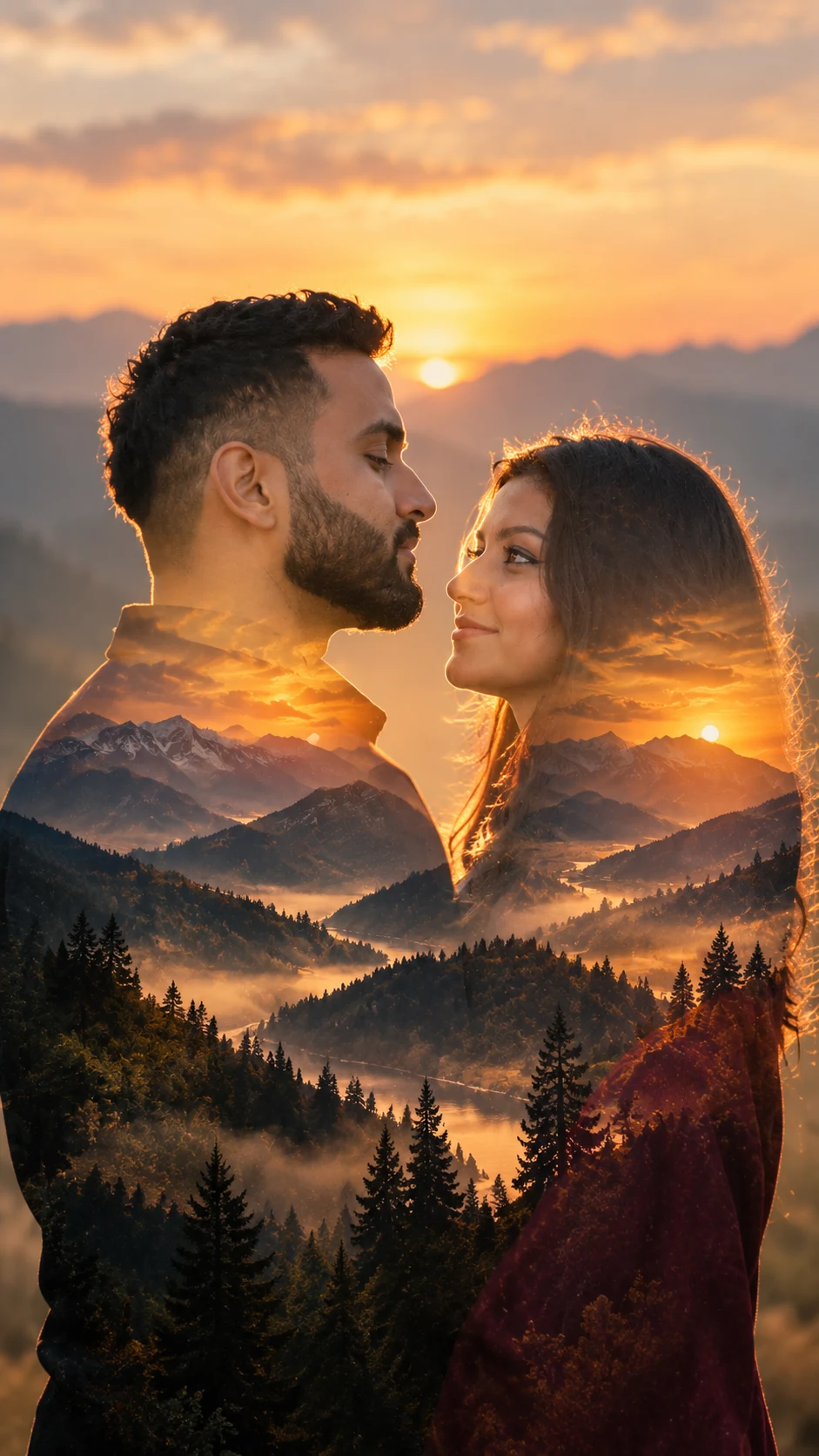
Silhouette Couple Mountain Double Exposure Portrait
Create a romantic couple silhouette with glowing mountains, trees, and sunset scenery blended inside a cinematic double-exposure portrait.
Using the uploaded photo, create a photorealistic romantic double-exposure portrait of the same couple in elegant side-profile silhouettes, with a glowing mountain landscape visible inside both silhouettes. KEEP - Preserve both people's exact facial structure from the uploaded photo, including forehead shape, eyebrows, eye shape and natural eye colour, nose, lips, cheeks, jawline, chin, and facial proportions. Keep each person's original skin tone and visible skin texture, including pores, fine lines, natural marks, and asymmetry. Preserve each person's hairline, hair density, natural hair texture, hairstyle pattern, and facial hair where present. Keep their individual body proportions, shoulder width, neck length, height relationship, and recognizable identity unchanged. Do not merge either face into the other. CHANGE - Place the couple in close side profile, facing one another with a small natural gap between their faces. Dress them in simple matte clothing: a charcoal-black cotton shirt for the man and a deep burgundy matte fabric outfit for the woman. Remove distracting accessories unless already visible in the uploaded photo. Transform the interior of each silhouette into a layered mountain landscape with pine trees, distant ridges, and a glowing evening sky. SCENE - Set the composition outdoors at sunset. Use distant blue-grey mountains, dark evergreen trees, and a warm amber sky inside the silhouettes. Keep the outer background softly blurred and uncluttered so the double-exposure shapes remain clearly defined. LIGHT - Place the setting sun behind the couple, producing a soft golden rim along their profile edges. Keep the light warm at approximately 4200K-4800K, with gentle highlights rather than hard facial shadows. CAMERA - Use an 85mm lens at f/1.8, positioned at chest height, with compressed perspective and shallow depth of field. GRADE - Use a warm cinematic grade with amber highlights, muted blue-grey shadows, moderate contrast, and subtle film grain. OUTPUT - Create a clean aspect ratio 9:16. DO-NOT - No face slimming, no skin whitening, no changed eye colour, no plastic smoothing, no altered facial proportions, no face merging, no invented jewellery or tattoos, no extra people, and no artificial facial features.
Photo Guide
- Use a sharp, high-resolution photo where both faces and hairlines are visible.
- Choose a side-profile or three-quarter photo with clear facial separation.
- A warm outdoor photo blends better with the sunset rim light than indoor lighting.
- Keep both people fully visible from head to upper torso for clean silhouettes.
- Avoid busy backgrounds because they can compete with the mountain exposure.
- The original height relationship should remain visible between both people.
How to Build
- 1Open Gemini and choose its image generation mode.
- 2Upload your clear couple photo before adding the prompt.
- 3Set the canvas to a 16:9 aspect ratio.
- 4Paste the full prompt and generate the first image.
- 5Check both faces, profile edges, and the internal mountain scene.
- 6If the result drifts, regenerate using the same photo and prompt.
Pro Tips
- Use a clean side profile so the silhouette edges stay easy to read.
- Keep hair away from the eyes so facial contours remain recognizable.
- Use matte clothing so reflections do not break the double exposure.
- Choose warm daylight so the sunset rim light looks physically consistent.
- Keep the mountains inside the profiles, so the effect stays clearly intentional.
- Use one couple photo per generation so identity matching stays consistent.
Share This Prompt
About the Author
Naziya
Creative AI writer at MFDA, sharing trendy photo-editing prompts and fresh ideas for beautiful, stylish AI images.