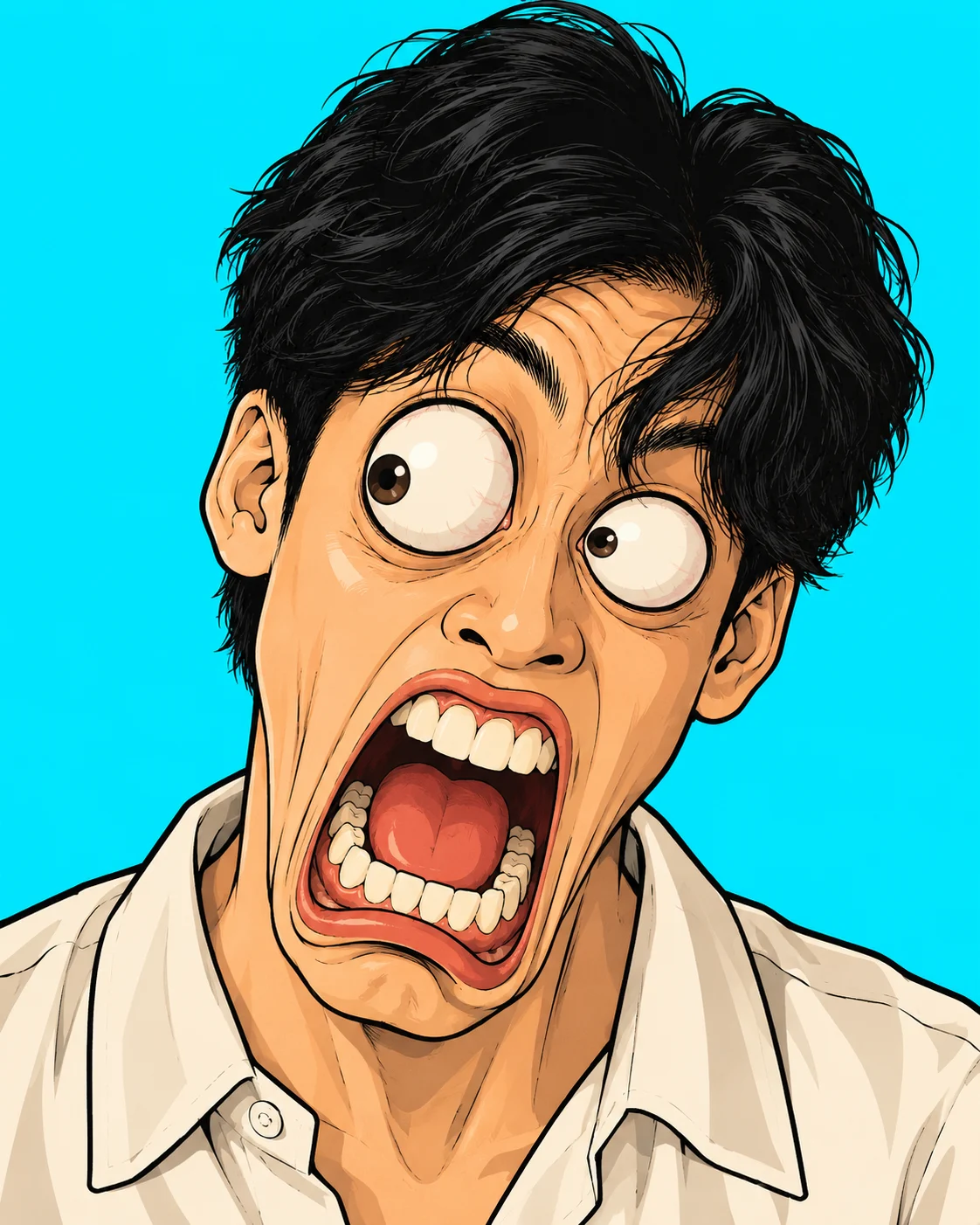
Shocked Bug-Eyed 1990s Cartoon Portrait
Turn your photo into a shocked 1990s cartoon portrait with bulging eyes, an oversized jaw, thick black outlines, and a bright cyan background.
Using the uploaded photo, create a stylised 2D cartoon close-up of the same person, framed from the shoulders up, with an impossibly shocked expression inspired by exaggerated 1990s television animation. KEEP — Preserve the person's recognizable facial identity, forehead shape, eyebrow placement, original eye shape and natural eye colour, nose structure, lip shape, cheek contours, jawline, chin, ears, facial width, and natural facial asymmetry. Retain the original skin tone and recognizable age. Keep the hairline, hairstyle, hair texture, and facial hair consistent with the uploaded photo. Maintain the person's original neck, shoulder width, and visible body proportions. The face must remain identifiable despite the cartoon distortion. CHANGE — Transform the expression into exaggerated comic shock. Make both eyeballs protrude dramatically, with the pupils pointing in different directions. Raise the eyebrows unusually high, stretch the jaw downward, widen the mouth, and expose oversized individual teeth with clearly separated shapes. Inflate the cheeks and add deep forehead creases. Use thick, irregular black ink outlines, simplified facial shading, and flat, saturated colours. Apply squash-and-stretch distortion to the expression rather than replacing the person's underlying identity. Keep the original hairstyle recognizable. SCENE — Place the character against a perfectly solid bright cyan background (#00DFFF). Show the head, neck, and shoulders in a centered, straight-on composition. Keep the background completely clean, without objects, gradients, patterns, shadows, text, or decorative elements. LIGHT — Use even, frontal cartoon lighting with minimal directional shadow. Add small white highlights to the eyes and subtle tonal separation around the nose, cheeks, and mouth. Keep the colours consistent across the entire face so the features do not appear pasted together. CAMERA — Simulate an 85mm portrait lens at f/5.6, with the camera at eye level. Use a tight head-and-shoulders crop, symmetrical framing, and crisp outlines without perspective stretching from a wide-angle lens. GRADE — Use a limited palette of saturated cyan, warm skin tones, deep black outlines, and natural hair colours. Apply high contrast, clean colour separation, and a hand-drawn cel-animation finish reminiscent of 1990s comedy cartoons. OUTPUT — Vertical 4:5 aspect ratio, 2048 × 2560 pixels, sharp edges, clean fills, and no compression artefacts. DO NOT slim the face, whiten the skin, change the natural eye colour, apply plastic skin smoothing, invent jewellery or tattoos, replace the person's identity, add extra teeth, or include text or watermarks.
Photo Guide
- Use a sharp, high-resolution photo with the entire face visible.
- Choose a straight-on angle so both eyes and eyebrows are easy to reference.
- Use even frontal lighting to preserve the original facial structure.
- Keep the hairline, ears, chin, and shoulders visible in the source photo.
- A neutral expression helps the exaggerated cartoon shock read clearly.
- Avoid blurry eyes or cropped eyebrows; they weaken the bulging-eye effect.
How to Build
- 1Open ChatGPT and select its image generation feature.
- 2Upload one clear portrait with the face and shoulders visible.
- 3Paste the complete prompt into the image generation request.
- 4Choose a 4:5 portrait format if aspect ratio controls are available.
- 5Set output quality to high or the highest available resolution.
- 6If the first result changes identity, regenerate with stronger KEEP instructions.
Pro Tips
- Start with a front-facing photo so both eyes distort in a balanced way.
- Keep the original eye colour specified to prevent unexpected colour changes.
- Use a bright cyan background to separate the black outlines from the scene.
- Request individually defined teeth so the open mouth stays visually readable.
- Keep the camera at eye level to avoid unwanted perspective distortion.
- If the face becomes unrecognizable, reduce the distortion around the nose and jaw.
Share This Prompt
About the Author
Naziya
Creative AI writer at MFDA, sharing trendy photo-editing prompts and fresh ideas for beautiful, stylish AI images.