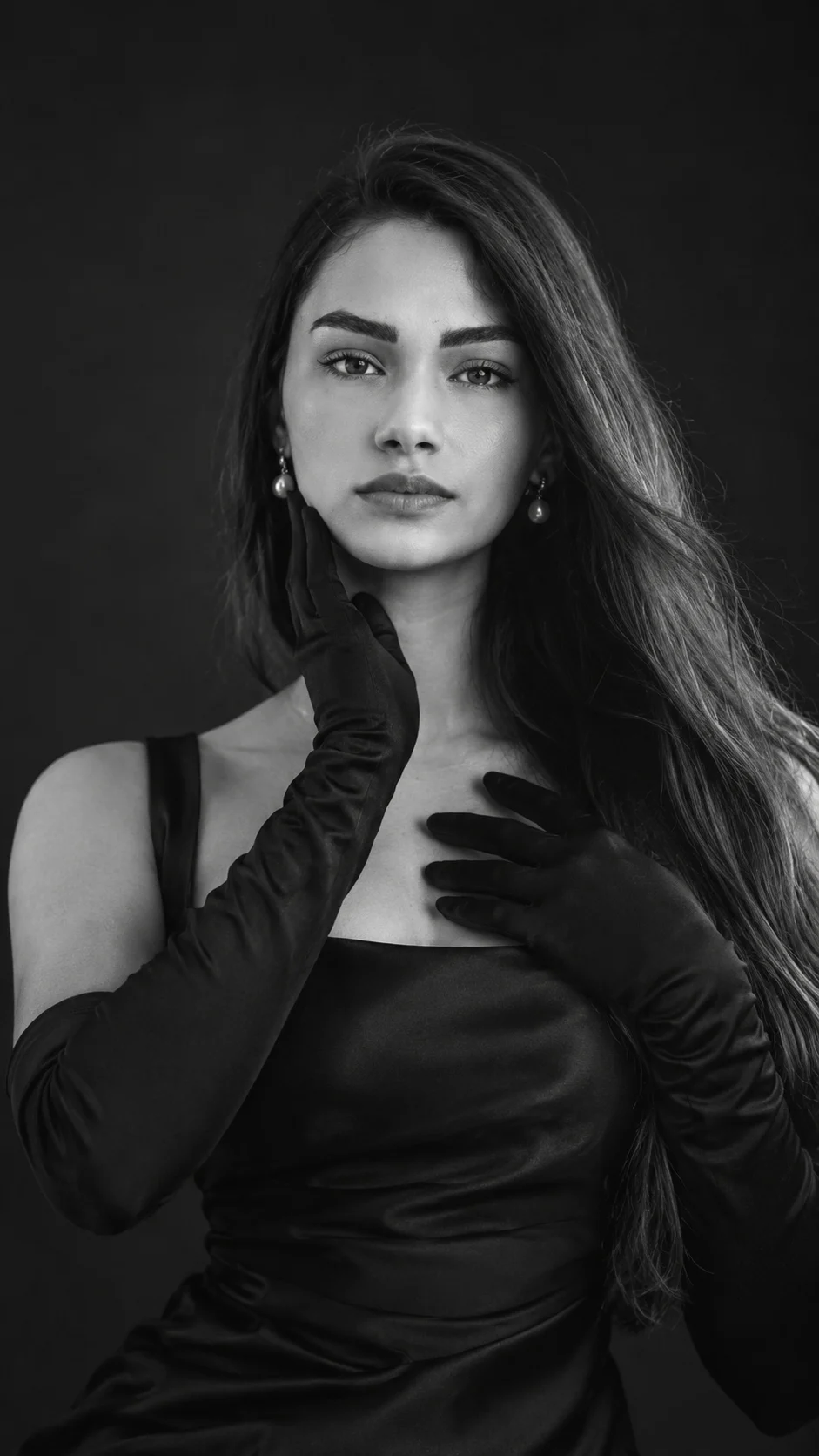
Sculptural Hands Black and White Fashion Portrait
A refined black-and-white fashion portrait using sculptural hand placement, dramatic studio light, black gloves, and timeless editorial styling.
Using the uploaded photo, create a photorealistic vertical 9:16 black-and-white fashion portrait of the same person with an elegant sculptural hand pose and refined studio styling. KEEP — Preserve the exact facial identity from the uploaded photo. Keep the forehead shape, eyebrow placement, eye shape and natural eye colour, nose bridge and tip, lips, cheeks, cheekbones, jawline, chin, ears, facial width, and natural facial asymmetry. Keep the original skin tone translated naturally into monochrome, including visible pores, fine texture, under-eye detail, and natural marks. Keep the original hairline, hair density, natural texture, and recognizable hairstyle characteristics. Keep facial hair exactly as present, without adding or removing it. Keep the person's natural body proportions, shoulder width, neck shape, hand proportions, and overall height impression. CHANGE — Dress the person in a structured black satin evening top with a clean neckline and subtle fabric sheen. Add fitted matte-black gloves extending beyond the wrists. Place one gloved hand gently along the jawline with the fingers following the natural cheek contour, while the other rests lightly across the upper chest near the collarbone. Add only simple pearl drop earrings. Do not introduce other jewellery. Use a controlled, elegant expression with the gaze directed slightly past the camera. SCENE — Place the subject in a dark seamless studio with a charcoal-black background. Keep the background uncluttered, with a gentle tonal falloff behind the head and shoulders rather than visible objects. LIGHT — Use a large soft key light positioned 45 degrees to the front-left at slightly above eye level, with gentle fill from the opposite side. Keep the face naturally dimensional, with controlled cheek and jaw shadows and neutral studio colour temperature before monochrome conversion. CAMERA — Use an 85mm portrait lens at f/2.0, camera at chest height, focused precisely on the nearer eye, with natural facial perspective and moderate background separation. GRADE — Convert the image to rich black and white with deep blacks, luminous skin highlights, restrained midtones, fine film grain, and subtle high-fashion editorial contrast. OUTPUT — Create a vertical 9:16 composition at 2160 × 3840 pixels, with the head, hands, shoulders, and upper torso fully visible. DO-NOT — no face slimming, no skin whitening, no changed eye colour, no plastic smoothing, no invented jewellery or tattoos, no altered facial proportions, no extra fingers, no distorted hands, no duplicate limbs, no generic replacement face.
Photo Guide
- Use a sharp photo with at least 1500px on the face for identity detail.
- Choose a front or three-quarter angle with the jawline and hairline visible.
- Use even light so facial texture is clear before converting to monochrome.
- Keep both shoulders and enough upper torso visible for the pose to work.
- Avoid photos where hands cover the face or obscure the jawline.
- Visible hair volume helps the sculptural black-glove framing feel natural.
How to Build
- 1Open Gemini and choose image generation with photo upload enabled.
- 2Upload one clear portrait with the full face and hairline visible.
- 3Paste the complete prompt without removing the KEEP section.
- 4Choose a vertical 9:16 output if the tool offers aspect ratio controls.
- 5Generate several variations while keeping the uploaded reference unchanged.
- 6Compare the hands, jawline, eyes, and hair against the source photo.
- 7If wrong, regenerate and specify the exact drifting feature without changing KEEP.
Pro Tips
- Use a photo with visible pores so monochrome texture stays realistic.
- Keep the original hair volume similar so the silhouette does not drift.
- Choose soft frontal lighting so the sculpted jaw shadow remains believable.
- Avoid heavy makeup in the source so facial structure stays easy to match.
- Keep both hands unobstructed in the source so fingers render more accurately.
Share This Prompt
About the Author
Naziya
Creative AI writer at MFDA, sharing trendy photo-editing prompts and fresh ideas for beautiful, stylish AI images.