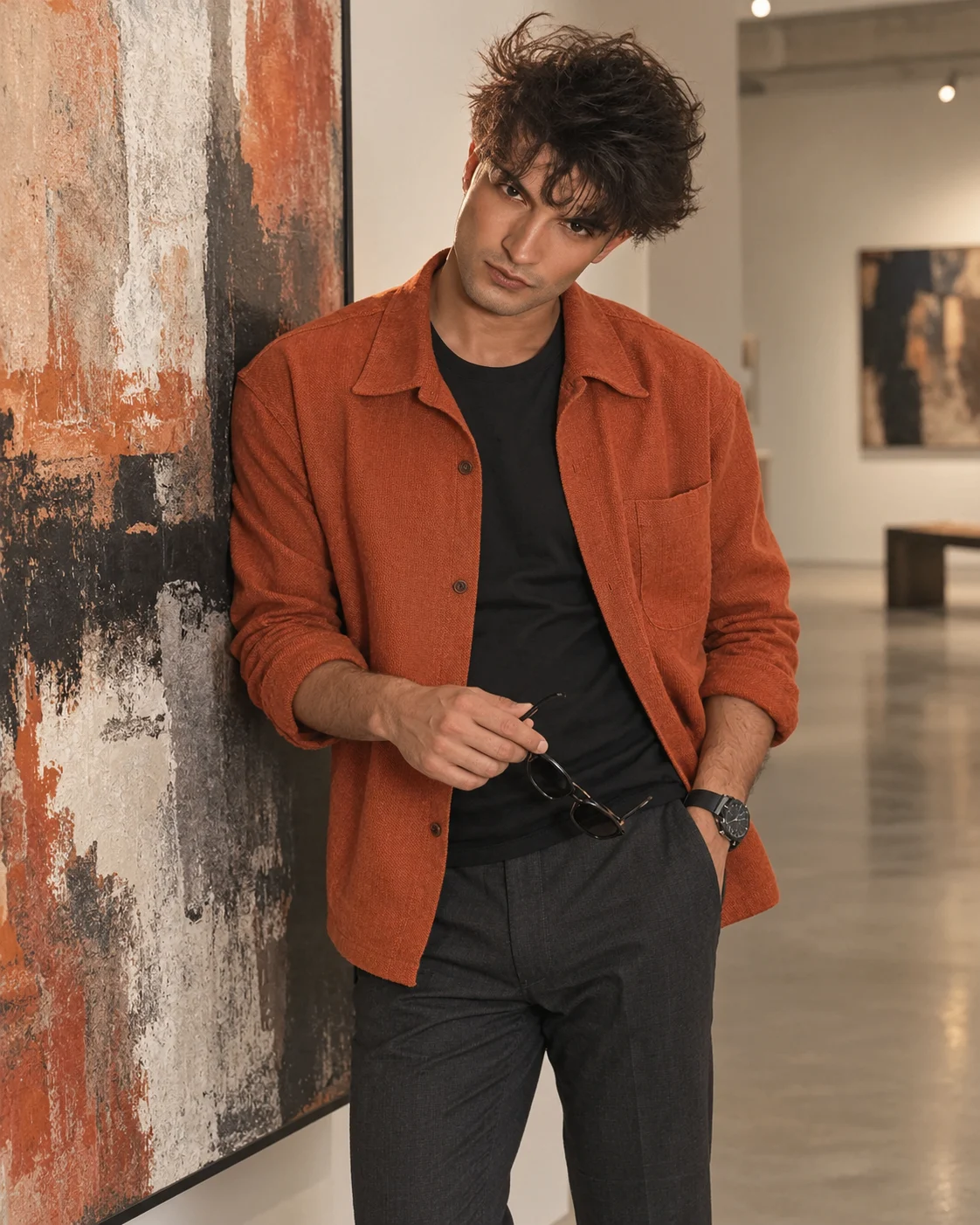
Rust Orange Art Gallery Fashion Portrait
Create a refined art-gallery fashion portrait that keeps your real face while adding rust-orange menswear, modern artwork, and soft editorial lighting.
Using the uploaded photo, create a photorealistic contemporary menswear portrait of the same man standing beside a large abstract artwork in a minimalist modern art gallery. KEEP - Keep the uploaded man's exact facial identity and visible structure: forehead shape, eyebrow shape and placement, eye shape and natural eye colour, nose width and proportions, lips, cheeks, cheekbones, jawline, chin, ears, facial proportions, and natural asymmetry. Keep his original skin tone, visible pores, fine skin texture, natural marks, hairline, hair density, hairstyle, facial hair pattern, natural age, and body proportions. Keep the same recognizable face rather than generating a similar-looking model. CHANGE - Dress him in a [rust-orange textured overshirt] over a [fitted black crew-neck T-shirt], with [tailored charcoal trousers], [clean white leather sneakers], and [one simple dark wristwatch]. Place him beside a [large muted abstract canvas] on a polished concrete floor. Use a relaxed standing pose with his torso turned slightly toward camera, one hand holding [dark sunglasses] near his waist and the other resting naturally near his trouser pocket. SCENE - Set the portrait inside a quiet contemporary gallery during late afternoon. Keep the artwork, pale gallery walls, polished concrete floor, and distant architectural lines visible but softly blurred behind him, with enough background detail to read as a gallery without competing with his face. LIGHT - Use soft neutral-white gallery illumination from camera-left at roughly 45 degrees, with weaker fill from camera-right. Add a subtle overhead ambient lift so the face, jacket and floor share the same light direction and do not look composited. CAMERA - Shoot at 85mm, f/2.0, camera at chest height, with the subject framed from mid-thigh upward and natural perspective compression. GRADE - Use a restrained editorial grade: warm rust and neutral charcoal tones, slightly lowered saturation, gentle contrast, clean whites, and fine film-like grain without changing skin colour. OUTPUT - Vertical 4:5 aspect ratio, 2048 × 2560 pixels, high detail. DO-NOT - No face slimming, no skin whitening, no changed eye colour, no plastic smoothing, no invented jewellery or tattoos, no altered facial hair, no distorted hands, no extra fingers, and no generic model replacement.
Photo Guide
- Use a clear photo of at least 1500px on the shortest side.
- Face the camera or turn only slightly so both eyes stay visible.
- Use even daylight or soft window light so gallery lighting blends naturally.
- Keep the full hairline, facial hair, jawline, and both shoulders unobstructed.
- Avoid sunglasses covering the eyes in the uploaded source photo.
How to Build
- 1Use Gemini image generation and upload your clearest original photo.
- 2Paste the prompt after uploading the photo as the reference image.
- 3Choose a vertical 4:5 image ratio if the tool offers it.
- 4Keep image editing or reference strength high enough to retain facial structure.
- 5Generate one clean fashion portrait without adding extra reference faces.
- 6If the first result drifts, regenerate with stronger identity preservation.
Pro Tips
- Use a front-facing source so the 85mm portrait keeps both eyes balanced.
- Keep the original beard visible so facial hair pattern does not change.
- Choose a photo with natural skin texture so gallery lighting looks realistic.
- Avoid busy backgrounds in the source so the new artwork stays clearly defined.
- Keep sunglasses out of the source image so the generated hand prop stays controlled.
Share This Prompt
About the Author
Naziya
Creative AI writer at MFDA, sharing trendy photo-editing prompts and fresh ideas for beautiful, stylish AI images.