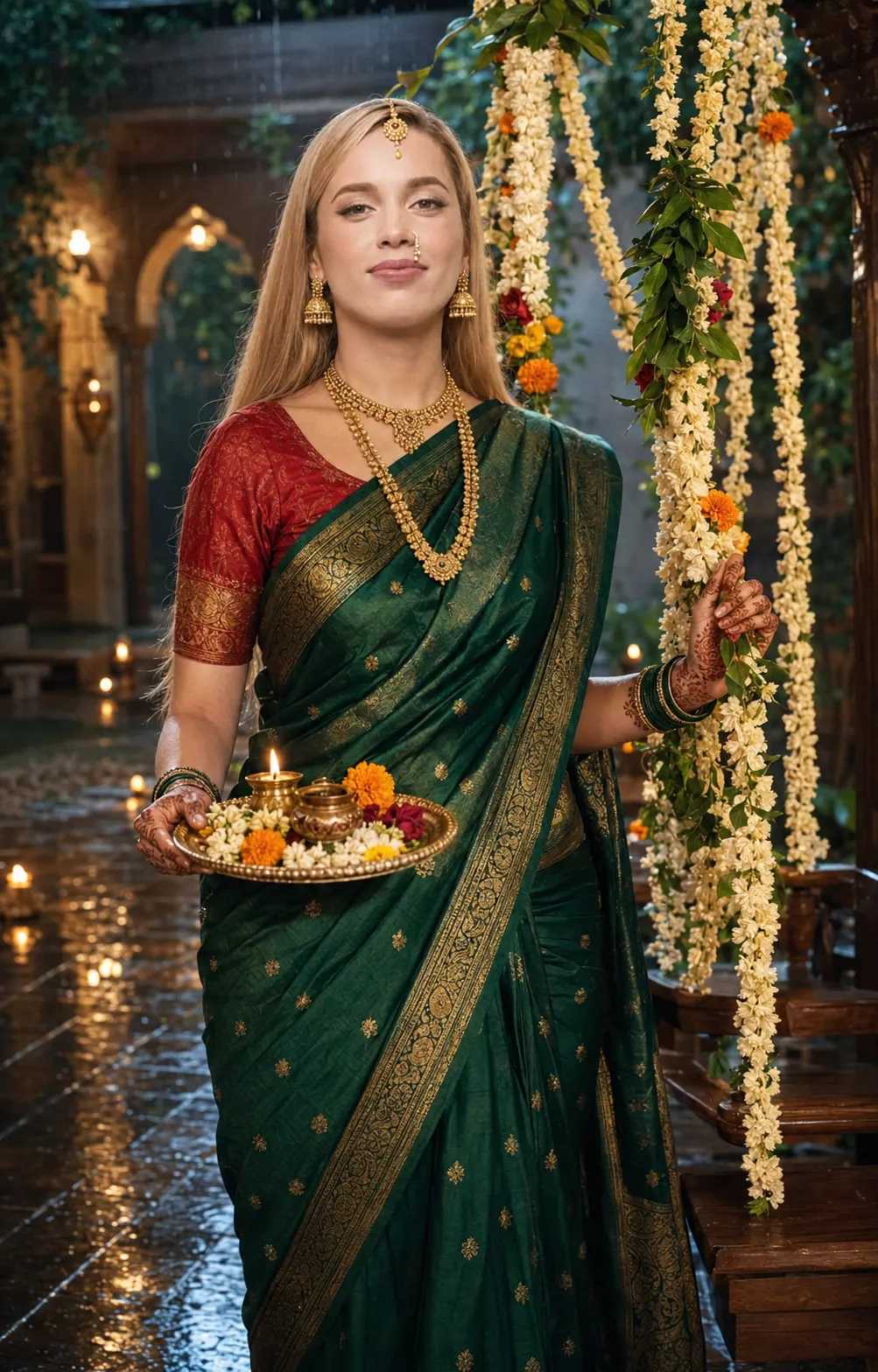
Royal Monsoon Queen Hartalika Teej Portrait
Create a regal Hartalika Teej portrait with a deep emerald Banarasi saree, antique gold details, flower swing, wet haveli courtyard and monsoon light.
Using the uploaded photo, create a photorealistic Hartalika Teej portrait of the same woman in a regal monsoon haveli setting. KEEP: Keep the exact face structure, natural eye shape and original eye colour from the uploaded photo. Keep the real skin tone, visible skin texture, facial proportions, hairline, natural hair texture, and any existing facial hair exactly as photographed. Keep the original body proportions, shoulder width, neck length, and overall identity. Do not reshape the jaw, nose, lips, cheeks, forehead, or eyes. The result must remain recognisably the same person. CHANGE: Change the wardrobe to a deep emerald-green Banarasi silk saree with visible woven texture and antique-gold zari borders, paired with a fitted traditional red blouse. Add gold jhumkas, a layered gold necklace, maang tikka, bangles, and a delicate nath. Add fresh intricate mehndi on both visible hands. Change the pose to a graceful three-quarter stance, holding a decorated puja thali in one hand while the other lightly touches a flower-covered Teej swing. Change the background, lighting, and colour grade to a cinematic monsoon evening. SCENE: Place her in an old Indian haveli courtyard after rainfall. Behind her is a wooden jhula decorated with jasmine, mogra, marigolds, and green leaves. Wet stone flooring reflects small warm diyas and lanterns. Keep distant vines, arches, and rain softly blurred rather than sharply detailed. The atmosphere should feel like early evening during the monsoon. LIGHT: Use warm light from the front-left at roughly 45 degrees to illuminate the face naturally, with a softer cool-blue rainy ambience from behind. Add a subtle warm rim along the hair and saree edge. Keep shadows gentle and physically consistent with the face. CAMERA: Photograph at 85mm, f/1.8, camera at chest height, with shallow depth of field and natural facial perspective. Keep the eyes sharply focused while the swing and courtyard fall into smooth optical bokeh. GRADE: Use warm gold highlights against restrained cool green-blue shadows. Keep emerald fabric rich, reds deep, skin tones natural, and contrast moderately cinematic without crushed blacks or artificial HDR. OUTPUT: Create a vertical 4:5 composition at 2160 × 2700 pixels, keeping the full head, upper body, saree details, puja thali, and flower swing visible. DO-NOT: no face slimming, no skin whitening, no changed eye colour, no plastic smoothing, no invented jewellery or tattoos, no altered body proportions, no artificial facial features.
Photo Guide
- Use a sharp photo of at least 1500px on the shortest side.
- A front or slight three-quarter face angle preserves facial structure best.
- Use soft daylight so the natural skin texture remains visible.
- Keep the forehead, hairline, eyes, nose and jaw unobstructed.
- A daylight source blends better than a dark indoor photo for this monsoon light.
- Heavy beauty filters are the main thing that ruins the natural identity.
How to Build
- 1Open Gemini and choose image generation with your uploaded photo.
- 2Upload one clear face photo, then paste the full prompt unchanged.
- 3Set output to portrait 4:5 if the tool offers aspect ratio controls.
- 4Generate once without adding extra face or beauty instructions.
- 5Check the eyes, jawline, hairline and skin tone against the source photo.
- 6If the face drifts, regenerate using the same photo and prompt without edits.
Pro Tips
- Choose a photo with visible skin texture so the portrait stays realistic.
- Avoid sunglasses so the original eye shape and colour remain accurate.
- Use a photo with visible hairline so the monsoon styling does not alter it.
- Pick natural daylight so warm and cool lighting blend across the face.
- Keep the source face neutral so the new soft smile does not reshape features.
Share This Prompt
About the Author
Naziya
Creative AI writer at MFDA, sharing trendy photo-editing prompts and fresh ideas for beautiful, stylish AI images.