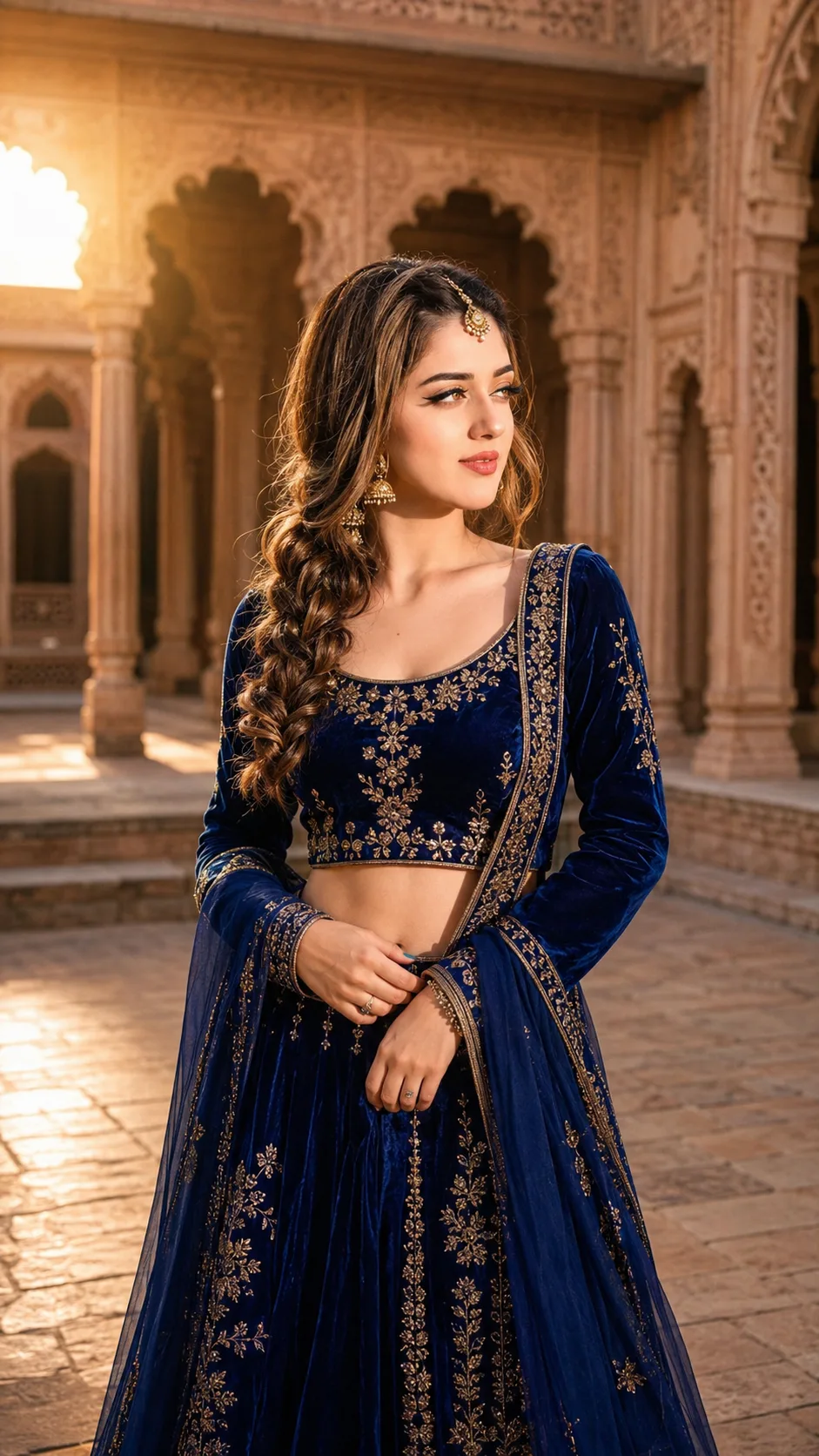
Royal Blue Palace Courtyard Portrait
Create a photorealistic royal palace portrait with blue velvet clothing, warm courtyard light, historic arches, and your real facial identity.
Using the uploaded photo, create a photorealistic vertical portrait of the same person standing inside a grand historic palace courtyard. KEEP - Keep the exact face structure from the uploaded photo, including forehead shape, jawline, cheekbones, nose, lips, chin, and overall facial proportions. Keep the exact eye shape, natural eye colour, eyelid structure, eyebrow shape, and characteristic gaze. Keep the original skin tone, undertone, natural pores, fine texture, and realistic facial marks. Keep the original hairline, natural hair density, and facial hair exactly as visible in the source photo. Keep the person's real body proportions, shoulder width, height impression, and natural build without slimming or reshaping. CHANGE - Change the wardrobe to a rich royal-blue velvet lehenga with visible fabric pile and intricate antique-gold embroidery. Add a matching blue dupatta with a soft woven edge, plus traditional gold jhumka earrings and a small antique-gold maang tikka. Style the existing hair into a soft braid while retaining the person's natural hairline and recognizable hair characteristics. Change the pose so the person stands gracefully with the torso slightly angled, one hand gently holding the dupatta, and the face turned slightly away from the camera. Use elegant, restrained makeup without changing facial structure. SCENE - Place the person in a spacious historic palace courtyard with carved sandstone arches, tall palace pillars, and warm stone flooring behind them. Make the architecture clearly visible but softly blurred, with moderate background separation rather than an artificial cutout effect. Set the scene during late afternoon. LIGHT - Use warm sunlight coming from the upper left side of the frame, creating soft directional illumination across the face with gentle shadow on the opposite cheek. Keep the light around 4300K–4800K so the skin, blue velvet, and sandstone remain naturally balanced. CAMERA - Shoot at 85mm, f/1.8, from chest height, with the face sharply focused and natural perspective compression. Keep realistic skin detail and shallow depth of field. GRADE - Use warm cinematic colour grading, controlled highlights, medium contrast, deep but detailed blue tones, muted sandstone warmth, and subtle film-like grain. OUTPUT - Create a 9:16 vertical composition at 2160 × 3840 resolution, with the full upper body and enough courtyard architecture visible to establish the location. DO-NOT - Do not slim the face, whiten the skin, change eye colour, smooth skin plastically, alter body proportions, invent jewellery or tattoos, or replace recognizable facial features.
Photo Guide
- Use a sharp, high-resolution photo where the full face is clearly visible.
- A front or three-quarter angle works best so both eyes and the jawline stay readable.
- Use even daylight; it blends better with the palace's warm late-afternoon light.
- Keep the hairline, eyebrows, ears, neck, and shoulders visible if possible.
- Avoid heavy beauty filters because they can cause facial texture and structure to drift.
How to Build
- 1Gemini: upload your photo and paste the prompt without changing the KEEP section.
- 2Choose the image-generation mode and set the output to 9:16 portrait.
- 3Use the highest available image quality or resolution setting.
- 4Generate once, then compare the face directly against your uploaded photo.
- 5If the first result is wrong, regenerate using the same photo and stress KEEP identity.
Pro Tips
- Use a clear face photo so the 85mm portrait retains accurate facial proportions.
- Choose natural daylight so the warm palace lighting does not distort skin tone.
- Keep the face unobstructed so the maang tikka does not merge with facial features.
- Avoid sunglasses or large accessories so the eye shape remains consistent.
- Use a photo showing the shoulders so the body proportions stay believable.
Share This Prompt
About the Author
Naziya
Creative AI writer at MFDA, sharing trendy photo-editing prompts and fresh ideas for beautiful, stylish AI images.