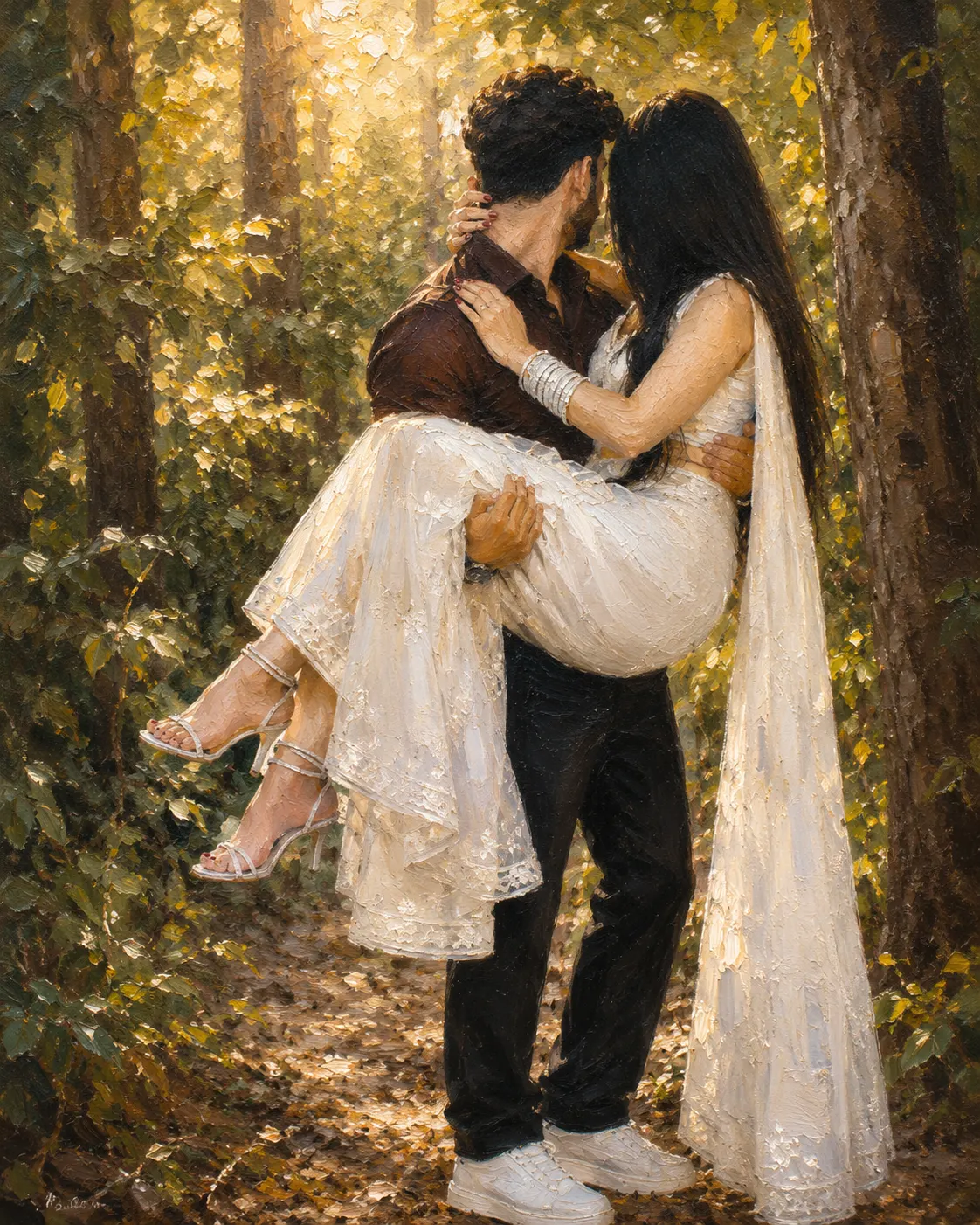
Romantic Forest Couple Oil Painting Portrait
Turn your photo into a romantic forest oil painting while preserving facial identity, body proportions, clothing details, and the original embrace.
Using the uploaded photo, create a romantic fine-art oil painting of the same couple being carried through a sunlit forest, keeping their identity clearly recognizable. KEEP — Preserve each person's exact facial structure from the uploaded photo, including forehead shape, eyebrow placement, eye shape and natural eye colour, nose structure, lips, cheeks, cheekbones, jawline, chin, ears, facial width, and natural asymmetry. Keep the original skin tone, visible pores, fine skin texture, hairline, hair density, hairstyle, and facial hair exactly as visible. Preserve both people's natural body proportions, relative height, limb proportions, hand size, and the woman's seated position in the man's arms. Keep the visible white embroidered outfit, flowing sheer white dupatta, stacked bangles, white strappy heels, dark brown shirt, black trousers, and white sneakers. CHANGE — Convert the photographic appearance into a traditional oil painting with visible hand-applied brushwork, layered pigment, subtle canvas grain, realistic fabric texture, and controlled impasto highlights. Keep the clothing colours and materials recognizable while making every surface painterly. Replace the photographic background with a softly rendered woodland scene and change the lighting to warm filtered afternoon sunlight. SCENE — Place the couple on a narrow forest path surrounded by tall tree trunks, dense green foliage, scattered dry leaves, and bright patches of sunlight passing through the canopy. Keep the background softly blurred so the couple remains the visual focus. LIGHT — Use warm late-afternoon daylight coming diagonally from behind and slightly to the side, with gentle golden highlights along the hair, shoulders, white fabric, and visible skin. Keep matching soft shadows across both faces and bodies so the subjects do not appear pasted into the scene. CAMERA — Simulate an 85mm portrait lens at f/2, camera positioned around chest height, with natural perspective, moderate compression, and shallow depth of field. GRADE — Use warm olive-green foliage, creamy whites, earthy browns, muted blacks, golden highlights, medium contrast, and restrained painterly saturation inspired by classical romantic oil portraiture. OUTPUT — Vertical 4:5 composition, high-resolution detail, full-body framing with the flowing white dupatta remaining visible. DO-NOT — No face slimming, skin whitening, changed eye colour, plastic smoothing, altered facial proportions, body reshaping, invented jewellery, invented tattoos, extra fingers, distorted hands, or generic replacement faces.
Photo Guide
- Use a sharp daylight photo with enough resolution to see facial structure.
- Choose a front or three-quarter angle where both faces remain clearly visible.
- Keep hairlines, facial contours, hands, and clothing edges unobstructed.
- A forest or outdoor photo blends better with this warm painted lighting.
- The flowing white outfit and dupatta should remain visible from waist to feet.
- Heavy blur or hidden faces can cause the identity and pose to drift.
How to Build
- 1Open Gemini and upload a clear, high-resolution reference photo.
- 2Paste the full prompt and choose image generation, not text-only mode.
- 3Select 4:5 portrait output if the tool offers an aspect ratio setting.
- 4Keep image quality or resolution at the highest available option.
- 5Generate once, then compare faces, hands, clothing, and pose with the source.
- 6If wrong, regenerate with stronger KEEP instructions and re-upload the photo.
Pro Tips
- Use a photo with visible eyes so the painted gaze stays recognizable.
- Choose natural daylight so the warm forest shadows match the faces.
- Keep both hands visible where possible so their carrying pose stays accurate.
- Avoid extreme wide-angle photos because they can distort body proportions.
- Use a sharp source image so oil texture does not replace facial details.
Share This Prompt
About the Author
Naziya
Creative AI writer at MFDA, sharing trendy photo-editing prompts and fresh ideas for beautiful, stylish AI images.