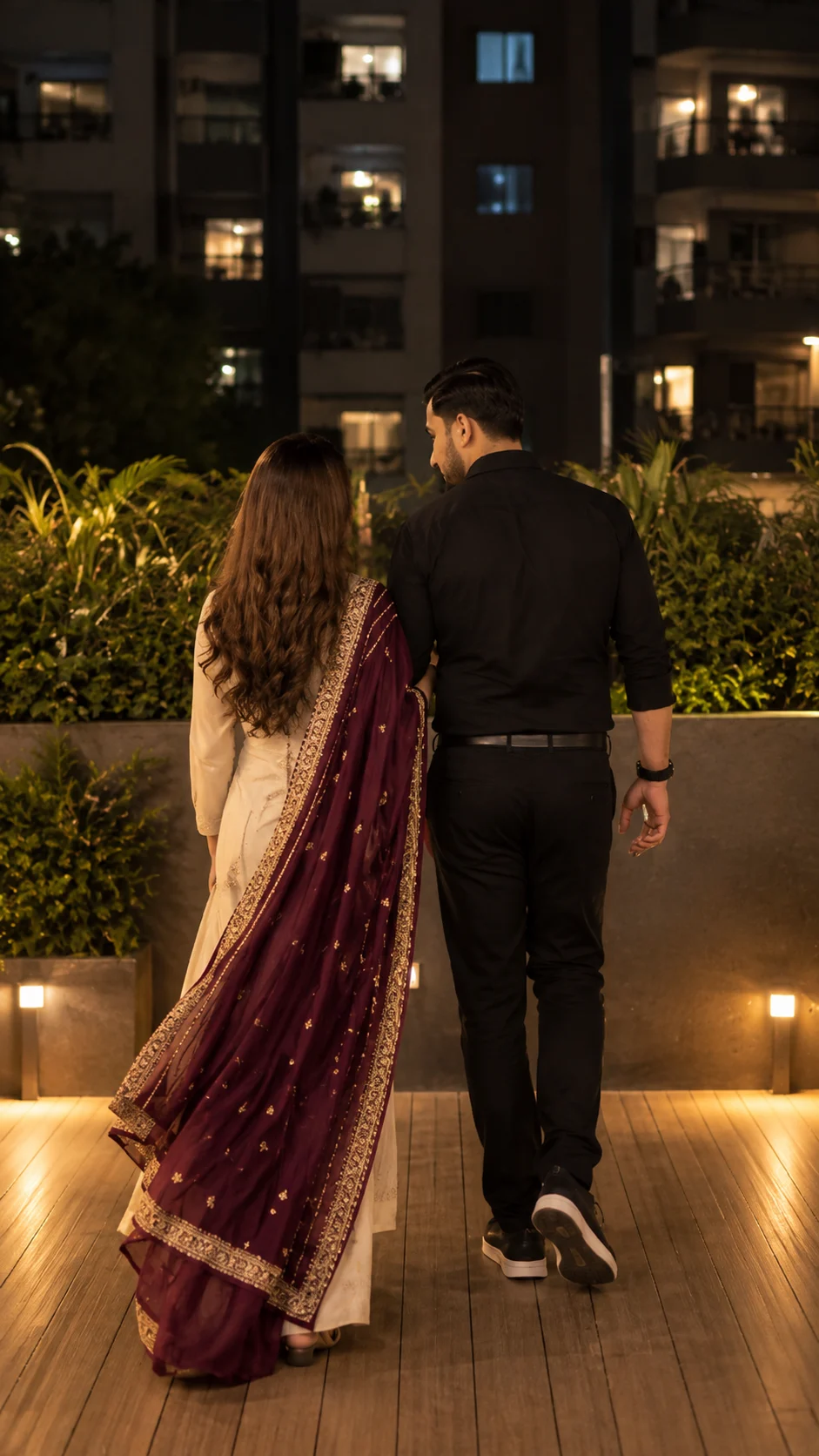
Romantic Couple Night Walk Maroon Dupatta Portrait
Create a romantic nighttime couple portrait featuring a maroon embroidered dupatta, black formal outfit, warm terrace lighting and a candid walking pose.
Using the uploaded photos, create a photorealistic full-body romantic portrait of the same two individuals walking together on an elegant apartment terrace at night, viewed naturally from behind. KEEP — Preserve the exact individual identities of both people from their respective uploaded photos. Retain each person's original face shape, forehead width, cheekbone placement, jawline, chin, nose structure, lip shape, eyebrow position, eye shape and natural eye colour. Preserve their original skin tones, natural skin texture, visible pores and facial asymmetry. Maintain each person's original hairline, hairstyle, hair colour and facial hair, if present. Keep their individual body proportions, shoulder width, natural physique and relative height difference unchanged. Do not merge their identities or exchange physical features. Their faces should remain naturally oriented away from the camera, consistent with the rear-view composition. CHANGE — Dress the woman in a cream-coloured traditional salwar suit with long sleeves and a rich wine-maroon chiffon dupatta draped diagonally across her shoulder and flowing down her back. Add intricate golden embroidered edging and small gold motifs across the fabric. Keep her long natural hair visible. Dress the man in a fitted black full-sleeve shirt, tailored black trousers, a black leather belt and black-and-white sneakers. Add a simple black wristwatch. Change the environment, walking posture and lighting while preserving both identities. SCENE — Place the couple on a modern residential terrace at approximately 9 PM. Use warm wooden deck flooring, a waist-high grey concrete boundary wall, dense green plants in raised planters and apartment buildings in the background. Include two small warm garden lights positioned near opposite edges of the walkway. The distant buildings should remain softly blurred. POSE — Show both people walking away from the camera in a natural mid-step moment. Position the man slightly ahead and the woman close beside him, with their arms gently touching. LIGHT — Use warm amber garden lighting from low side positions, combined with soft ambient illumination from above. Preserve realistic shadows beneath their feet and natural highlights on the maroon embroidery. CAMERA — Shoot vertically using a 50mm lens at f/2.8, camera positioned at waist-to-chest height behind the couple, with both figures visible from head to toe. GRADE — Apply warm golden highlights, deep charcoal blacks, rich burgundy tones and balanced natural skin colours. OUTPUT — Vertical 9:16 portrait, 8K resolution, realistic fabric details, natural anatomy and professional nighttime photography. DO NOT slim faces, whiten skin, change eye colour, smooth skin into plastic, alter body proportions, invent jewellery or tattoos, exchange identities or create extra limbs.
Photo Guide
- Use two separate, high-resolution photos, one for each person.
- Choose clear front-facing or slight three-quarter source portraits.
- Use evenly lit photos with visible facial features and natural skin tones.
- Keep both original hairstyles and hairlines clearly visible.
- Include full-body reference photos to preserve natural height differences.
- Avoid heavily edited selfies that obscure original facial characteristics.
How to Build
- 1Open Gemini and select image generation with photo upload enabled.
- 2Upload one clear reference photo for each person.
- 3Paste the complete prompt after attaching both reference photos.
- 4Choose a 9:16 vertical portrait aspect ratio.
- 5Select the highest available image quality setting.
- 6Check both hairstyles, clothing details and original body proportions.
- 7If identities drift, retry with clearer individual photos and reinforce KEEP.
Pro Tips
- Use photos with clearly visible hairstyles to preserve each person's silhouette.
- Choose a source photo showing natural shoulder width to prevent body distortion.
- Keep the woman's hair visible so it does not disappear beneath the dupatta.
- Use detailed dupatta references to improve golden embroidery consistency.
- Choose black or neutral clothing in source photos to reduce wardrobe conflicts.
- Keep both people at their original relative heights to maintain realistic pairing.
Share This Prompt
About the Author
Naziya
Creative AI writer at MFDA, sharing trendy photo-editing prompts and fresh ideas for beautiful, stylish AI images.