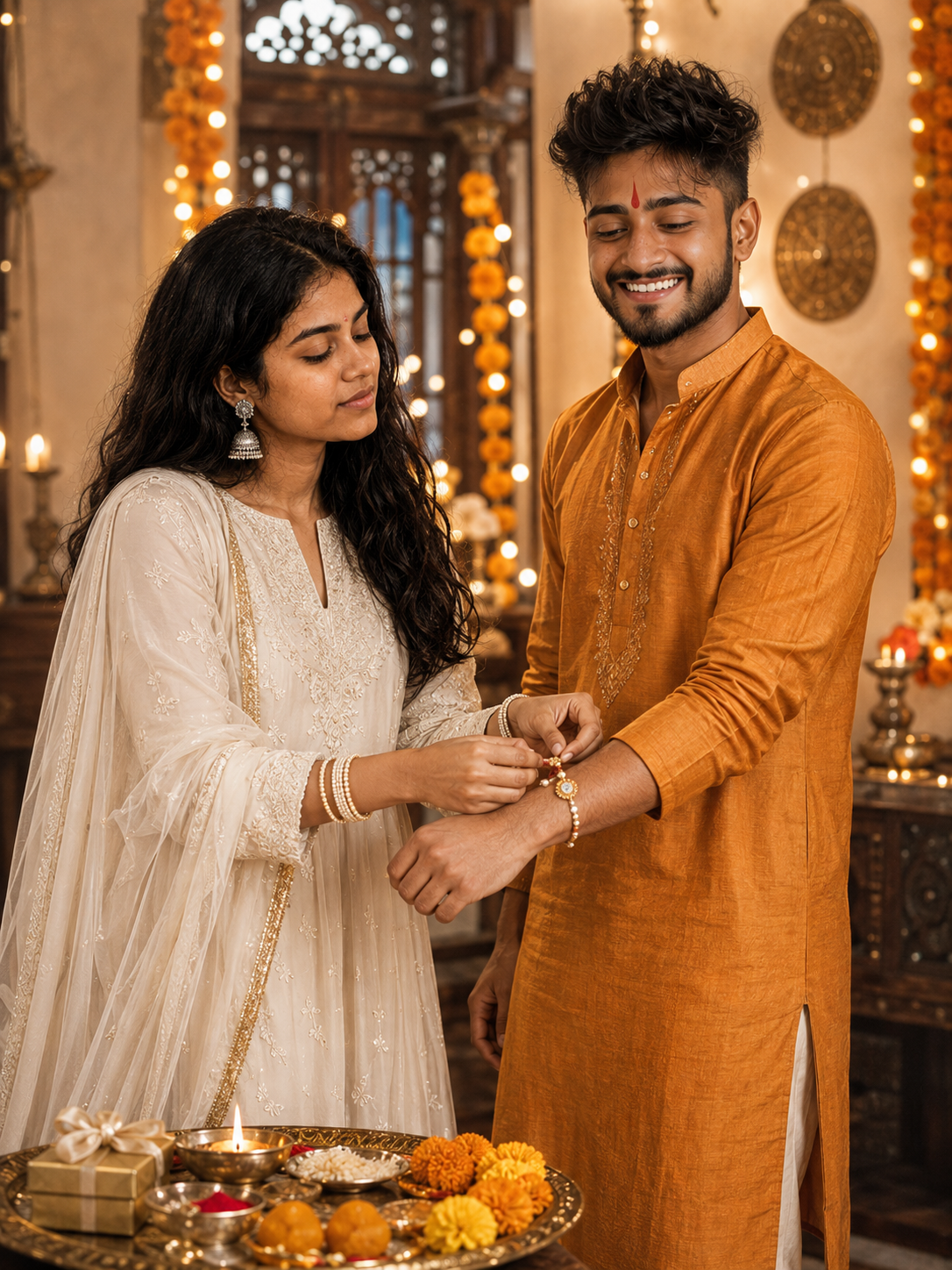
Raksha Bandhan Brother Sister Festive Portrait
Create a warm Raksha Bandhan portrait that preserves both siblings’ identities while adding traditional outfits, festive decor, and a realistic rakhi ceremony.
Using the uploaded photos, create a photorealistic Raksha Bandhan portrait of the same brother and sister together, using each uploaded reference strictly for that person’s identity. KEEP: Keep the brother’s and sister’s exact face structure, eye shape and colour, eyebrow shape, nose bridge and tip, lip shape, cheekbones, jawline, skin tone and texture, natural facial asymmetry, age appearance, hairline, facial hair, hair colour, and body proportions. Preserve every distinctive feature separately for each sibling. Keep the brother’s existing clean-shaven or light-stubble appearance exactly as shown. Do not merge, redesign, beautify, or average their identities. CHANGE: Change the sister’s wardrobe to an ivory-white embroidered Anarkali with delicate threadwork, a matching ivory dupatta with a gold border, oxidized silver jhumkas, soft gold-and-white bangles, and embroidered juttis. Dress the brother in a saffron-orange silk kurta with subtle tonal embroidery, straight white cotton pajama, brown leather mojris, and a red kumkum tilak. Change the pose so the sister stands slightly left, gently holding his right wrist with both hands while tying a pearl-and-gold rakhi. Keep the brother slightly right with his wrist naturally extended. SCENE: Place them inside a traditional Indian home during Raksha Bandhan. Include marigold garlands, warm fairy lights, a carved wooden jharokha-style window, and brass wall accents. A brass rakhi thali sits partly visible in the foreground with a diya, kumkum, rice, marigold petals, flowers, laddoos, and wrapped gifts. Keep the background softly blurred but recognizable. LIGHT: Use warm tungsten light mixed with fairy-light and diya glow. Place the main soft light slightly above and left of their faces, creating natural shadows beneath the chin and beside the nose. Keep skin warm without blown highlights. CAMERA: Use an 85mm lens at f/1.8, camera at chest height, with a straight-on waist-up composition. Keep both siblings equally prominent while allowing the thali to enter the lower frame. GRADE: Apply warm golden editorial grading with ivory, saffron, brass, brown, and soft orange tones, moderate contrast, restrained saturation, warm shadows, and subtle film character. OUTPUT: Render a vertical 3:4 image at 8K resolution with realistic skin pores, fabric behavior, hands, fingers, and creamy natural background bokeh. DO-NOT: no face slimming, no skin whitening, no changed eye colour, no plastic smoothing, no invented jewellery or tattoos, no face replacement, no facial reconstruction, no artificial symmetry, no distorted hands, no extra fingers, no warped limbs, no duplicate objects, no text other than the requested watermark.
Photo Guide
- Use two sharp reference photos, one clear face per sibling.
- Keep each face fully visible with the hairline and jawline unobstructed.
- Neutral daylight photos give cleaner skin and eye-colour matching.
- Keep natural facial hair visible on the brother if present in the reference.
- Avoid heavy filters or beauty edits; they can change identity details.
How to Build
- 1Gemini: upload both sibling photos and choose Image Generation.
- 2Set the canvas to a vertical 3:4 aspect ratio.
- 3Paste the full prompt after uploading both reference photos.
- 4Check both faces before judging clothing, props, or background details.
- 5Generate again if hands, rakhi placement, or facial identity looks incorrect.
- 6If the first result is wrong, re-upload both photos and regenerate unchanged.
Pro Tips
- Use separate clear photos so each sibling keeps their own facial structure.
- Keep the brother’s facial hair visible so his identity stays consistent.
- Use similar-quality photos so one sibling is not rendered more sharply.
- Check the sister’s downward gaze does not alter her eye shape.
- Keep the thali partly visible so the rakhi ceremony reads naturally.
Share This Prompt
About the Author
Naziya
Creative AI writer at MFDA, sharing trendy photo-editing prompts and fresh ideas for beautiful, stylish AI images.