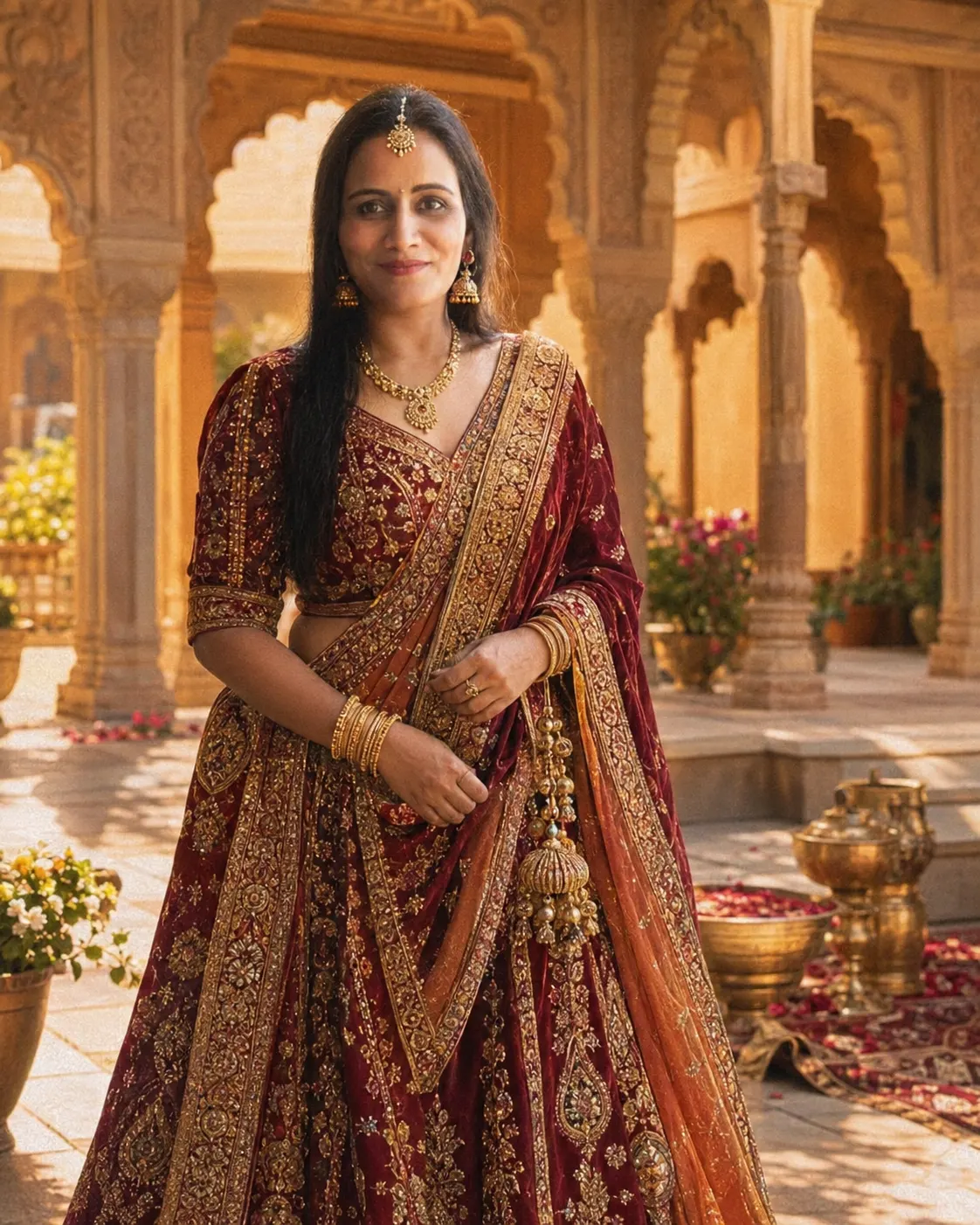
Rajasthani Palace Royal Portrait
Create a regal Rajasthani palace portrait with an embroidered lehenga, sandstone arches, warm sunlight, traditional jewelry, and a classical finish.
Using the uploaded photo, create a regal Rajasthani palace portrait of the same woman, styled as an elegant classical royal painting. KEEP - Keep the woman’s exact facial identity, face structure, natural proportions, eye shape, eye colour, eyebrows, nose, lips, jawline, cheek structure, skin tone, natural skin texture, hairline, hairstyle characteristics, and any visible facial hair exactly as shown in the uploaded photo. Keep her original body proportions, shoulder width, neck length, and overall build unchanged. Preserve recognizable details such as natural asymmetry, facial marks, and expression characteristics rather than replacing them with a generic model face. CHANGE - Change only the wardrobe, setting, pose, lighting, and colour grade. Dress her in a richly embroidered traditional lehenga using deep maroon, muted gold, and warm rust tones, with visible threadwork and a substantial woven fabric texture. Add traditional Rajasthani jewelry in aged gold, including earrings, necklace, bangles, and a maang tikka, while keeping the jewelry proportionate and believable. Place her in an ornate Rajasthan palace courtyard with carved sandstone arches and warm architectural details. SCENE - Position her standing gracefully in the palace courtyard during late afternoon, with one hand resting naturally near the lehenga and the other relaxed. Keep sandstone arches and palace columns visible behind her, but soften them with moderate background blur so the woman remains the visual focus. LIGHT - Use warm late-afternoon sunlight coming from the front-left at a slightly elevated angle. Keep the light soft enough to shape the forehead, nose, cheeks, and jaw naturally, with gentle shadows on the opposite side of the face. Use a warm 4300–4800K appearance without bleaching the skin. CAMERA - Frame the portrait with an 85mm lens at f/2.8, camera positioned around chest height, producing natural facial perspective and moderate compression. Keep the face sharply detailed while allowing the courtyard to fall gradually out of focus. GRADE - Use a warm classical painting grade with restrained contrast, earthy sandstone tones, muted gold highlights, deep maroon accents, visible brush texture, and realistic skin detail. Avoid excessive painterly distortion. OUTPUT - Create a vertical 4:5 composition at 2048 × 2560 resolution, keeping the full upper body and enough lehenga visible to establish the royal setting. DO-NOT change the face shape, slim the face, whiten the skin, change eye colour, alter body proportions, apply plastic skin smoothing, invent tattoos, or add jewelry that overwhelms the original identity.
Photo Guide
- Use a sharp photo at least 1200px wide so facial details survive the render.
- A front or three-quarter face angle works best for accurate identity retention.
- Use even daylight so the face maps naturally into the warm palace light.
- Keep the full hairline visible; it anchors the hairstyle and face shape.
- Avoid heavy beauty filters, which can cause the classical face to drift.
How to Build
- 1Gemini: upload the photo, then paste the full prompt exactly as written.
- 2Choose image generation with a 4:5 portrait aspect ratio.
- 3Set output quality to the highest available resolution.
- 4Keep the reference image at full strength when identity controls are available.
- 5Check the face against the source; rerun with stronger identity if it drifts.
Pro Tips
- Use a photo with visible hairline so the palace styling does not alter the forehead.
- Choose natural skin texture so the painting grade does not create waxy skin.
- Keep the eyes unobstructed so their original shape and colour remain stable.
- Use a three-quarter pose only if both eyes remain clearly visible.
- Avoid very dark source photos so facial shadows do not become painted features.
Share This Prompt
About the Author
Naziya
Creative AI writer at MFDA, sharing trendy photo-editing prompts and fresh ideas for beautiful, stylish AI images.