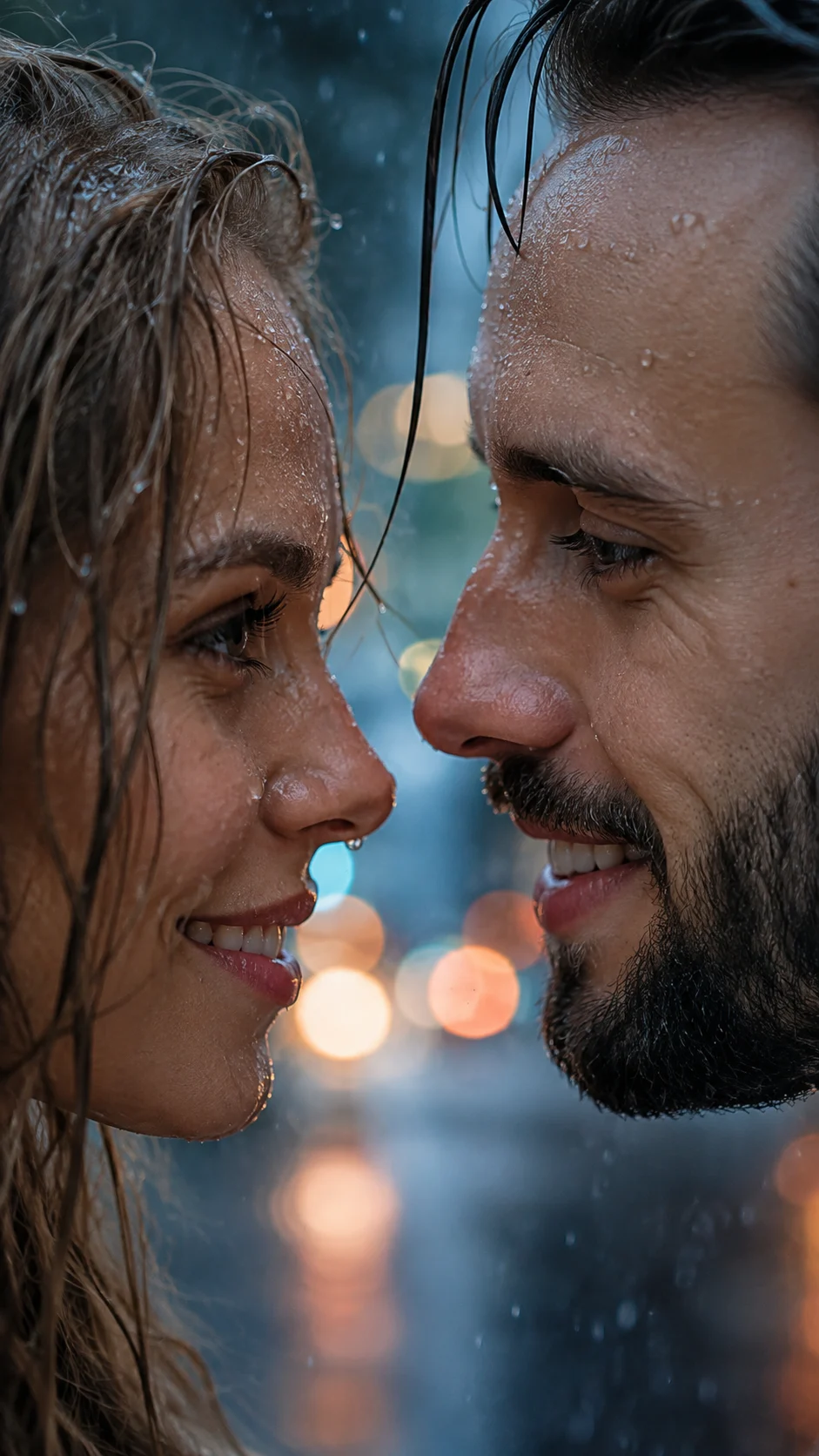
Rainy Face-to-Face Cinematic Eye Portrait
Turn an uploaded portrait into a tight rainy face-to-face scene with wet skin, locked eyes, cool daylight, warm city reflections, and cinematic depth.
Using the uploaded photo, create a photorealistic extreme close-up portrait of the same person facing [second person] at very close range during gentle rain. Keep the uploaded person recognizable and preserve their real identity throughout the transformation. KEEP - Keep the uploaded person's exact face structure, including forehead shape, eyebrow placement, eye shape and natural eye colour, nose structure, lips, cheeks, cheekbones, jawline, chin, ears, and natural facial asymmetry. Keep the original skin tone, visible pores, fine texture, natural marks, under-eye detail, and realistic facial proportions. Keep the original hairline, natural hair density, and any visible facial hair exactly as shown. Keep the person's real body proportions even though only the upper face is visible in this crop. Keep [second person's] real facial features if a reference photo is supplied. CHANGE - Change the setting to a gentle rainy city scene. Add clear water droplets resting on eyelashes, eyebrows, cheeks, and forehead without hiding the facial identity. Change the pose so both people face each other with their eyes aligned and their faces only a few centimetres apart. Use [second person's] chosen wardrobe in [fabric and colour], kept mostly outside the tight crop. Add a few naturally wet strands of dark hair falling near the centre of the faces. Do not introduce visible jewellery unless it exists in the source photos. SCENE - Place them outdoors during a rainy blue-hour evening, with distant city lights behind them. Keep the background heavily blurred into soft circular bokeh so it does not compete with the eyes. Show rain as fine droplets rather than heavy streaks. LIGHT - Use soft overcast blue-gray daylight from above and slightly to camera-left, with subtle warm reflections from distant streetlights filling the shadow side. Keep the light direction consistent across both faces so the wet skin does not look pasted on. CAMERA - Shoot at 85mm, f/1.8, camera at eye height, focused precisely on both visible eyes. Use natural perspective, shallow depth of field, realistic lens compression, and crisp iris detail. GRADE - Use cool blue-gray shadows, restrained warm amber highlights, moderate contrast, natural skin colour, and a subtle cinematic film texture without crushing facial detail. OUTPUT - Create a vertical 9:16 image at 8K resolution with an extreme close-up crop, keeping both pairs of eyes prominent. DO-NOT - No face slimming, no skin whitening, no changed eye colour, no plastic smoothing, no invented jewellery or tattoos, no altered facial proportions, no artificial eyelashes, and no text or UI.
Photo Guide
- Use a sharp, high-resolution face photo with both eyes and hairline visible.
- Choose an eye-level photo so the rain-lit crop keeps facial proportions stable.
- Soft daylight works better than harsh flash for matching the cool rainy light.
- Keep the original skin texture visible; heavy beauty filters can erase useful detail.
- A slightly front-facing portrait works best for accurate eye and brow alignment.
- Avoid photos with sunglasses, closed eyes, or hair covering both eyes.
How to Build
- 1Use ChatGPT and choose image generation with the uploaded photo.
- 2Paste the full prompt and attach one clear, high-resolution face photo.
- 3If adding someone, replace [second person] with their reference photo.
- 4Set the output to a vertical 9:16 composition.
- 5Generate once, then check eyes, hairline, skin tone, and rain placement.
- 6If the first result is wrong, regenerate while naming the exact drift to fix.
Pro Tips
- Keep both eyes visible in the source so the iris shape does not drift.
- Use natural daylight in the source so wet-skin highlights blend more cleanly.
- Avoid extreme selfies because lens distortion can change facial proportions.
- Choose a source with visible pores so rain does not trigger plastic smoothing.
- Keep the hairline unobstructed so wet strands can be added without changing it.
Share This Prompt
About the Author
Naziya
Creative AI writer at MFDA, sharing trendy photo-editing prompts and fresh ideas for beautiful, stylish AI images.