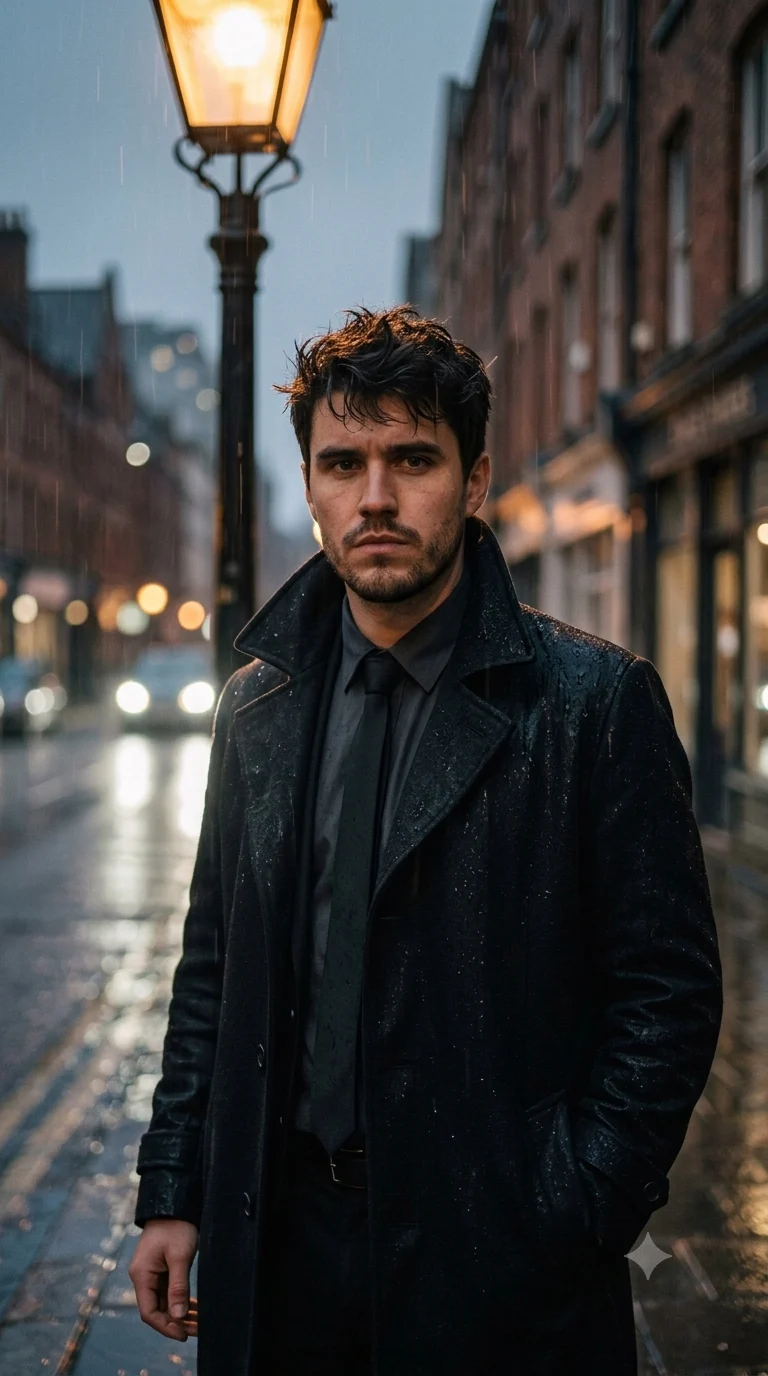
Rain-Soaked Noir Detective Portrait
Turn your photo into a rain-soaked noir detective portrait with wet textures, amber street light, deep shadows, and vintage crime-poster styling.
Using the uploaded photo, create a photorealistic yet painterly three-quarter portrait of the same person as a rain-soaked noir detective standing beneath a dim city street lamp at night. KEEP — Preserve the exact face from the uploaded photo: forehead shape, eyebrow placement, eye shape and natural eye colour, nose bridge and tip, lips, cheeks, cheekbones, jawline, chin, ears, facial width, and natural facial asymmetry. Keep the original skin tone, visible pores, fine texture, natural facial lines, under-eye detail, hairline, hair density and natural hair texture. Keep existing facial hair pattern, beard or moustache shape exactly as visible. Keep the person's natural body proportions, shoulder width, neck length and overall height impression. Do not replace the person with a generic detective model. CHANGE — Dress the person in a black wool trench coat with a structured high collar over a dark charcoal shirt and a narrow matte-black tie. Add realistic rainwater darkening the fabric and small droplets on the coat shoulders. Place a small silver hoop earring in the left ear only if it is visible in the reference styling; otherwise add no jewellery. Change the setting to a wet urban street at night, with amber and burnt-orange reflections across rain-covered pavement. SCENE — Position the person beneath an old street lamp during steady nighttime rain. Use blurred storefront lights, distant headlights and wet brick architecture behind them, with strong background separation and soft circular bokeh. LIGHT — Light the face primarily from upper front-left with a warm 3200K street-lamp glow, while a cooler soft fill comes from the rainy street on the opposite side. Keep natural shadow fall across the nose, cheek and jaw. CAMERA — Use an 85mm lens at f/1.8, camera at chest height, focused sharply on the nearer eye with realistic facial perspective and compressed background depth. GRADE — Use deep charcoal blacks, muted steel grey, amber and burnt-orange highlights, restrained saturation, strong midtone contrast and subtle vintage film grain inspired by classic 1940s–1950s crime-poster photography. OUTPUT — Vertical 4:5 composition, high-resolution 8K detail, sharp facial texture, realistic rain droplets, natural skin rendering, painterly ink accents and subtle distressed poster texture. DO-NOT — no face slimming, no skin whitening, no changed eye colour, no plastic smoothing, no invented jewellery or tattoos, no altered facial proportions, no extra people, no text, no watermark.
Photo Guide
- Use a sharp photo with enough resolution to show pores, hairline and facial hair.
- A three-quarter or front-facing photo works best for matching the noir angle.
- Use an evenly lit source photo so both eyes and the jawline remain readable.
- Keep forehead, ears, hairline and facial hair unobstructed in the source photo.
- A daylight source photo is easier to match than a heavily filtered indoor selfie.
- Avoid sunglasses or deep shadows that hide the eye shape and facial contours.
How to Build
- 1Open Gemini or ChatGPT and upload one clear reference photo.
- 2Paste the full prompt exactly as written above.
- 3Choose vertical 4:5 output if your tool offers aspect-ratio controls.
- 4Use the highest available image quality or resolution setting.
- 5Generate the portrait once, then compare the face against the source photo.
- 6If the face drifts, regenerate using the same photo and prompt without edits.
Pro Tips
- Use a photo showing both eyes clearly so the noir lighting stays believable.
- Keep the original facial hair visible so the detective styling does not alter identity.
- Choose a neutral expression so the serious noir mood does not distort the mouth.
- Avoid bright colourful clothing in the source photo so the black coat dominates.
- A visible hairline helps preserve the original forehead and head shape.
- Keep the source photo unfiltered so rain and film grain do not replace skin texture.
Share This Prompt
About the Author
Naziya
Creative AI writer at MFDA, sharing trendy photo-editing prompts and fresh ideas for beautiful, stylish AI images.