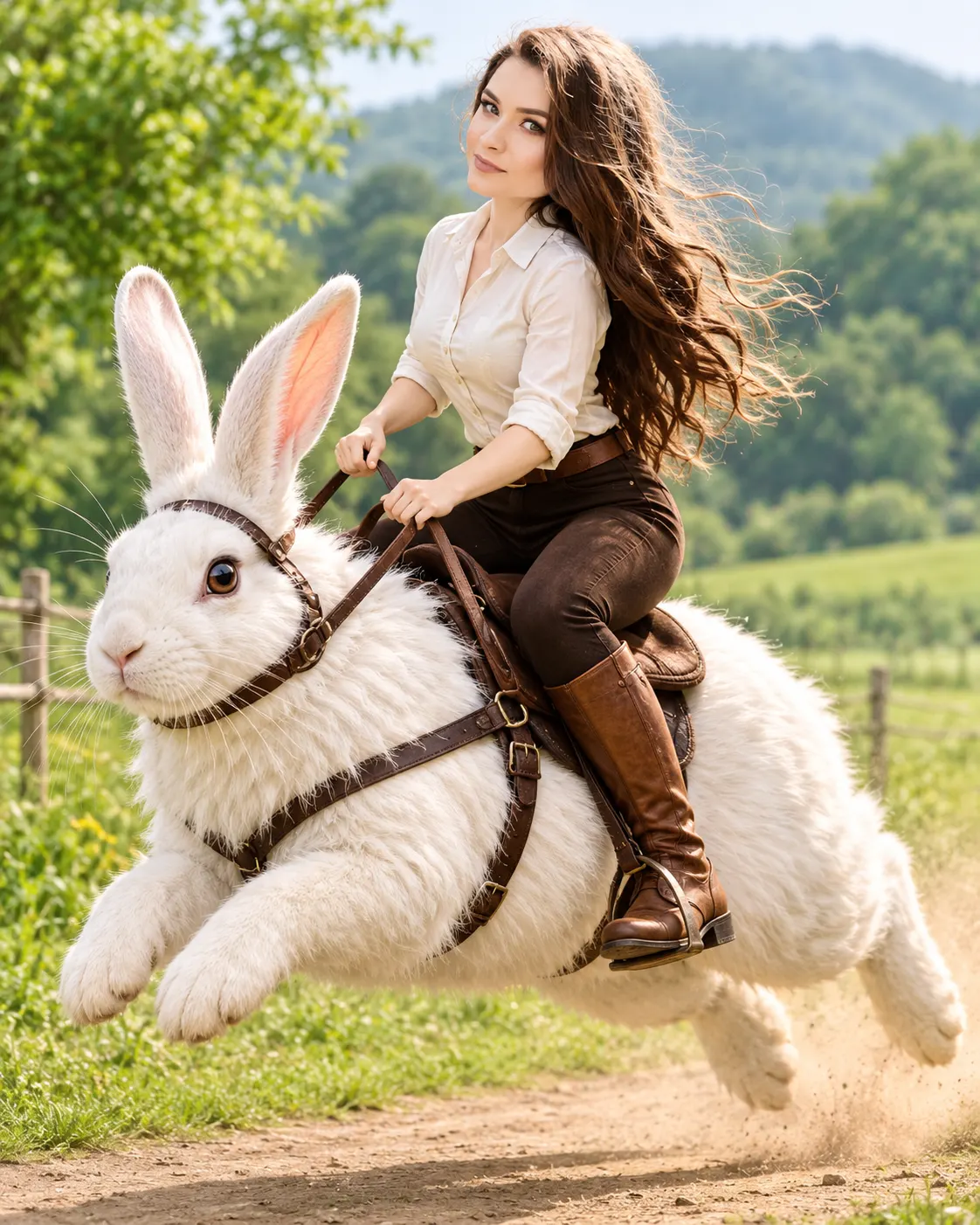
Rabbit Express Giant Bunny Ride AI Photo Editing Prompt
Turn your uploaded photo into a realistic countryside adventure riding a gigantic white rabbit, while preserving your original facial identity.
Using the uploaded photo, create a photorealistic full-body parallel universe adventure portrait of the same person riding an enormous white rabbit like a professional horse rider, captured during a powerful high-speed jump across a countryside road. KEEP — Preserve the exact identity of the person in the uploaded photo. Keep the original face shape, forehead width, cheekbone placement, jawline, chin, nose bridge and tip, lip shape, eyebrow position, eye shape and natural eye colour unchanged. Retain the original skin tone, natural skin texture, visible pores and facial details. Preserve the original hairline, hairstyle, hair texture and facial hair, including any moustache or beard. Keep the person's natural body proportions, shoulder width, height and recognizable physical features. Do not blend the face with another identity. CHANGE — Dress the person in a fitted cream-white cotton shirt with rolled-up sleeves, dark brown slim-fit riding trousers and polished tan leather riding boots. Add a simple dark brown leather riding belt. Change the pose to a confident horse-riding position, with both legs naturally gripping the rabbit's sides and both hands holding realistic brown leather reins. Keep the upper body balanced and the expression naturally cheerful and adventurous. SCENE — Place the person on the back of a gigantic fluffy white rabbit with realistic long fur, powerful hind legs, upright ears and expressive dark brown eyes. The rabbit is captured jumping at full speed over a narrow countryside dirt road, with its front paws raised and hind legs extended. Add subtle dust clouds beneath its feet. Surround the road with fresh green grass, distant trees, small rural fields and softly blurred rolling hills. Set the scene during a bright late-morning spring day. LIGHT — Use natural sunlight coming from the upper front-left, softly illuminating the face and rabbit fur. Maintain consistent shadows beneath the rider and rabbit. Use warm daylight with realistic highlights rather than artificial glow. CAMERA — Capture a dynamic full-body action photograph using an 85mm lens at f/2.8, camera positioned slightly below chest height. Keep the rider's face sharp, the rabbit fully visible and the distant countryside gently blurred. GRADE — Apply natural cinematic greens, warm earthy browns, clean whites and balanced contrast. Preserve realistic skin colours and detailed white fur without overexposure. OUTPUT — Vertical 4:5 composition, ultra-detailed photorealistic quality, 8K-style resolution, natural anatomy and clean subject separation. DO NOT slim the face, whiten the skin, change eye colour, smooth skin into plastic, alter facial identity, distort body proportions, invent jewellery or tattoos, or create extra limbs, duplicate ears or artificial-looking rabbit fur.
Photo Guide
- Use a sharp, high-resolution photo where your face is clearly visible.
- Choose a front-facing or slightly turned face angle for better identity matching.
- Use natural daylight with soft, even illumination across your face.
- Keep your original hairline, forehead, jawline and shoulders visible.
- A daylight outdoor reference photo blends better with the countryside setting.
- Avoid heavily filtered selfies because they can distort facial details.
How to Build
- 1Open ChatGPT or Gemini and select the image generation feature.
- 2Upload one clear reference photo of yourself.
- 3Copy the complete prompt and paste it into the image generation chat.
- 4Choose a vertical 4:5 composition for the final image.
- 5Generate the image using high identity or reference-photo fidelity if available.
- 6If the first result changes your face or riding pose, regenerate with stricter KEEP instructions.
Pro Tips
- Choose a photo with visible shoulders so the riding posture stays proportional.
- Use a clear face reference so the rabbit does not influence facial identity.
- Keep both hands visible in the reference for more natural rein positioning.
- Request visible rabbit hind legs to make the jumping motion believable.
- Avoid dark reference photos because warm daylight can expose facial mismatches.
- Keep the rabbit's fur pure white with visible texture to prevent overexposure.
Share This Prompt
About the Author
Naziya
Creative AI writer at MFDA, sharing trendy photo-editing prompts and fresh ideas for beautiful, stylish AI images.