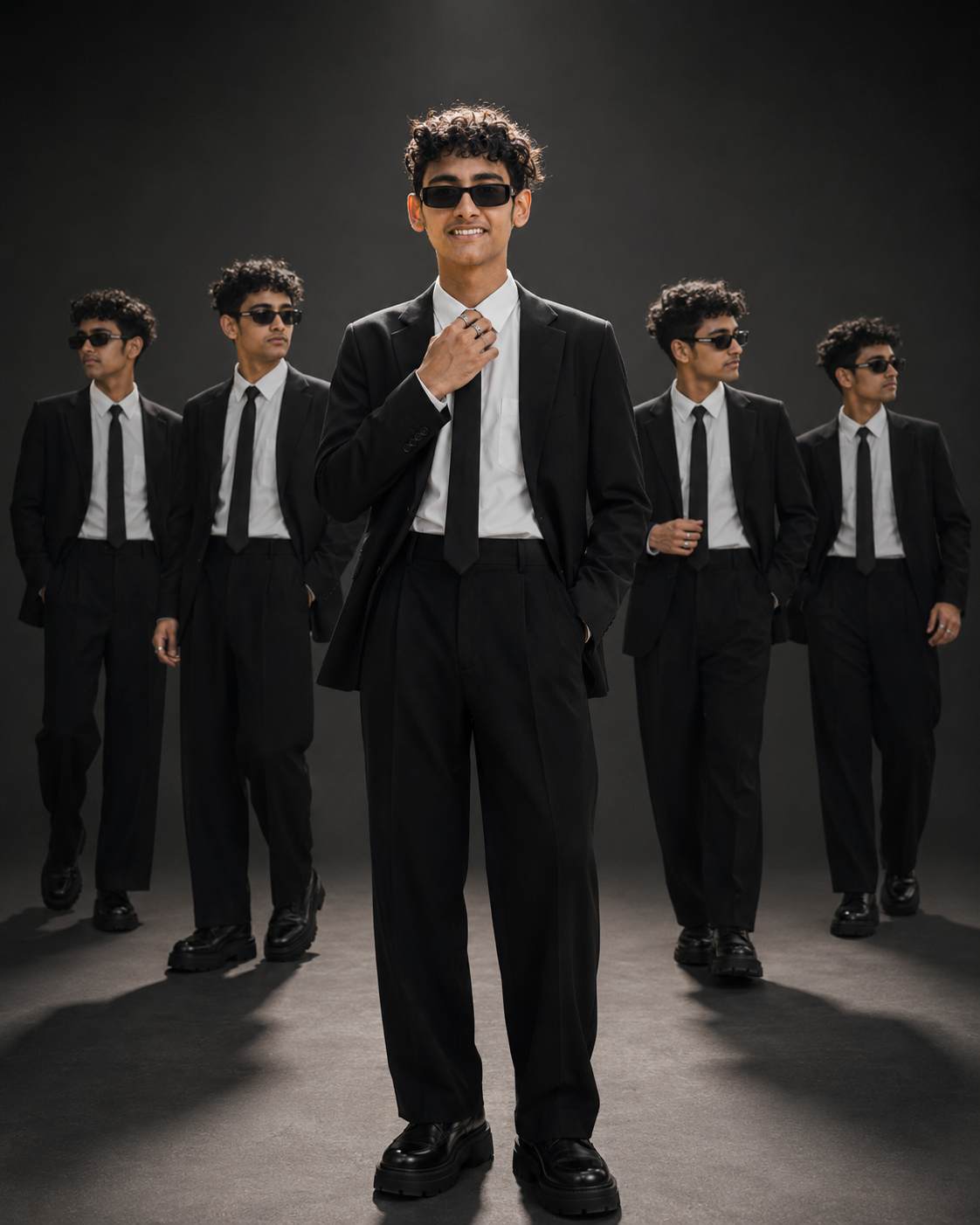
Quiet Luxury Clone Studio Fashion Portrait
Create a commanding full-body fashion portrait with a black suit, dramatic overhead light, four soft-focus clones, and preserved facial identity.
Using the uploaded photo, create a photorealistic full-body cinematic studio portrait of the same man in a refined quiet-luxury fashion setting. KEEP: Keep the exact face structure, natural facial proportions, eye shape and eye colour, skin tone and visible skin texture, hairline, natural hair density, facial hair if present, and body proportions from the uploaded photo. Preserve the original jawline, cheek structure, nose, lips, ears, beard pattern, natural asymmetry, and recognizable identity. Keep the real facial structure unchanged even though the styling, pose, sunglasses, and lighting are different. CHANGE: Change the wardrobe to a [tailored black suit blazer] worn open over a [crisp white button-down shirt] and [slim black tie]. Add [high-waisted wide-leg black trousers], [chunky black leather boots], and [minimalist silver rings]. Add [dark rectangular sunglasses] while keeping the underlying eye area structurally consistent with the uploaded face. Change the pose so the central figure faces forward, with the left hand inside the trouser pocket and the right hand adjusting the tie near the collar. Add four background versions of the same person, arranged symmetrically in different walking and slight-profile positions. SCENE: Place the subject inside a minimalist seamless charcoal-gray studio during a controlled indoor fashion shoot. Keep the floor and backdrop within the same charcoal tonal range. The central figure must remain sharply focused and perfectly centered. Position the four duplicate figures behind him at different depths, slightly out of focus but without motion blur, ghosting, transparency, or distorted anatomy. LIGHT: Use a strong overhead spotlight positioned slightly forward of the subject, creating a controlled highlight across the hair and upper shoulders. Add subtle side rim light to separate the black blazer from the charcoal background. Let the light fall gradually toward darker frame edges. Use a neutral-warm studio temperature around 4300K. CAMERA: Use a 100mm lens at f/1.8 from a slightly low camera position around waist height. Keep the central figure dominant and sharply resolved while the background clones become progressively softer with distance. GRADE: Apply high-contrast cinematic editorial grading with deep charcoal shadows, controlled white highlights, natural skin colour, and restrained saturation. Keep the silver rings and white shirt crisp without making the black clothing glossy. OUTPUT: Create a vertical 4:5 composition at 8K resolution with full-body framing, realistic leather, wool, cotton, skin pores, hair strands, hands, and accurate clone proportions. DO-NOT: No face slimming, no skin whitening, no changed eye colour, no plastic smoothing, no invented jewellery or tattoos, no altered body proportions, no extra people, no motion ghosting, no warped clones, and no duplicated facial features.
Photo Guide
- Use a sharp high-resolution portrait with the face and hairline fully visible.
- A front-facing source works best for the centered authority pose.
- Neutral or cool lighting matches the charcoal studio better than colored light.
- Keep facial hair, jawline, cheeks, nose and ears unobstructed.
- The original eye area must remain clear before sunglasses are added.
- Heavy beauty filters can weaken facial texture and cause clone identity drift.
How to Build
- 1Open Gemini and upload one clear, high-resolution identity photo.
- 2Paste the full prompt into Gemini image generation mode.
- 3Set the output aspect ratio to 4:5 before generating.
- 4Use the uploaded photo as the only identity reference.
- 5Check the central face before judging the four background clones.
- 6If the first result is wrong, re-upload the photo and regenerate unchanged.
Pro Tips
- Use a front-facing source so the central jawline stays symmetrical and accurate.
- Keep natural beard edges visible so facial hair survives the darker lighting.
- Choose a photo with visible skin texture so overhead light does not look artificial.
- Avoid sunglasses in the source so the eye shape remains available for matching.
- Use a clear hairline so the overhead highlight does not change the forehead shape.
Share This Prompt
About the Author
Jitesh Mali
Author