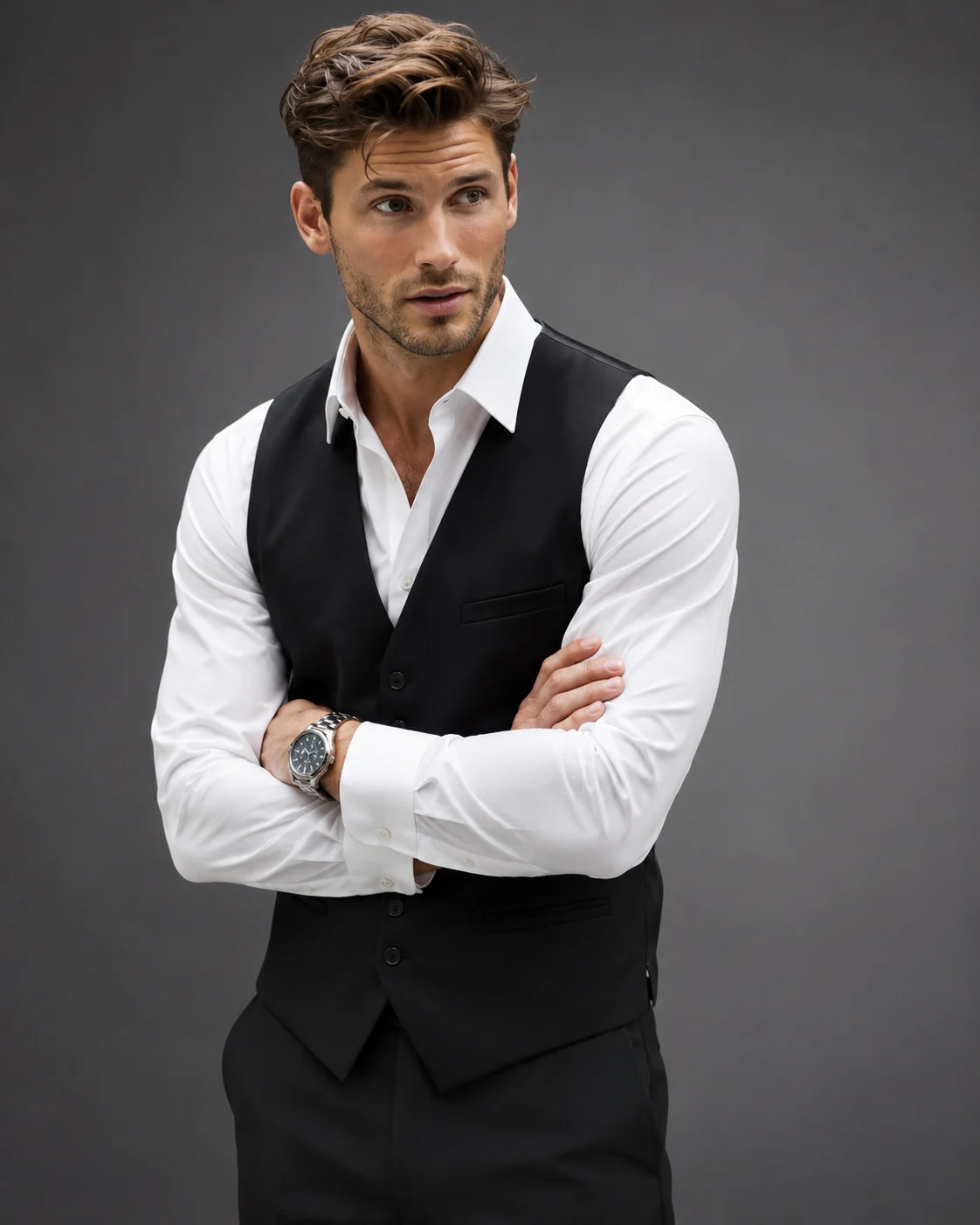
Professional Black Waistcoat Corporate Portrait
Create a polished corporate executive portrait featuring a crisp white shirt, fitted black waistcoat, silver watch and refined grey studio setting.
Using the uploaded photo, create an ultra-realistic professional corporate fashion portrait of the same recognizable person, dressed in a precisely tailored black waistcoat and crisp white dress shirt. Use a vertical 4:5 composition with refined executive styling and realistic photographic detail. KEEP — Preserve the exact facial identity and natural anatomy visible in the uploaded photograph. Retain the original forehead proportions, eyebrow thickness and placement, eye shape and natural eye colour, nose bridge and tip, lip shape, cheek volume, cheekbone position, jawline, chin, ears and natural facial asymmetry. Maintain the original skin tone, undertones, pores, fine lines, authentic marks and natural texture. Preserve the existing hairline, hairstyle, hair density, texture and colour. Retain natural facial hair, including its original density, outline and length. Keep the person's original neck width, shoulder structure, height impression, body build and natural proportions. The finished portrait must unmistakably depict the same individual. CHANGE — Replace the existing clothing with a fitted black formal waistcoat featuring a clean V-shaped front, five-button closure, subtle welt pockets and precisely structured shoulders. Add a freshly pressed white cotton dress shirt with a pointed collar and neatly buttoned cuffs. Leave the top collar button open for understated executive styling. Add a refined silver stainless-steel wristwatch with a dark dial on one wrist. Keep the accessories restrained and realistic. Position both arms comfortably crossed across the chest, with hands naturally resting near the opposite upper arms. SCENE — Place the subject inside a minimalist premium corporate photography studio. Use a seamless medium-grey background with a subtle charcoal gradient, slightly darker toward the corners. Keep the background softly out of focus without furniture, logos or decorative objects. LIGHT — Use a large diffused key light positioned 45 degrees to the front-left, a gentle fill light near camera level and a subtle rear separation light. Maintain neutral daylight colour temperature around 5500K. Preserve natural facial shadows and realistic white-shirt highlights. CAMERA — Photograph at eye level using an 85mm portrait lens at f/2.8. Frame from mid-thigh to head with natural perspective, sharp facial detail and realistic fabric texture. GRADE — Apply a neutral charcoal-grey editorial colour grade, controlled contrast, accurate skin tones and clean whites. Avoid excessive saturation and artificial sharpening. OUTPUT — Vertical 4:5 aspect ratio, 8K-quality detail, photorealistic professional corporate fashion photography. DO NOT alter facial identity, slim the face, whiten the skin, change eye colour, reshape facial features, remove natural asymmetry, apply plastic skin smoothing, change body proportions, invent jewellery or tattoos, distort crossed arms, or introduce extra fingers.
Photo Guide
- Upload a sharp, high-resolution photo with the full face visible.
- Choose an eye-level photo with the face looking toward the camera.
- Use soft, even lighting so facial details remain identifiable.
- Keep the original hairstyle, hairline and facial hair clearly visible.
- A visible neck and shoulder line helps the waistcoat fit naturally.
- Avoid crossed-arm reference poses that obscure the original body shape.
How to Build
- 1Open Gemini or ChatGPT and select its image generation feature.
- 2Upload your clearest face photograph as the identity reference.
- 3Copy the complete PROMPT CONTENT into the instruction field.
- 4Choose 4:5 portrait orientation before generating.
- 5Select the highest available image quality or resolution.
- 6Generate the portrait and inspect the face, waistcoat and crossed arms.
- 7If the result is wrong, correct only the affected detail and regenerate.
Pro Tips
- Choose a photo with visible shoulders so the waistcoat fits naturally.
- Keep the original facial hair visible to prevent an artificial beard outline.
- A neutral expression helps preserve the original facial anatomy.
- Use a visible wrist in your reference to make the silver watch believable.
- Keep the grey background uncluttered so the black waistcoat remains distinct.
Share This Prompt
About the Author
Naziya
Creative AI writer at MFDA, sharing trendy photo-editing prompts and fresh ideas for beautiful, stylish AI images.