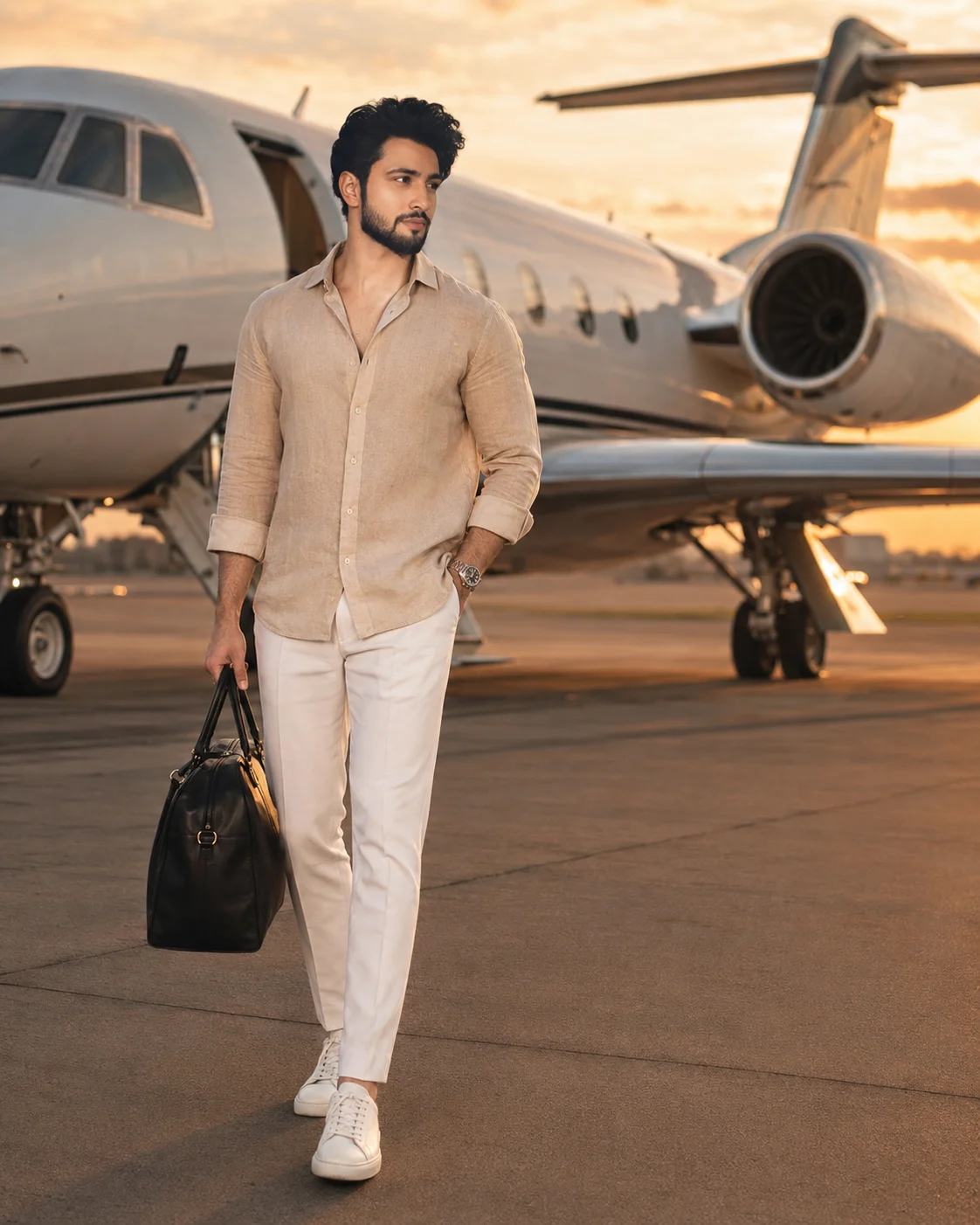
Private Jet Golden Hour Luxury Portrait Photo
Create a realistic luxury travel portrait beside a private jet, keeping your exact face and proportions while changing the styling, pose and setting.
Using the uploaded photo, create a full-body luxury travel portrait of the same person standing beside a private jet on a private airport runway at golden hour. KEEP — Keep the exact face structure, natural jawline, cheek shape, nose, lips, eye shape and eye colour from the uploaded photo. Keep the original skin tone, real skin texture, natural pores and facial marks. Keep the exact hairline, natural hair density and facial hair pattern. Keep the person's body proportions, height impression, shoulder width and natural build. The person must remain clearly recognisable as the uploaded individual. CHANGE — Change only the styling and environment. Dress the person in a relaxed beige linen shirt with visible natural fabric texture, tailored white trousers, clean premium white designer-style sneakers and a simple metallic luxury watch. Add a structured black leather travel bag held naturally in one hand. Change the pose to a relaxed, confident full-body stance with the shoulders loose, one foot slightly ahead and the body angled subtly toward the aircraft. Place the person beside a polished private jet with a clean white and metallic exterior. Use warm directional sunset lighting and a refined cinematic colour grade. SCENE — Set the scene on a clean private airport runway during late golden hour, with the private jet positioned behind and slightly to one side of the person. Keep distant runway details, aircraft surfaces and cinematic clouds visible but softly blurred. The jet should remain recognisable without competing with the face. LIGHT — Light the face primarily from the front-left at a low golden-hour angle, with warm sunlight around 4300–4800K. Keep gentle shadow falloff on the opposite cheek so the face matches the runway lighting naturally. CAMERA — Use an 85mm full-frame lens at f/2.8, camera positioned at chest height, with enough distance for natural body proportions and moderate background compression. GRADE — Apply warm beige and amber highlights, neutral skin tones, controlled contrast and subtle film grain. Keep blacks clean and avoid an orange cast on the skin. OUTPUT — Create a vertical 4:5 composition at 2048×2560 resolution, showing the complete body, shoes, travel bag and enough runway around the subject. DO-NOT — no face slimming, no skin whitening, no changed eye colour, no plastic smoothing, no invented jewellery or tattoos, no altered body proportions, no artificial facial hair, no distorted hands or extra fingers.
Photo Guide
- Use a sharp photo of at least 1200px on the longest side.
- A front-facing or slight three-quarter face angle works best for identity.
- Use even daylight so the warm runway light blends onto the face naturally.
- Keep the full face, hairline and facial hair clearly visible.
- Avoid sunglasses or anything covering the eyes and upper face.
- A heavily filtered selfie can make the face drift during the jet scene.
How to Build
- 1Open Gemini and upload one clear, high-resolution face photo.
- 2Paste the full prompt without removing the KEEP or CHANGE sections.
- 3Choose image generation with a 4:5 portrait output if available.
- 4Generate once, then compare the jawline, eyes, hairline and body proportions.
- 5If the first result is wrong, regenerate using the same photo and prompt.
Pro Tips
- Use a photo with visible skin texture so facial detail survives the edit.
- Choose daylight rather than coloured indoor light so skin tone stays accurate.
- Keep the forehead and hairline uncovered so the hairstyle remains consistent.
- Use a full-body source when possible so the final proportions stay natural.
- Avoid exaggerated poses because they can distort hands and shoulder width.
Share This Prompt
About the Author
Naziya
Creative AI writer at MFDA, sharing trendy photo-editing prompts and fresh ideas for beautiful, stylish AI images.