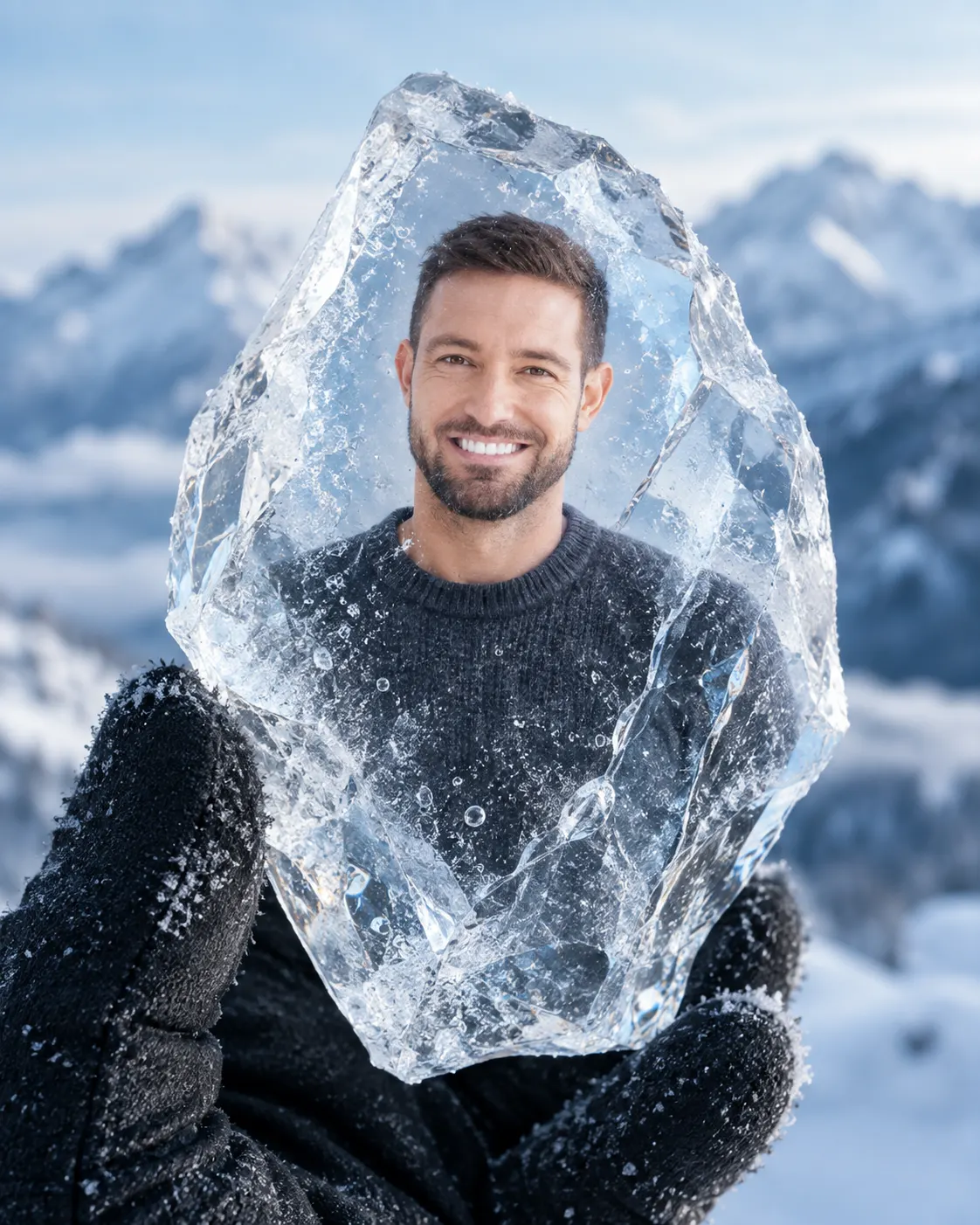
Portrait Encased in a Crystal Ice Fragment
Turn a clear portrait into a realistic winter scene where the subject appears suspended inside a detailed transparent ice crystal.
Using the uploaded photo, create a photorealistic winter portrait where the same person appears naturally suspended inside a transparent crystal ice fragment held close to the camera. KEEP - Keep the exact face structure and facial proportions from the uploaded photo, including forehead shape, eyebrow placement, eye shape and natural eye colour, nose structure, lips, cheekbones, jawline, chin, ears, and natural facial asymmetry. Keep the original skin tone, visible pores, fine texture, small natural marks, and realistic under-eye detail. Keep the original hairline, hairstyle characteristics, hair density, and facial hair pattern. Keep the person's body proportions, shoulder width, neck length, and overall physical build unchanged. The person must remain clearly recognizable as the same individual. CHANGE - Change the wardrobe to a simple dark charcoal winter shirt or sweater with a dense knitted wool texture and natural folds. Change the setting to a snowy mountain environment during pale blue early morning. Change the pose so the subject appears suspended upright inside the crystal, facing the camera with a calm neutral expression. Change the surrounding lighting to cool winter daylight with subtle reflected light from the ice. Change the visual treatment to a clean cinematic winter grade with restrained contrast and icy blue highlights. SCENE - Place the person visually inside a thick, irregular transparent ice crystal held near the camera by a hand wearing a matte dark winter glove. The crystal should contain tiny trapped air bubbles, fine internal fractures, faint frost along selected edges, and realistic condensation. Behind it, show distant snow-covered mountains and a pale blue sky, strongly blurred so the crystal remains dominant. LIGHT - Use soft frontal-left daylight around 6000K, with cool fill from the snowy environment. Let light pass through the crystal and create subtle refraction across the face without hiding facial features. CAMERA - Shoot at 100mm macro, f/2.8, camera at eye height, with close focusing on the crystal and shallow background depth. GRADE - Use cool blue-white tones, natural skin colour, controlled highlights, detailed shadows, and restrained cinematic contrast. OUTPUT - Create a vertical 4:5 composition at 4096 × 5120 resolution with sharp facial and ice detail. DO-NOT - no face slimming, no skin whitening, no changed eye colour, no plastic smoothing, no invented jewellery or tattoos.
Photo Guide
- Use a sharp, high-resolution portrait with the full face clearly visible.
- A straight-on or slight three-quarter angle works best for the crystal effect.
- Use soft, even daylight so facial features remain clear through refraction.
- Keep the hairline, facial hair, jawline, and both eyes unobstructed.
- A dark or simple shirt makes the icy subject separation cleaner.
- Avoid heavy blur, harsh shadows, sunglasses, or cropped facial features.
How to Build
- 1Gemini: choose Image Generation and upload one clear reference portrait.
- 2Select a 4:5 portrait canvas before generating the image.
- 3Use the full prompt without shortening the KEEP or CHANGE sections.
- 4Keep the reference image at its highest available quality.
- 5Generate several variations and compare facial identity first.
- 6If the first result is wrong, regenerate while stressing exact facial identity.
Pro Tips
- Use a front-facing photo so the ice refraction does not alter the jawline.
- Choose visible facial hair so beard density stays consistent inside the crystal.
- Avoid coloured backgrounds so the pale ice remains visually dominant.
- Keep both eyes visible so the model does not invent facial details.
- Use a simple shirt in the source photo so wardrobe changes stay controlled.
Share This Prompt
About the Author
Naziya
Creative AI writer at MFDA, sharing trendy photo-editing prompts and fresh ideas for beautiful, stylish AI images.