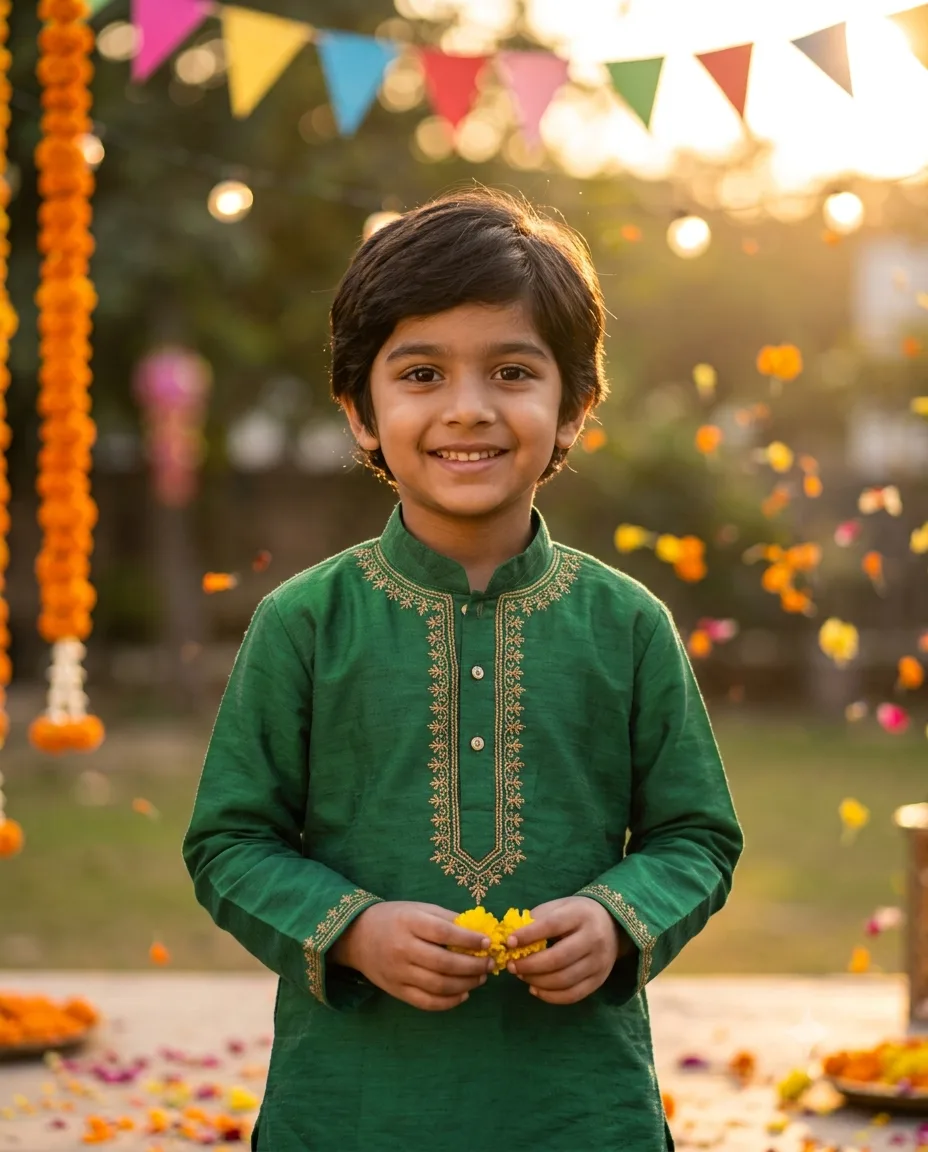
Playful Child Festival Memory Portrai
Turn a natural child photo into a warm festival memory portrait with flowers, paper decorations, and soft afternoon light.
Using the uploaded photo, create a photorealistic playful festival memory portrait of the same child in a cheerful decorated outdoor setting. KEEP - Keep the child’s exact face structure, including forehead shape, cheeks, jawline, nose, lips, and chin. Keep the exact eye shape and natural eye colour from the uploaded photo. Keep the original skin tone, natural pores, fine texture, and visible small marks. Keep the original hairline, hair texture, hairstyle, and facial hair exactly as visible. Keep the child’s natural body proportions, shoulder width, arm length, and overall build. Preserve the child’s recognizable identity and natural expression rather than replacing the face with a generic child. CHANGE - Dress the child in a festive cotton outfit using [outfit colour] with subtle embroidered details and soft fabric folds. Add a simple [festival accessory] only if requested. Place the child in a playful outdoor festival setting surrounded by fresh marigold flowers, small paper decorations, colourful hanging pennants, and a few scattered flower petals. Change the pose to a relaxed standing or seated pose with a natural smile and slightly playful body language. Use warm late-afternoon sunlight, gentle background blur, and a soft golden colour grade. SCENE - Set the portrait outdoors during late afternoon, with flower arrangements and paper decorations behind the child. Keep the background detailed enough to show the festival setting but blur it with shallow depth of field so the child remains the clear focal point. LIGHT - Use warm sunlight coming from the upper front-left, with soft reflected fill from the opposite side. Keep facial shadows gentle and realistic so the face matches the outdoor environment. CAMERA - Use an 85mm lens at f/2.0, camera positioned at the child’s chest height, with natural perspective and moderate background compression. GRADE - Apply a warm golden film-style grade with natural skin tones, soft highlights, moderate contrast, and slightly muted background colours. OUTPUT - Create a vertical 4:5 composition at 2048×2560 resolution, keeping the entire head and upper body comfortably inside the frame. DO-NOT - Do not slim the face, whiten the skin, change eye colour, plastic-smooth the skin, or invent jewellery or tattoos.
Photo Guide
- Use a sharp photo where the child’s full face and hairline are visible.
- Choose a front-facing or slight three-quarter angle with both eyes clear.
- Soft daylight works better than harsh indoor light for this warm festival scene.
- Keep the original smile or curious expression clearly visible.
- Avoid photos with hands covering the face or heavy beauty filters.
How to Build
- 1Gemini: upload the child photo and paste the full prompt.
- 2Choose image generation with a 4:5 portrait aspect ratio.
- 3Set output quality to the highest available option.
- 4Keep identity/reference strength high if Gemini provides that control.
- 5Generate one image first and inspect the face before making variants.
- 6If the face drifts, re-upload the clearest photo and repeat with KEEP unchanged.
Pro Tips
- Use a photo with natural daylight so the warm outdoor light blends cleanly.
- Keep both eyes unobstructed so their original shape and colour remain stable.
- Choose a visible hairline so the hairstyle does not become generic.
- Avoid strong filters because they can erase natural skin texture.
- Keep the child’s original smile because it makes the memory style feel authentic.
Share This Prompt
About the Author
Naziya
Creative AI writer at MFDA, sharing trendy photo-editing prompts and fresh ideas for beautiful, stylish AI images.