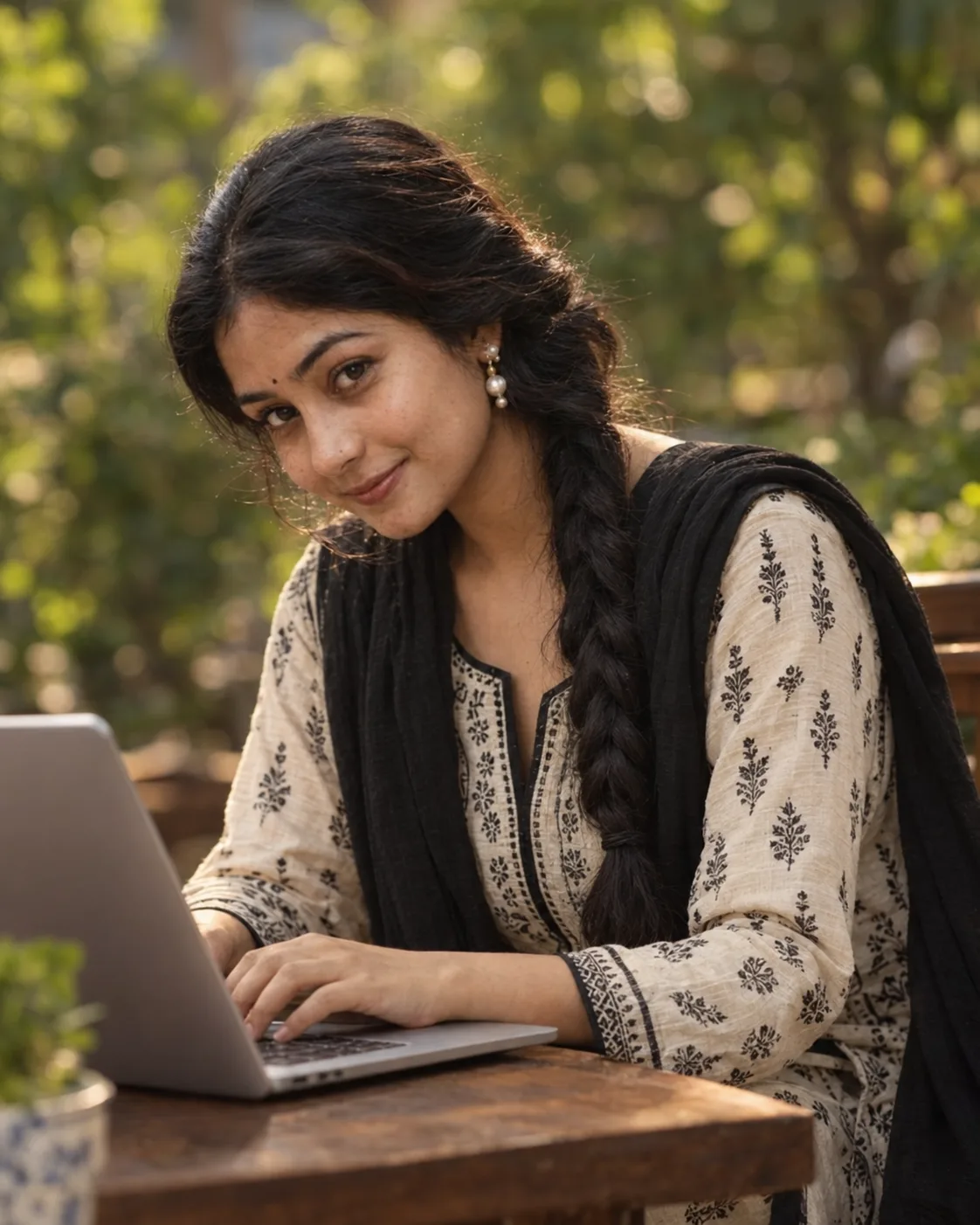
Photorealistic Outdoor Laptop Lifestyle Portrait
Create a warm photorealistic portrait of yourself working on a laptop, with soft garden bokeh, traditional styling, and natural daylight.
Using the uploaded photo, create a photorealistic lifestyle portrait of the same person seated at a wooden table while working on a laptop. KEEP - Keep the uploaded person's exact face structure, including jaw shape, cheek structure, chin, nose, lips, and overall facial proportions. Keep the exact eye shape and natural eye colour. Keep the original skin tone, pores, marks, fine texture, and natural facial asymmetry. Keep the original hairline, hair density, and natural facial hair where present. Keep the person's natural body proportions, age appearance, and recognisable identity unchanged. CHANGE - Change the wardrobe to a cream-coloured traditional kurta made from natural-looking cotton fabric, featuring detailed black printed patterns and black edging around the neckline and cuffs. Add a black lightweight dupatta resting naturally around the shoulders. Add simple pearl drop earrings with small white pearl details. Change the pose to a relaxed seated position with both hands naturally placed on the laptop keyboard, while the upper body turns slightly toward the camera. Change the setting, lighting, and colour treatment to match the scene below. SCENE - Place the subject at a dark wooden table in a peaceful outdoor café or garden during late afternoon daylight. Position an open silver-grey laptop in the foreground, with the subject's hands visible on the keyboard. Place soft green trees and foliage behind the subject, rendered as strongly blurred circular bokeh. LIGHT - Use soft warm daylight coming from the upper front-right, gently illuminating the face while creating subtle warm highlights along the hair. Keep shadows soft and directional so the face remains naturally integrated with the environment. CAMERA - Shoot at 85mm, f/1.8, with the camera at chest height and a medium-close portrait framing. Use realistic lens compression and shallow depth of field. GRADE - Apply a warm natural colour grade with moderate contrast, soft highlights, realistic skin tones, and restrained saturation. OUTPUT - Create a vertical 4:5 composition at 1200×1500 resolution. DO-NOT - No face slimming, no skin whitening, no changed eye colour, no plastic smoothing, no invented jewellery or tattoos, no facial reshaping, and no artificial CGI or 3D appearance.
Photo Guide
- Use a clear high-resolution photo where your face and hairline are fully visible.
- A slightly angled or eye-level face works best for this turned portrait pose.
- Use soft daylight so the warm outdoor lighting blends naturally with your face.
- Keep your full face, natural hairline, and shoulders unobstructed in the source.
- A dark or heavily filtered indoor selfie can weaken the outdoor daylight match.
How to Build
- 1Open Gemini and choose image generation with your uploaded reference photo.
- 2Upload one clear photo showing your face, hairline, and natural skin texture.
- 3Paste the full prompt and keep image editing or reference mode enabled.
- 4Set the output to a vertical 4:5 image at 1200×1500 resolution.
- 5Check that the kurta, dupatta, laptop, and garden bokeh match the prompt.
- 6If the first result drifts, regenerate while stressing the KEEP section first.
Pro Tips
- Use a photo with natural daylight so the warm garden lighting blends cleanly.
- Keep your hairline visible so the generated hairstyle stays anchored to you.
- Choose a sharp face photo so eyes and facial proportions remain consistent.
- Avoid beauty filters because they can cause unwanted skin and face changes.
- Keep both hands visible when possible so the keyboard pose looks believable.
Share This Prompt
About the Author
Naziya
Creative AI writer at MFDA, sharing trendy photo-editing prompts and fresh ideas for beautiful, stylish AI images.