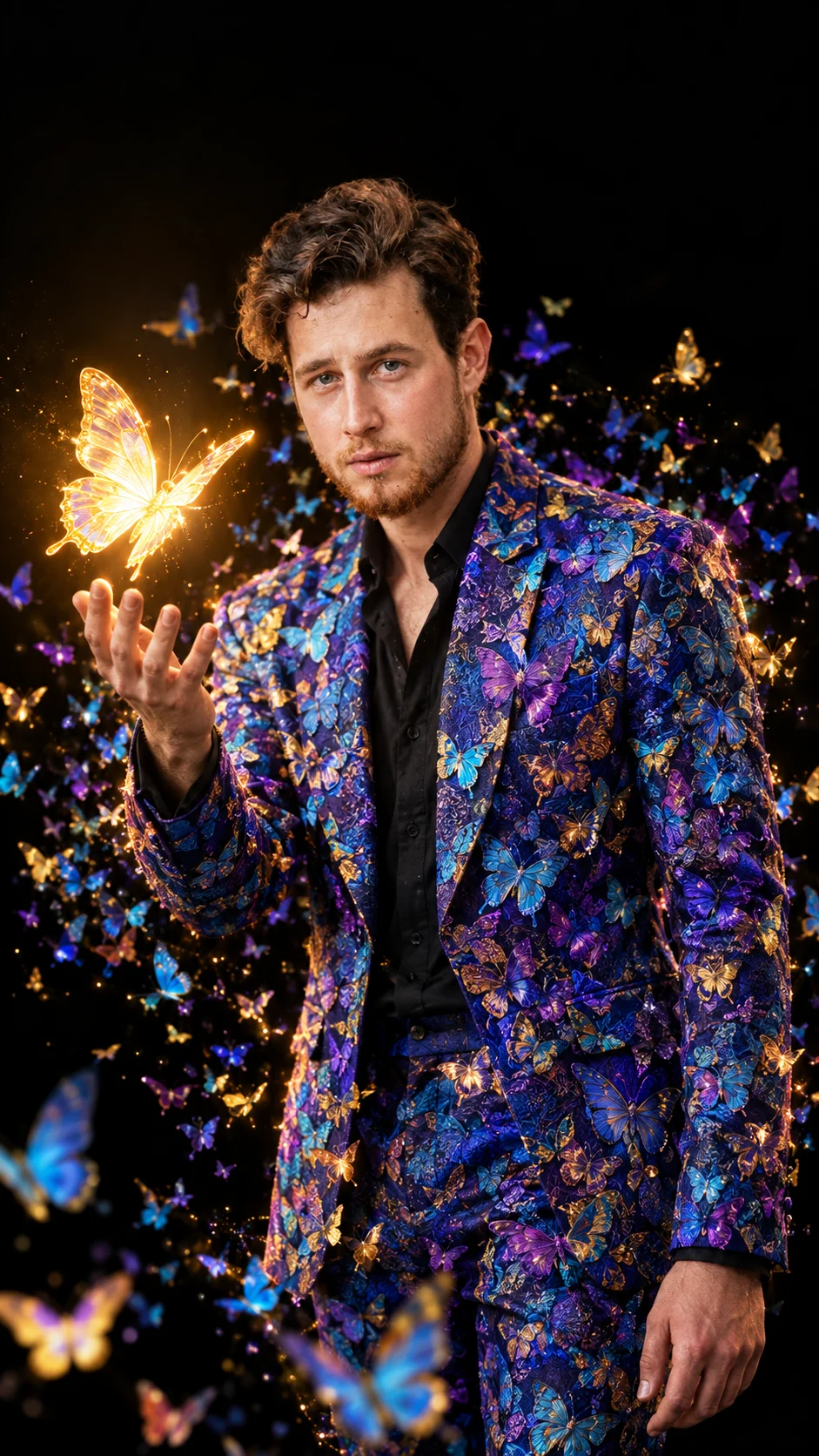
Photorealistic Butterfly Suit Portrait
Using the uploaded photo, create a photorealistic cinematic portrait of the same person wearing a richly patterned butterfly suit, while preserving their real identity.
Using the uploaded photo, create a photorealistic cinematic portrait of the same person wearing a richly patterned butterfly suit, while preserving their real identity. KEEP - Keep the exact face structure from the uploaded photo, including forehead shape, eyebrow placement, eye shape and natural eye colour, nose structure, lips, cheeks, cheekbones, jawline, chin, ears, facial proportions, and natural facial asymmetry. Keep the original skin tone, visible pores, natural skin texture, hairline, hairstyle characteristics, facial hair pattern, and body proportions. Do not make the face younger, slimmer, wider, smoother, or more symmetrical. CHANGE - Change the wardrobe to a tailored royal-blue and deep-purple suit made from textured jacquard fabric, densely decorated with realistic blue, turquoise, violet, purple, gold, and orange butterfly motifs. Add a black shirt underneath with the collar slightly open. Change the pose to a three-quarter standing position, with the left hand raised, palm open and fingers naturally separated toward a glowing butterfly. Keep the right arm relaxed beside the body. Change the background to pure deep black. Add hundreds of colorful butterflies swirling around the body, with a large luminous golden-yellow butterfly hovering just above the open palm. SCENE - Place the subject in a dark studio-like setting at night, with no visible walls or objects behind them. The butterfly swarm should form a loose circular flow around the figure, with some butterflies close to the camera and others fading into the black background. LIGHT - Use a soft key light from front-left at face height, with a subtle warm rim light from the right. Let the main golden butterfly cast a gentle warm glow onto the raised hand and nearby face and clothing. Keep shadows deep but natural so the subject remains grounded in the scene. CAMERA - Shoot at 85mm, f/1.8, camera at chest height, using shallow depth of field. Keep the face and main butterfly sharply focused while distant butterflies become progressively softer. GRADE - Use deep blacks, saturated jewel tones, controlled highlights, strong but natural contrast, and a cinematic editorial colour grade with subtle warm-gold highlights. OUTPUT - Create a vertical 9:16 image at 2160 × 3840 resolution with realistic anatomy and detailed butterfly wings. DO-NOT - No face slimming, no skin whitening, no changed eye colour, no plastic smoothing, no invented jewellery or tattoos, no extra fingers, distorted hands, duplicated facial features, or cartoon-like butterflies.
Photo Guide
- Use a sharp portrait at least 1024px wide with the face clearly visible.
- Choose a front or three-quarter angle so both eyes and the jawline stay visible.
- Even facial lighting works best because the final scene uses soft studio illumination.
- Keep the hairline, facial hair, ears, and natural skin texture unobstructed.
- A black outfit or dark background helps the butterfly colours stand apart.
- Avoid heavy beauty filters; they can erase the skin texture needed for identity.
How to Build
- 1Open Gemini and choose image generation with the uploaded photo as reference.
- 2Upload one clear photo where the full face and hairline are visible.
- 3Paste the prompt exactly and keep the image ratio at 9:16.
- 4Generate the first image at the highest available quality.
- 5Check the hands, face identity, butterfly density, and suit pattern carefully.
- 6If the result is wrong, regenerate using the same photo and specify the failed area.
Pro Tips
- Use a photo with natural skin texture so facial details survive the transformation.
- Keep both eyes unobstructed so their original shape and colour remain stable.
- Choose a photo with visible shoulders to preserve body proportions in the suit.
- Avoid strong coloured lighting because it can distort the requested skin tone.
- Use a sharp reference face so the 85mm portrait look stays naturally focused.
Share This Prompt
About the Author
Naziya
Creative AI writer at MFDA, sharing trendy photo-editing prompts and fresh ideas for beautiful, stylish AI images.