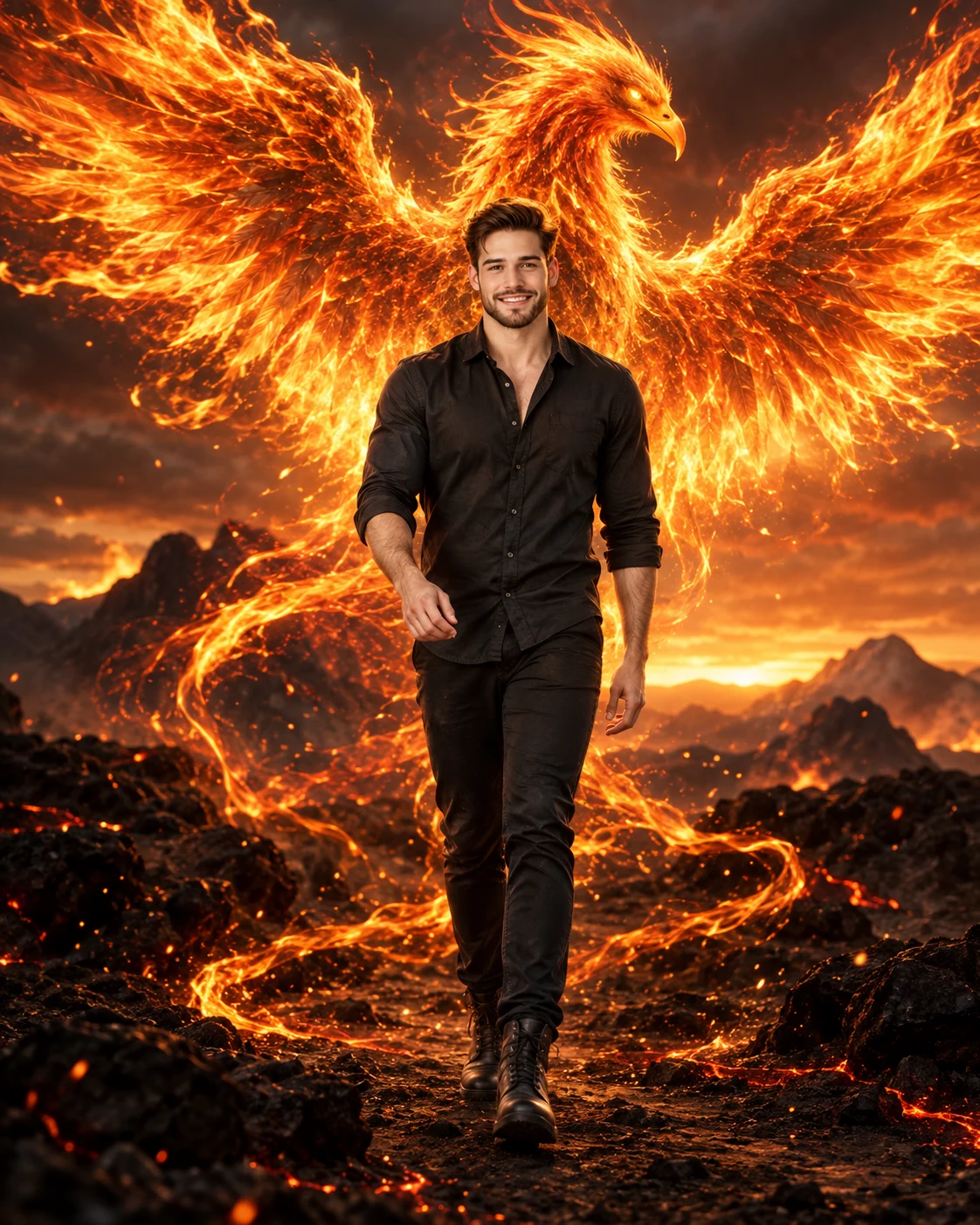
Phoenix Rebirth Cinematic Fire Portrait
Turn your photo into a cinematic volcanic portrait with a fiery phoenix rising behind you, glowing embers, smoke, and warm sunset light.
Using the uploaded photo, create a photorealistic full-body cinematic portrait of the same person walking forward across a dark volcanic landscape at sunset, with a massive fiery phoenix forming behind them. KEEP - Keep the exact face structure from the uploaded photo, including forehead shape, eyebrow shape, eye shape and natural eye colour, nose structure, lips, cheekbones, jawline, chin, ears, and natural facial asymmetry. Keep the original skin tone, visible pores, fine skin texture, natural marks, and under-eye detail. Keep the original hairline, hairstyle, hair density, and facial-hair pattern. Keep the person's natural body proportions, shoulder width, height, limb proportions, and overall build. CHANGE - Change the wardrobe to a fitted charcoal-black cotton shirt, dark tapered trousers, and worn matte leather boots. Change the setting to a black volcanic plain with scattered rocks and faint glowing cracks. Change the pose to a natural confident forward walk, with relaxed shoulders and realistic arm movement. Add a huge golden-orange phoenix behind the person, formed from layered flames, smoke, sparks, and translucent fire trails. Its wings spread widely on both sides while its head rises above the person's shoulders. Let narrow ribbons of fire spiral around the ground without covering the face or body. SCENE - Set the scene during late sunset, with a smoky volcanic horizon and distant dark mountains. Keep the phoenix sharply defined near the subject while distant smoke and mountains fall into soft atmospheric blur. LIGHT - Place the strongest warm light behind and slightly to the side of the person, with orange rim light tracing the hair and shoulders. Add softer warm fill from the front so the face naturally matches the environment. CAMERA - Shoot at 50mm, f/2.8, camera at chest height, with realistic full-body perspective and moderate background compression. GRADE - Use deep blacks, burnt orange, amber highlights, controlled contrast, subtle cinematic grain, and a warm filmic sunset grade. OUTPUT - 4:5 vertical aspect ratio, 2160 × 2700 resolution. DO-NOT: no face slimming, no skin whitening, no changed eye colour, no plastic smoothing, no invented jewellery or tattoos.
Photo Guide
- Use a sharp photo of at least 1500px on the shortest side.
- A front-facing or three-quarter photo works best for this walking pose.
- Use natural daylight so the face blends with the warm fire lighting.
- Keep the full face, hairline, shoulders, and body outline clearly visible.
- Avoid heavy indoor shadows; they can make the fire lighting look pasted on.
- A busy background can interfere with the phoenix wings and smoke layers.
How to Build
- 1Open Gemini and choose Image Generation with your uploaded photo.
- 2Upload one clear photo showing the face and body proportions.
- 3Paste the prompt exactly without removing the KEEP section.
- 4Choose a 4:5 portrait canvas if the tool offers aspect ratios.
- 5Generate several versions and compare face consistency first.
- 6If the first result is wrong, regenerate with stronger identity preservation.
Pro Tips
- Use a neutral outfit photo so the charcoal wardrobe replaces it cleanly.
- Keep the original hairline visible so the fiery rim light follows it naturally.
- Choose a photo with even daylight so skin texture survives the warm grade.
- Avoid cropped legs because the prompt requires a convincing full-body walk.
- Keep the face unobstructed so phoenix smoke does not alter facial features.
Share This Prompt
About the Author
Naziya
Creative AI writer at MFDA, sharing trendy photo-editing prompts and fresh ideas for beautiful, stylish AI images.