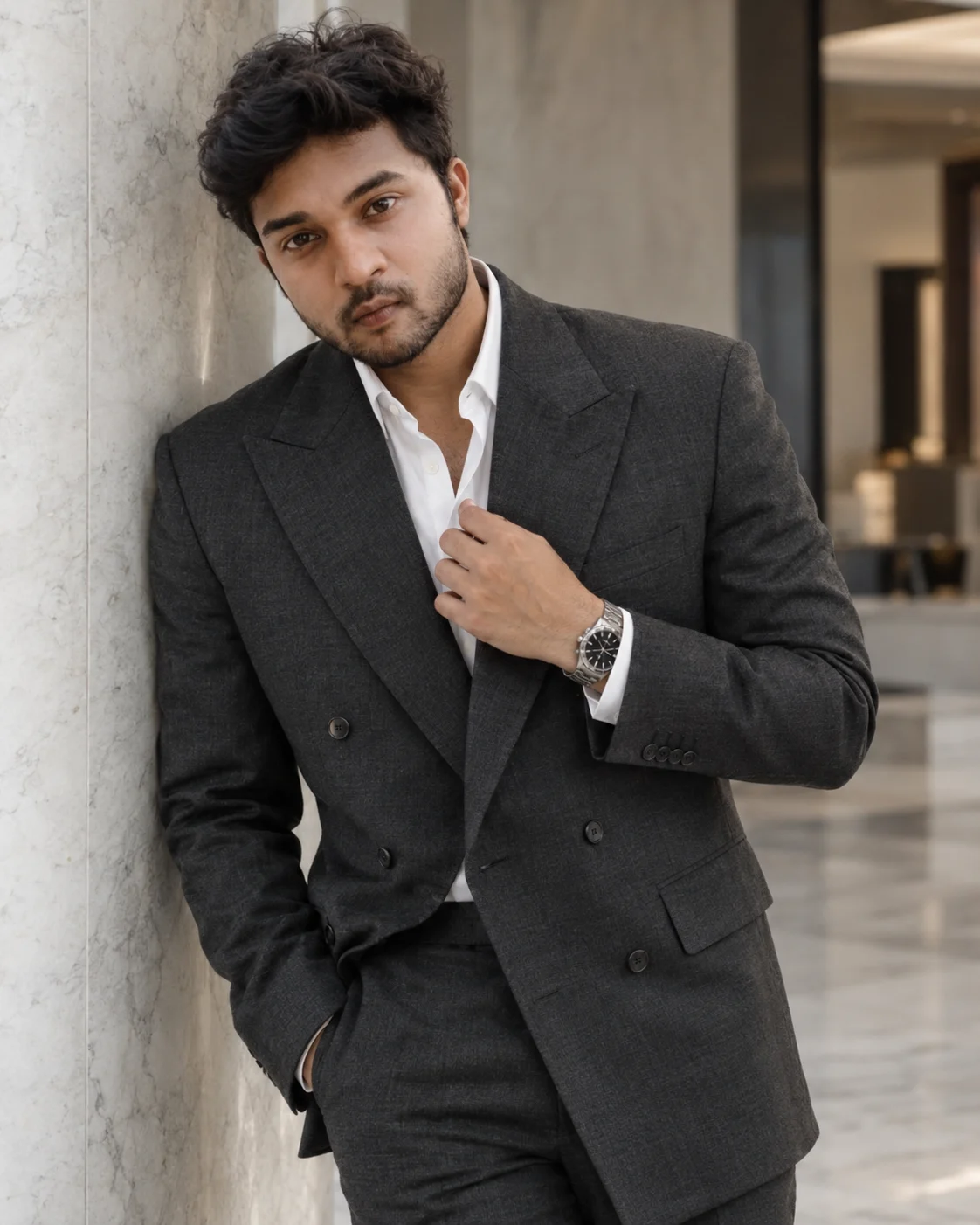
Old Money Billionaire Portrait in a Charcoal Suit
Create a photorealistic old-money portrait in a tailored charcoal suit, luxury watch and marble interior while preserving your real facial identity.
Using the uploaded photo, create a photorealistic luxury menswear portrait with an understated old-money aesthetic, featuring a tailored charcoal suit and a refined marble interior. KEEP — Preserve the person's exact facial identity from the uploaded photo. Keep the original face shape, forehead, cheekbones, jawline, chin, nose bridge and tip, lip shape, eyebrow placement, eye shape and natural eye colour. Retain the original skin tone, natural skin texture, pores, facial asymmetry, hairline, hairstyle and facial hair, including its natural density and outline. Keep the person's apparent age, neck proportions, shoulder width, body proportions and recognisable features unchanged. The face must remain recognisably the same person, not a beautified reinterpretation. CHANGE — Dress the person in a precisely tailored charcoal-grey double-breasted wool suit with structured shoulders, peak lapels, subtle fabric texture and a clean, fitted silhouette. Add a crisp white cotton dress shirt with the top button open, matching charcoal trousers and a restrained stainless-steel wristwatch with a dark dial. Do not add a tie. Pose the person standing beside a tall ivory-grey marble pillar, torso turned slightly three-quarters and face directed naturally toward the camera. One hand rests in a trouser pocket while the other adjusts the shirt cuff, displaying the watch without forcing the wrist into an unnatural angle. SCENE — Place the subject in a quiet, upscale minimalist penthouse interior during late-morning daylight. Use polished pale marble, understated stone walls and clean architectural lines behind the subject. Keep the pillar visible beside one shoulder and let the distant interior fall softly out of focus. Avoid visible brand names, decorative clutter and artificial luxury props. LIGHT — Use broad, diffused daylight from a large window at the upper left of the camera, approximately 45 degrees from the face. Keep the forehead, eyes and cheekbones naturally illuminated, with gentle shadows under the jaw and lapels. Use neutral-warm white balance and realistic light falloff so the face belongs naturally in the room. CAMERA — Shoot at an 85mm equivalent focal length, f/2.2, at chest height. Focus precisely on the eyes. Maintain natural perspective, realistic hands and enough depth of field to retain the suit's texture while softly blurring the marble background. GRADE — Apply restrained editorial colour grading with charcoal blacks, soft ivory highlights, neutral marble tones and natural skin colour. Use moderate contrast, smooth tonal transitions and subtle fine-grain texture. Avoid orange skin, crushed suit detail and excessive sharpening. OUTPUT — Generate a vertical 4:5 portrait, framed from the head to mid-thigh, at the highest available resolution, preferably 2048 pixels or higher on the long edge. DO NOT alter facial identity, slim the face, whiten the skin, change eye colour, reshape the jaw, modify body proportions, apply plastic skin smoothing, invent jewellery or tattoos, distort the hands, add logos, or introduce text or watermarks.
Photo Guide
- Use a sharp, high-resolution photo where both eyes and facial details are visible.
- Choose a front-facing or slight three-quarter angle with the hairline unobstructed.
- Use even natural light so the original skin tone and facial structure remain clear.
- Keep facial hair visible if present; avoid filters that alter beard edges or skin texture.
- A pale indoor background blends best with the marble penthouse setting.
- Avoid heavily shadowed faces, which can cause identity drift in soft studio lighting.
How to Build
- 1Open Gemini or ChatGPT and select its image-generation feature.
- 2Upload one clear reference photo of the person whose identity must remain unchanged.
- 3Paste the complete prompt, including KEEP, CHANGE and DO NOT instructions.
- 4Choose a vertical 4:5 aspect ratio if the tool offers aspect-ratio settings.
- 5Select the highest available image quality or resolution setting.
- 6Review the face, hands, suit fit and watch against the reference photo.
- 7If the result is wrong, regenerate with a clearer reference and specify the exact mismatch.
Pro Tips
- Choose a photo with visible eyes so the generated gaze stays close to the original.
- Keep the original beard outline visible to prevent unwanted facial-hair changes.
- Use a charcoal suit rather than pure black so the wool texture remains visible.
- Choose a pale marble background so the dark suit has clear tonal separation.
- Keep the watch understated so it complements the old-money styling without distracting.
- Use a chest-height camera perspective so the head and shoulders retain natural proportions.
Share This Prompt
About the Author
Naziya
Creative AI writer at MFDA, sharing trendy photo-editing prompts and fresh ideas for beautiful, stylish AI images.