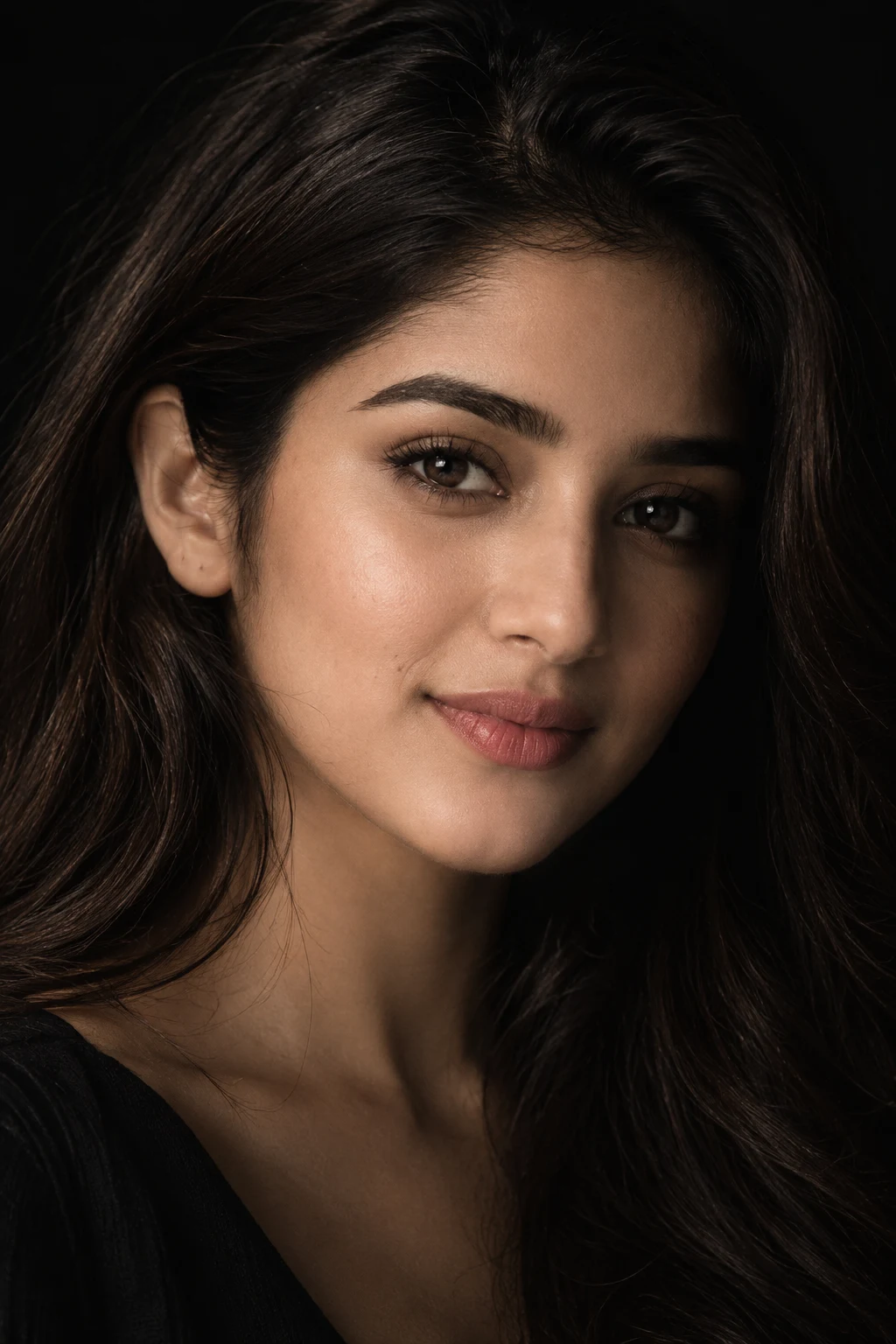
Noir Half-Light Extreme Close-Up Portrait
Create a dramatic close-up noir beauty portrait with half-lit facial contours, natural skin texture, deep shadows, and a matte-black backdrop.
Using the uploaded photo, create a photorealistic extreme close-up noir beauty portrait of the same woman, keeping her identity clearly recognizable. KEEP — Preserve the exact facial structure from the uploaded photo, including forehead shape, eyebrow placement, eye shape and natural eye colour, nose bridge and tip, lips, cheeks, cheekbones, jawline, chin, ears, facial width, natural asymmetry, and realistic facial proportions. Keep her original skin tone, visible pores, fine lines, subtle imperfections, natural pigmentation, and authentic skin texture. Preserve the existing hairline, hair density, natural hair texture, and any visible facial hair pattern. Keep her natural body proportions and do not alter the visible relationship between her head, neck, and shoulders. CHANGE — Change the styling into a refined noir beauty editorial. Use understated makeup, naturally textured lips, and loose natural hair framing the sides of the face. Change the lighting so only the front-left side of her face receives a narrow, soft cinematic beam, while the right side gradually falls into deep shadow. Keep both eyes visible. Set the background to completely matte black with no objects, texture, or environmental detail. Give her a calm, mysterious, intense expression with a subtle direct gaze into the camera. SCENE — Place her against a seamless black studio background during an intentionally dark studio setup. The background must remain completely blurred and visually empty, with no horizon or visible surroundings. LIGHT — Use soft directional light from camera-left, slightly above eye level, with a neutral-warm 3800K to 4200K tone. Let the light naturally follow the forehead, nose bridge, cheekbone, and lips while the opposite facial plane transitions gradually into shadow. CAMERA — Shoot at 100mm macro, f/2.8, camera at eye height, with precise focus on both eyes and central facial features. GRADE — Use deep blacks, controlled highlights, neutral skin tones, subtle film grain, moderate contrast, and restrained cinematic monochrome-inspired tonal separation. OUTPUT — Vertical 2:3 aspect ratio, 8K resolution, realistic photographic detail. DO-NOT — No face slimming, no skin whitening, no changed eye colour, no plastic smoothing, no invented jewellery or tattoos, no facial distortion, no altered proportions, no excessive makeup, no cropped forehead or chin.
Photo Guide
- Use a sharp high-resolution photo where both eyes and the full face are visible.
- Choose a front-facing or near-front-facing angle so facial symmetry stays readable.
- Even daylight is best; avoid strong coloured light on the original face.
- Keep the forehead, jawline, hairline, and both eyes unobstructed.
- Avoid sunglasses or heavy shadows that hide the facial structure.
How to Build
- 1Open Gemini and upload one sharp, front-facing reference photo.
- 2Paste the full prompt without removing the KEEP or CHANGE sections.
- 3Choose the highest image quality or resolution setting available.
- 4Use a 2:3 portrait frame if Gemini offers aspect-ratio controls.
- 5Generate several versions and keep the one with balanced eye detail.
- 6If shadows hide too much, regenerate and ask for both eyes to remain visible.
Pro Tips
- Use a neutral daylight reference so the noir grade does not distort skin colour.
- Keep both eyes equally visible so facial identity stays stable between runs.
- Avoid heavy makeup in the source photo so natural pores remain believable.
- Choose a photo with visible hairline so the dark background does not erase it.
- Keep the face centered so the half-light falls naturally across facial planes.
Share This Prompt
About the Author
Naziya
Creative AI writer at MFDA, sharing trendy photo-editing prompts and fresh ideas for beautiful, stylish AI images.