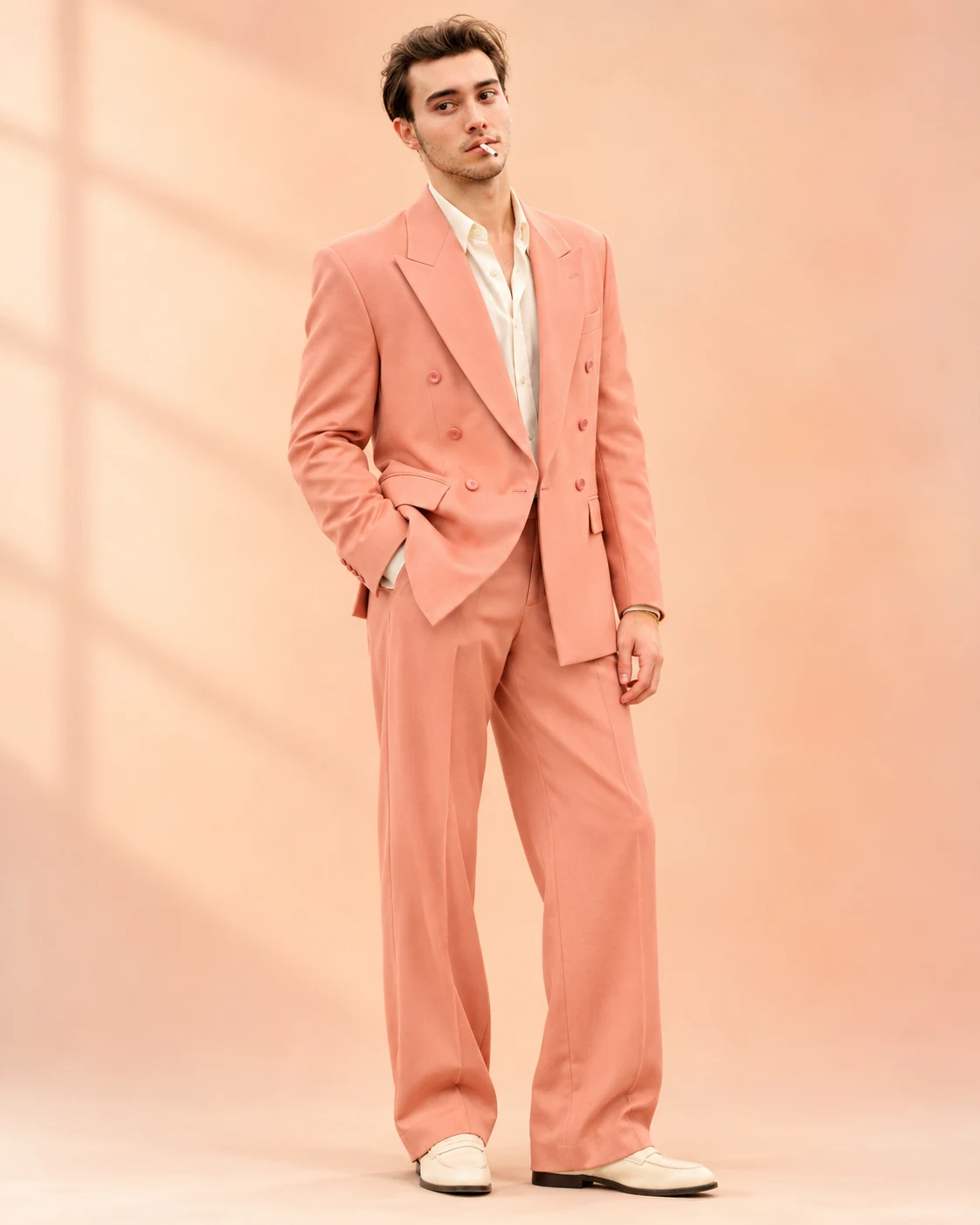
Muted Peach Oversized Suit Luxury Fashion Portrait
Create a full-body luxury menswear portrait in a muted peach oversized suit, with warm studio lighting and a clean editorial background.
Using the uploaded photo, create an ultra-realistic full-body luxury menswear editorial portrait of the same recognizable man, dressed in a muted-peach oversized tailored suit against a warm peach-and-ivory studio background. The composition must be vertical 4:5, showing the entire body from the top of the head to the soles of both shoes. KEEP — Preserve the exact facial identity of the person in the uploaded photograph. Retain the original forehead width, eyebrow shape and placement, eye shape and natural eye colour, nose bridge and tip, lip shape, cheek volume, cheekbone position, jawline, chin, ears and natural facial asymmetry. Maintain the original skin tone, visible pores, fine skin texture, natural marks and age. Keep the original hairstyle, hairline, hair density, hair texture and facial hair wherever present. Preserve the natural neck, shoulder width, body proportions and overall height relationship. Do not beautify, reshape or replace the person's face. CHANGE — Dress the person in a muted-peach oversized double-breasted suit. The blazer must have broad structured peak lapels, six coordinated buttons, a clean chest pocket and neatly tailored flap pockets. Use a premium matte wool-blend fabric with visible fine weave and natural folds. Pair it with matching wide-leg trousers featuring soft vertical draping and a relaxed break above cream-coloured minimalist leather loafers with understated soles. Add an ivory satin dress shirt with two casually undone top buttons and a subtle gold bracelet. Keep the accessories minimal. SCENE — Position him in a seamless luxury photography studio with a warm peach-to-ivory gradient backdrop. The floor should blend naturally into the background without a visible horizon line. Maintain generous negative space around the subject. His posture is upright, shoulders relaxed, feet slightly apart, with his right hand inside the trouser pocket and left arm hanging naturally. His expression is composed, with direct eye contact. LIGHT — Use a large diffused key light positioned slightly above and to the left of the camera, with gentle frontal fill. Set the light to approximately 4800K for warm-neutral skin tones. Create soft shadows beneath the shoes and subtle highlights along the blazer shoulders and lapels. Keep facial illumination consistent with the body lighting. CAMERA — Photograph at eye level using an 85mm portrait lens at f/4, with natural perspective compression and sufficient depth of field to keep the face, suit and shoes sharply defined. GRADE — Apply a restrained peach-and-ivory colour grade, warm highlights, neutral skin tones, soft tonal contrast and controlled saturation. Avoid orange skin or excessive pastel colour casts. OUTPUT — Render a photorealistic vertical 4:5 full-body fashion photograph at 8K resolution, with realistic anatomy, accurate hands, detailed stitching and natural fabric movement. DO NOT — Change facial identity, slim the face, whiten the skin, alter eye colour, modify the hairline, remove natural facial marks, apply plastic skin smoothing, change body proportions, crop the shoes, or invent additional jewellery, accessories or tattoos.
Photo Guide
- Use a sharp, high-resolution photo with the complete face clearly visible.
- Choose a front-facing or slightly angled eye-level camera photograph.
- Use even daylight or soft neutral lighting to preserve natural skin tones.
- Keep the original hairline, ears and facial outline unobstructed.
- A warm peach or orange filter on the source photo can distort the final suit colour.
- Avoid blurry faces, beauty filters and heavily shadowed facial features.
How to Build
- 1Open ChatGPT or Gemini and select the image generation feature.
- 2Upload your original, unfiltered photograph as the identity reference.
- 3Copy the complete prompt into the image generation input.
- 4Choose a vertical 4:5 aspect ratio for the output.
- 5Enable the highest available image quality or resolution setting.
- 6Generate the portrait and inspect the face, hands and full outfit.
- 7If the first result is wrong, correct that detail and regenerate using the same photo.
Pro Tips
- Choose a photo with visible shoulders so the oversized blazer fits naturally.
- Keep the original face well lit so the warm studio light blends correctly.
- Use a neutral source image to avoid unwanted peach colour casts on skin.
- Ensure both shoes are visible so the full-length composition stays intact.
- Avoid excessive accessories so the peach suit remains the main focus.
Share This Prompt
About the Author
Naziya
Creative AI writer at MFDA, sharing trendy photo-editing prompts and fresh ideas for beautiful, stylish AI images.