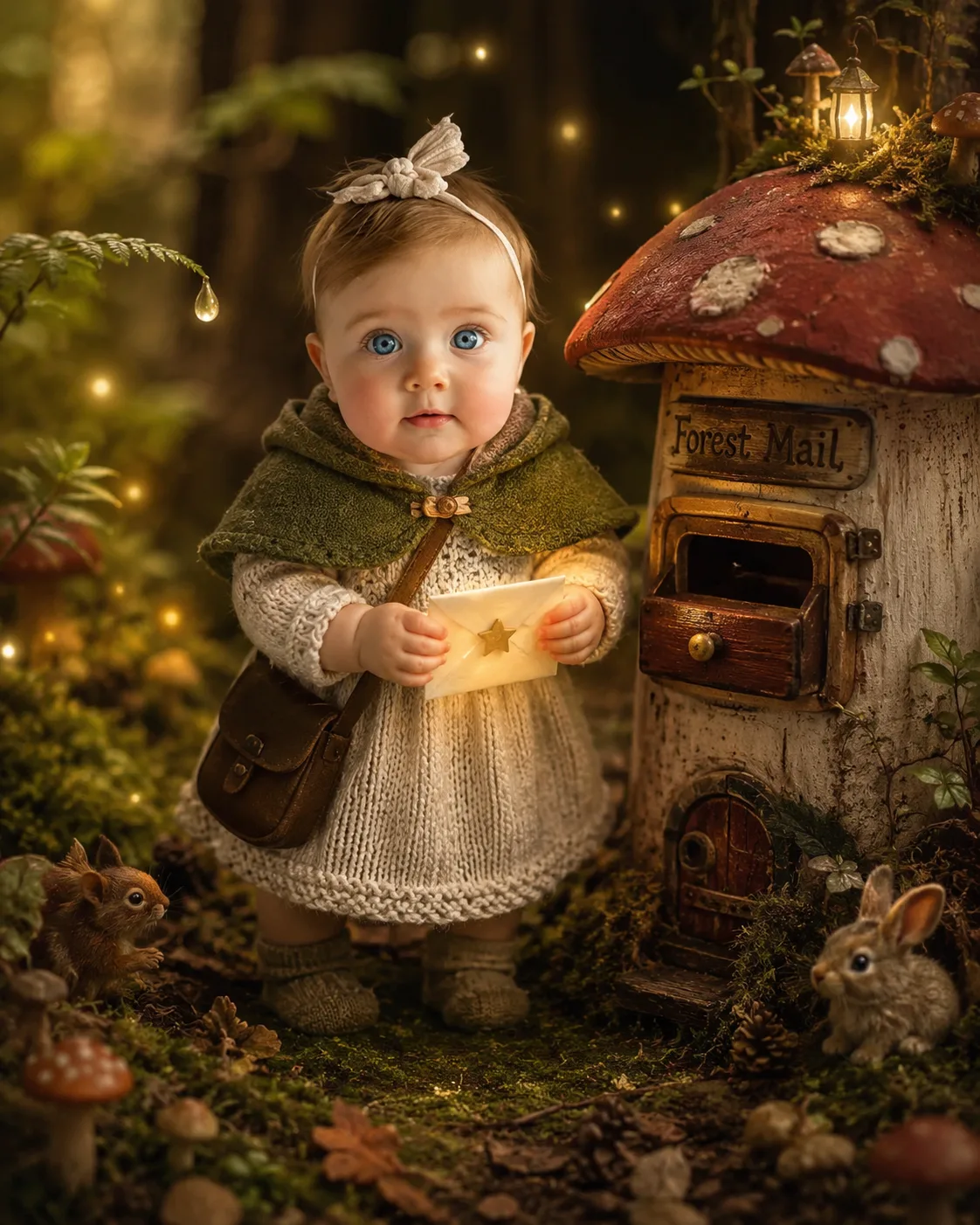
Mushroom Mail Baby Fantasy Portrait
Turn your uploaded photo into a whimsical mushroom-mail baby portrait while preserving the person’s real facial identity, skin and proportions.
Using the uploaded photo, create a photorealistic fantasy portrait of the same person reimagined as the “Mushroom-Mail Baby” in a miniature enchanted forest. KEEP — Keep the exact face structure from the uploaded photo, including jawline, cheek structure, nose shape, lip shape, forehead proportions, and other distinctive facial details. Keep the exact eye shape and natural eye colour. Keep the original skin tone and visible skin texture, including natural pores and small facial details. Keep the original hairline and preserve the visible hairstyle and natural hair pattern. Keep facial hair exactly as present in the uploaded photo, without adding or removing it. Keep the person’s natural body proportions and recognizable physical structure. The person must remain clearly identifiable as the same individual. CHANGE — Change the wardrobe into a tiny cream knitted dress with visible soft wool texture, a moss-green fabric capelet, and a small brown leather messenger pouch. Change the setting into a miniature woodland mail station beside an enormous red-and-cream mushroom-shaped mailbox. Add a tiny glowing paper letter sealed with a golden star in the person’s hands. Add small fireflies forming a curved trail around the subject and tiny woodland creatures partially hidden behind oversized leaves. Change the lighting, pose, background, and colour grade to create a warm storybook-fantasy portrait. SCENE — Place the subject beside the mushroom mailbox in a dense miniature forest during early evening. Use oversized moss, leaves, mushrooms, twigs, and tiny forest details around the character. Keep the distant trees and foliage strongly blurred while the mailbox and subject remain sharply defined. LIGHT — Use warm directional light from the upper front-left, with soft fill from the right. Keep gentle amber highlights on the face so the facial lighting naturally matches the environment. CAMERA — Use an 85mm lens at f/1.8, camera positioned at chest height, with shallow depth of field and natural portrait compression. GRADE — Use warm cream, moss green, muted red, and earthy brown tones with gentle contrast and a subtle cinematic film texture. OUTPUT — Create a vertical 4:5 portrait at 2048 × 2560 resolution. DO-NOT — No face slimming, no skin whitening, no changed eye colour, no plastic smoothing, no invented jewellery or tattoos.
Photo Guide
- Use a sharp, high-resolution front-facing photo with facial details clearly visible.
- A natural eye-level angle works best; avoid extreme selfies or tilted cameras.
- Soft window light helps preserve real skin texture and facial contours.
- Keep the full hairline visible so the woodland styling does not alter it.
- A neutral or simple background is best because the forest replaces it.
- Heavy beauty filters can ruin the realistic baby-character facial match.
How to Build
- 1Open Gemini and choose image generation with the highest quality available.
- 2Upload one clear face photo before pasting the full prompt.
- 3Paste the prompt unchanged and keep the uploaded photo as the identity reference.
- 4Choose a vertical 4:5 image setting if the tool provides aspect-ratio controls.
- 5Generate the image and inspect the face before judging the fantasy scene.
- 6If the face drifts, use the same photo and regenerate with stronger identity focus.
Pro Tips
- Use a well-lit face photo so the warm forest light blends naturally.
- Keep the eyes unobstructed so their original shape and colour remain stable.
- Avoid sunglasses because they hide identity details needed for face matching.
- Use a photo with visible hairline so the capelet does not affect facial framing.
- Keep the face near the centre of the source photo to reduce identity drift.
Share This Prompt
About the Author
Naziya
Creative AI writer at MFDA, sharing trendy photo-editing prompts and fresh ideas for beautiful, stylish AI images.