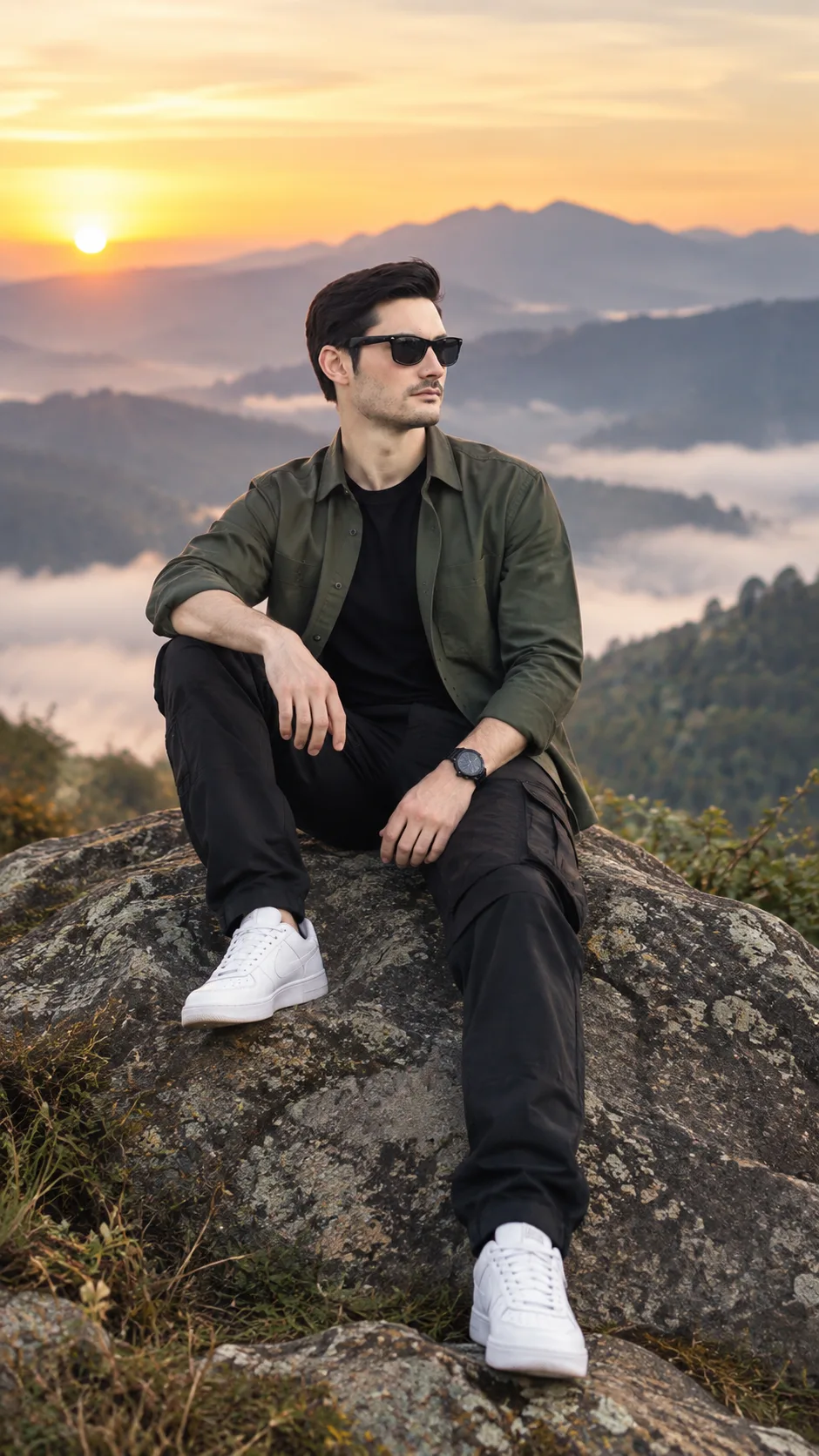
Mountain Sunrise Rock Portrait for Men
Create a cinematic sunrise mountain portrait that keeps your real face, proportions, and skin texture while changing the scene and styling.
Using the uploaded photo, create a photorealistic full-body portrait of the same man seated naturally on a large weathered mountain rock at sunrise. KEEP - Keep the exact face structure from the uploaded photo, including forehead shape, eyebrow placement, eye shape and natural eye colour, nose proportions, lips, cheeks, cheekbones, jawline, chin, ears, and natural facial asymmetry. Preserve the real skin tone, visible pores, fine skin texture, natural marks, hairline, hair density, hairstyle characteristics, and any visible facial hair pattern and colour. Keep the original body proportions, shoulder width, neck length, hand size, limb proportions, height impression, and recognizable identity. Do not replace the person with a generic outdoor model. CHANGE - Change the clothing to [dark olive cotton overshirt] over a [black fitted cotton T-shirt], [black ripstop cargo trousers], [clean white leather sneakers], and [simple dark wristwatch]. Change the pose to a relaxed seated position with one knee raised, the other leg naturally extended downward, and both hands resting casually near the knees. Change the setting to a high mountain landscape at early sunrise with low fog and layered ridgelines. SCENE - Place the subject on a rough grey-brown rock overlooking distant mountain layers. Use sparse alpine vegetation around the foreground. Keep the mountains behind him softly separated with atmospheric haze rather than heavy blur. LIGHT - Use warm sunrise light coming from behind and slightly to the subject's left, with soft golden illumination reaching the visible side of his face. Keep the opposite side gently filled by cool ambient sky light so his face does not appear pasted onto the scene. CAMERA - Shoot at 85mm, f/2.8, camera positioned around chest height relative to the seated subject. Keep the entire body, shoes, rock, and mountain background inside the frame. GRADE - Use muted natural greens, warm golden highlights, cool blue-grey shadows, moderate contrast, and a subtle cinematic film finish without crushing skin detail. OUTPUT - Vertical 9:16 composition at 1440 x 2560 resolution. DO NOT - No face slimming, no skin whitening, no changed eye colour, no plastic smoothing, no invented jewellery or tattoos, no altered facial proportions, and no generic replacement face.
Photo Guide
- Use a sharp photo of at least 1024px on the longest side.
- Use a front or slight three-quarter angle so both eyes and jawline stay visible.
- Even daylight on the original face helps preserve natural skin colour.
- Keep the full head, hairline, shoulders, and upper body unobstructed.
- Avoid heavy beauty filters because they can weaken facial texture.
- A clear face works better than a heavily shadowed or backlit source.
How to Build
- 1Open Gemini and choose image generation with image reference.
- 2Upload your clearest front-facing photo as the identity reference.
- 3Set the output ratio to 9:16 before generating the image.
- 4Paste the full Prompt Content without removing the KEEP section.
- 5Generate at 1440 x 2560 or the closest available resolution.
- 6If the first result is wrong, restore the KEEP details and regenerate.
Pro Tips
- Use a daylight source photo so the sunrise lighting blends naturally.
- Keep the original hairstyle visible so the hairline remains consistent.
- Choose a photo with visible shoulders to reduce body-shape drift.
- Avoid sunglasses because the eye shape must remain identifiable.
- Keep the face naturally textured so the mountain light looks believable.
Share This Prompt
About the Author
Naziya
Creative AI writer at MFDA, sharing trendy photo-editing prompts and fresh ideas for beautiful, stylish AI images.