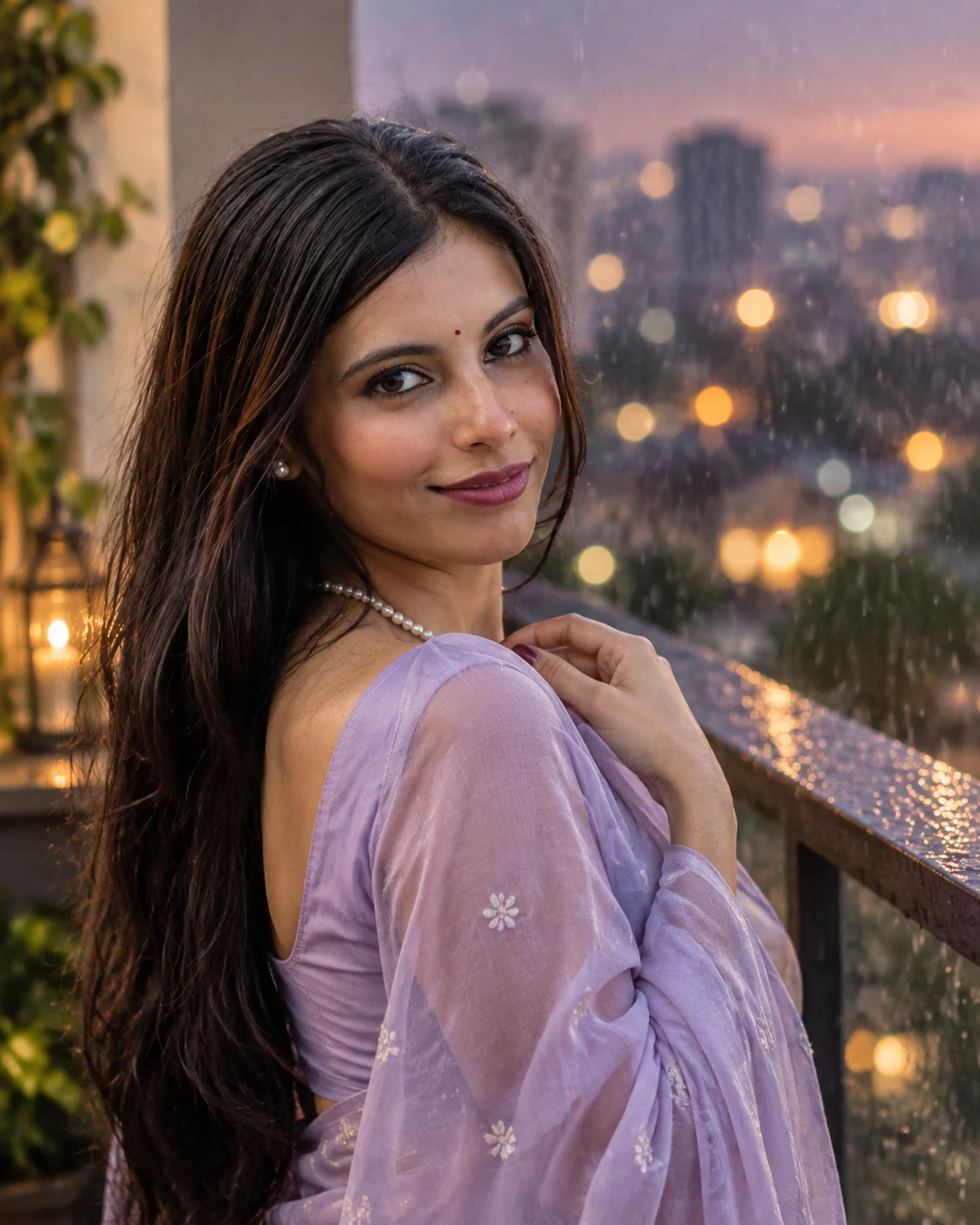
Monsoon Balcony Saree Portrait
Create a romantic monsoon balcony portrait with a lavender saree, wet hair, pearl jewellery, rain and soft city lights.
Using the uploaded photo, create a photorealistic monsoon balcony portrait of the same person wearing a pastel lavender saree during a rainy evening. KEEP: Keep the exact facial identity from the uploaded photo. Preserve the face structure, jawline, cheek shape, forehead, nose, lips, chin, eye shape, natural eye colour, eyebrows, skin tone, visible skin texture, facial marks, hairline, hairstyle, and facial hair exactly as shown. Keep the person's natural body proportions, shoulder width, and overall physical build unchanged. Do not reshape or beautify the face. CHANGE: Change the wardrobe to a soft pastel lavender saree with realistic flowing fabric and a matching blouse. Add only delicate pearl jewellery that suits the described styling. Change the pose so one hand gently holds the saree pallu near the shoulder while the person gives a subtle over-the-shoulder expression toward the camera. Change the setting to a rain-wet balcony at dusk, with soft city lights behind the subject. SCENE: Place the subject on a residential balcony during a rainy evening. The balcony surface and railing should appear slightly wet from recent rain. Show fine raindrops in the background, with distant warm city lights rendered as soft circular bokeh rather than sharp buildings. LIGHT: Use soft diffused evening light coming from the front-left, gently illuminating the visible face and keeping natural shadow beneath the cheek and jaw. Add a subtle warm ambient glow from distant city lights behind the subject. Keep the skin naturally lit rather than brightened. CAMERA: Shoot at 85mm, f/1.8, with the camera positioned around chest height. Use shallow depth of field so the face and saree texture remain sharp while the balcony, rain and city lights fall into smooth background blur. GRADE: Apply a soft romantic cinematic grade with muted lavender tones, warm amber highlights and controlled contrast. Preserve natural skin colour without whitening or excessive smoothing. OUTPUT: Create a vertical 4:5 portrait at high resolution with realistic fabric, skin texture, rain and optical depth. DO-NOT: No face slimming, no skin whitening, no changed eye colour, no plastic smoothing, no invented jewellery or tattoos.
Photo Guide
- Use a sharp, high-resolution photo where the full face is clearly visible.
- Choose a front or slight three-quarter angle so both eyes remain visible.
- Soft daylight works better than harsh overhead indoor lighting for this rainy scene.
- Keep the hairline and natural facial texture visible in the source photo.
- Avoid photos with heavy beauty filters; they can weaken identity preservation.
How to Build
- 1Open Gemini and upload one clear, high-resolution face photo.
- 2Paste the full prompt and keep image generation at its highest quality.
- 3Choose a vertical 4:5 output if the tool offers aspect ratio controls.
- 4Keep the uploaded photo as the only identity reference for the subject.
- 5Generate once, then compare the face, eyes and body proportions with the source.
- 6If wrong, regenerate while stressing the KEEP section before changing the scene.
Pro Tips
- Use a naturally lit source so the rainy evening shadows blend into the face.
- Keep the original hairline visible so wet hair does not alter identity.
- Avoid extreme side angles so the over-shoulder pose keeps both eyes natural.
- Use a clean source without sunglasses so eye colour remains consistent.
- Do not add extra jewellery in the source photo so the pearl styling stays controlled.
Share This Prompt
About the Author
Naziya
Creative AI writer at MFDA, sharing trendy photo-editing prompts and fresh ideas for beautiful, stylish AI images.