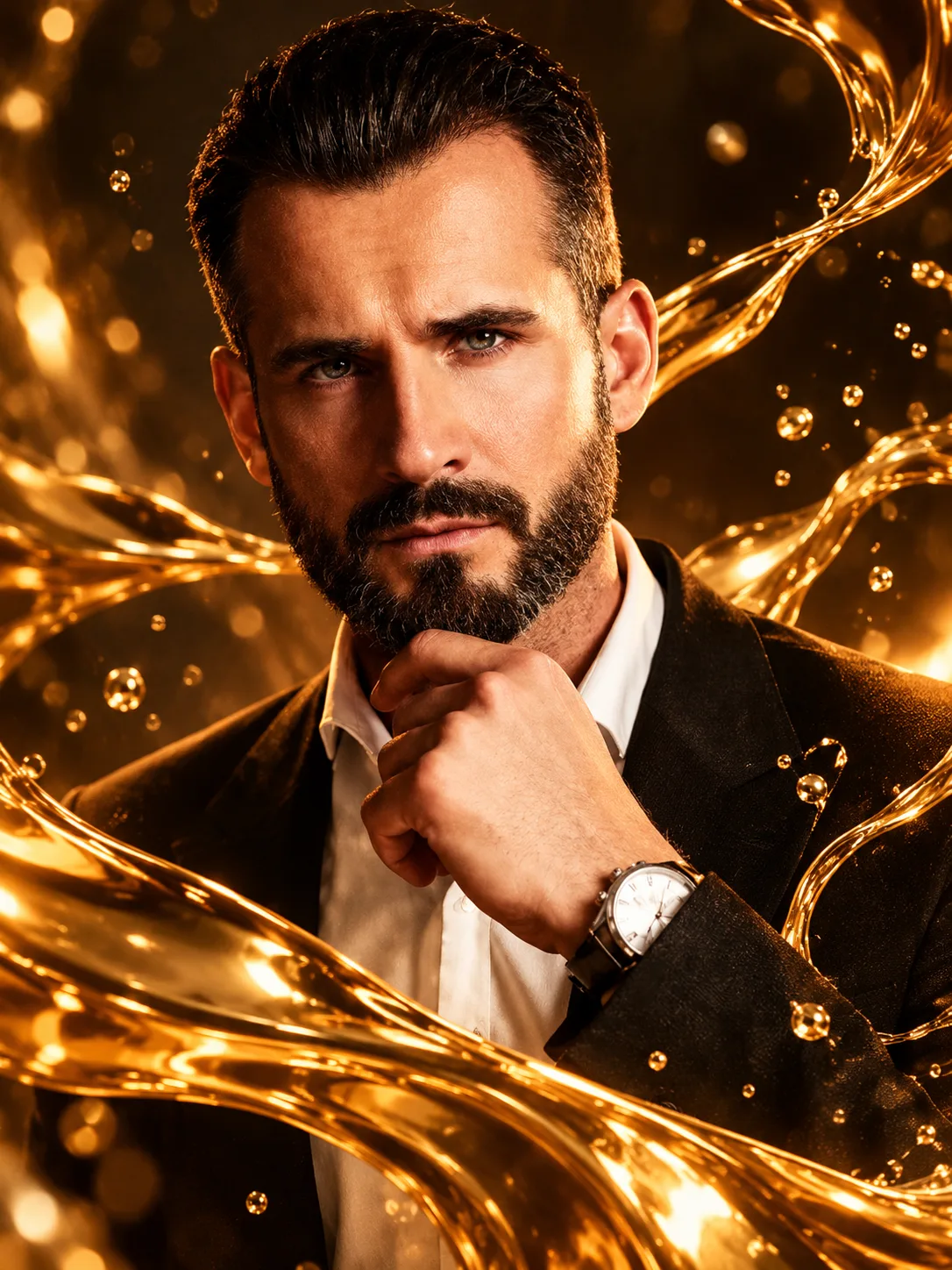
Molten Gold Liquid Reflection Close-Up Portrait
Create a luxurious close-up portrait with flowing molten-gold reflections, floating metallic droplets and warm amber lighting while preserving your real facial identity.
Using the uploaded photo, create an ultra-realistic luxury editorial close-up portrait of the same recognizable person, surrounded by flowing molten-gold liquid ribbons and reflective metallic surfaces. The composition should feel like a carefully photographed gold sculpture brought to life, with the real face remaining the main subject. KEEP — Preserve the exact facial identity and original facial anatomy from the uploaded photograph. Retain the original forehead width, eyebrow thickness and placement, eye shape and natural eye colour, nose bridge and tip, lip shape, cheek volume, cheekbone position, jawline, chin, ears and natural facial asymmetry. Maintain the original skin tone, visible pores, fine lines, natural marks and authentic skin texture. Keep the original hairline, hair density, hairstyle and facial hair exactly as photographed. Preserve neck structure, shoulder width and natural body proportions. Do not reconstruct, beautify or replace facial features. CHANGE — Introduce flowing molten-gold ribbons made from highly reflective liquid metal. Position one broad golden ribbon diagonally across the lower foreground, with thinner curved streams framing the outer cheek area without covering the eyes, nose or lips. Add suspended gold droplets, polished metallic reflections and a subtle liquid-sculpture effect. Use a luxurious black and deep bronze visual palette with warm amber highlights. SCENE — Place the subject against a dark bronze studio background with softly blurred metallic reflections. Create the appearance of liquid gold moving through the foreground at different depths. Keep the background free from distracting objects. LIGHT — Use a large warm softbox positioned 45 degrees to the subject's left, with gentle golden fill from the opposite side. Maintain natural facial shadow transitions and realistic metallic reflections. Use approximately 3200K warm illumination. CAMERA — Photograph at 85mm, f/1.8, eye-level camera height, tight close-up framing. Keep the nearest eye and facial details sharply focused while the foreground gold droplets have controlled depth blur. GRADE — Apply a rich bronze-and-amber colour grade, deep blacks, controlled highlights and realistic gold reflections. Avoid excessive orange skin tones. OUTPUT — Vertical 3:4 aspect ratio, high-resolution 4K detail, photorealistic editorial finish. DO NOT — No face slimming, no skin whitening, no changed eye colour, no plastic smoothing, no altered facial proportions, no invented jewellery, no tattoos, no face replacement and no gold covering important facial features.
Photo Guide
- Use a sharp, high-resolution original face photograph.
- Choose a front-facing or slight three-quarter camera angle.
- Keep both eyes, nose, lips and jawline clearly visible.
- A naturally lit photo helps preserve realistic golden reflections.
- Dark or neutral clothing blends better with the bronze palette.
- Avoid blurry faces or photos with heavy beauty filters.
How to Build
- 1Open Gemini and select image generation with photo upload.
- 2Upload your original photograph as the identity reference.
- 3Copy the complete prompt into the image generation box.
- 4Choose a vertical 3:4 composition if aspect settings are available.
- 5Select the highest available image resolution.
- 6Generate the portrait and compare facial details with your photo.
- 7If the face drifts, regenerate using the same photo and stronger KEEP instructions.
Pro Tips
- Choose a photo with visible cheekbones so gold reflections follow facial contours.
- Keep the forehead unobstructed so the original hairline remains recognizable.
- Use a dark background in your reference for better bronze colour separation.
- Keep gold ribbons away from the eyes so facial identity stays clear.
- Use fewer foreground droplets if they distract from the facial details.
Share This Prompt
About the Author
Naziya
Creative AI writer at MFDA, sharing trendy photo-editing prompts and fresh ideas for beautiful, stylish AI images.