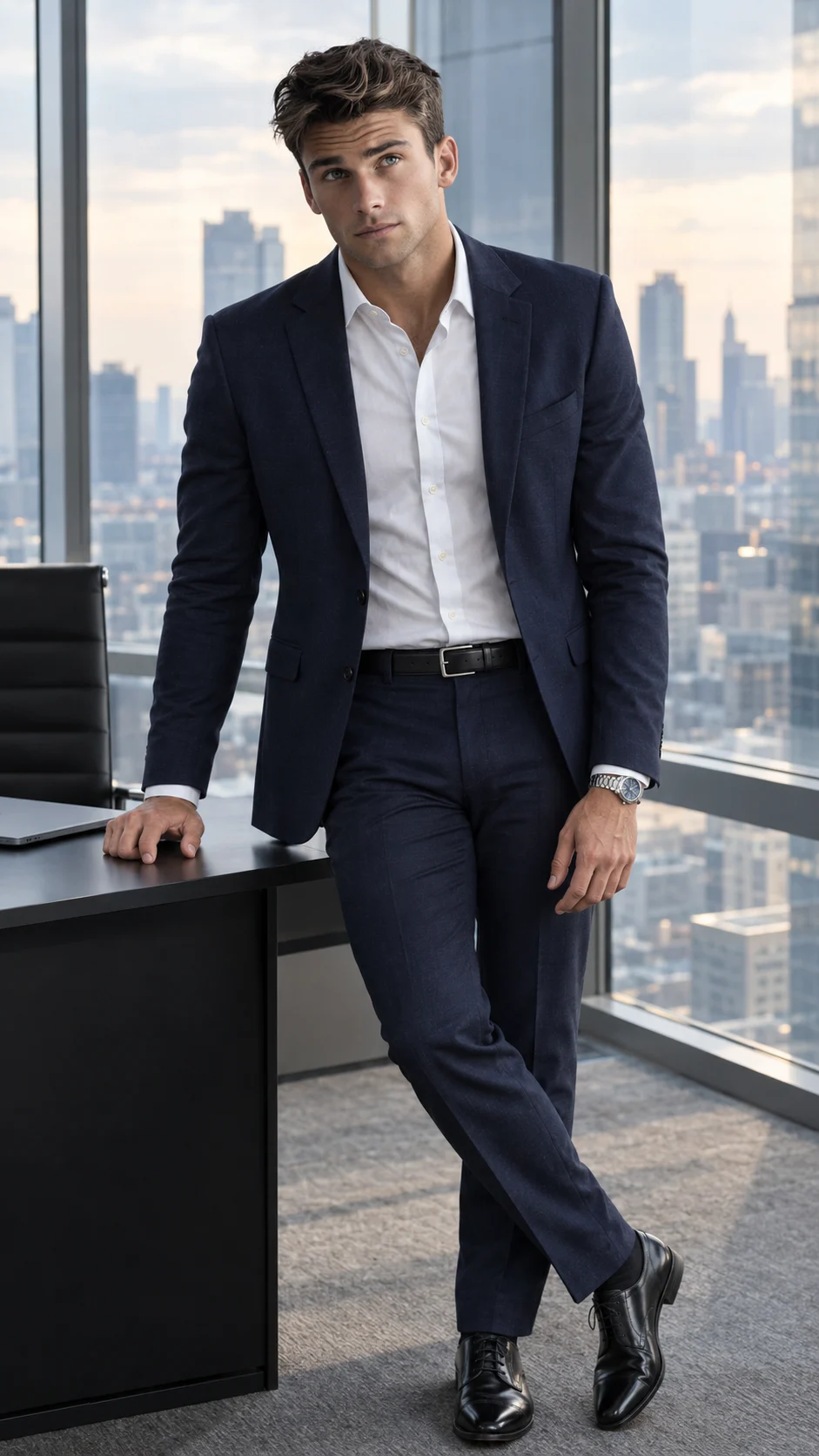
Modern Glass Office CEO Portrait for Men
Create a polished CEO-style portrait in a glass office with a navy suit, city skyline, natural window light, and realistic identity.
Using the uploaded photo, create a photorealistic full-body corporate portrait of the same man inside a modern glass-walled executive office. KEEP - Preserve the exact face structure from the uploaded photo, including forehead shape, eyebrow structure, eye shape and natural eye colour, nose proportions, lips, cheeks, cheekbones, jawline, chin, ears, facial asymmetry, and overall facial proportions. Keep the original skin tone, pores, fine lines, natural skin texture, hairline, hairstyle, facial hair pattern, and natural body proportions. Keep the person's real height impression, shoulder width, hand proportions, and recognizable facial identity unchanged. CHANGE - Dress him in a sharply tailored [dark navy wool suit], a crisp [white cotton dress shirt], a [black leather belt], polished [black leather Oxford shoes], and a [silver metal wristwatch]. Keep the clothing fitted but natural, with realistic wool texture and clean tailoring. Position him standing beside a [minimalist black executive desk], with one hand resting naturally on the desk and the other relaxed beside his body. Give him a composed professional expression without changing his facial structure. SCENE - Place him inside a high-end glass-walled executive office during late afternoon. Behind him, show a modern city skyline through floor-to-ceiling windows, with clean architectural lines, a minimalist desk, subtle glass reflections, and uncluttered office surfaces. Keep the skyline softly blurred rather than heavily obscured so the setting remains recognizable. LIGHT - Use soft natural daylight entering from the large windows on the left-front side of his face, creating gentle illumination across the forehead, cheeks, nose, and shirt. Use neutral daylight around 5000K with soft shadows and no harsh artificial spotlight. CAMERA - Shoot at 50mm, f/2.8, camera positioned at chest height, with the full body framed vertically. Keep realistic perspective and moderate background compression. GRADE - Use a clean neutral corporate colour grade with restrained contrast, natural skin tones, slightly cool glass and blue-grey architectural tones, and controlled highlights. OUTPUT - Vertical 9:16 aspect ratio, 2160 × 3840 resolution, photorealistic detail. DO-NOT - No face slimming, no skin whitening, no changed eye colour, no plastic smoothing, no invented jewellery or tattoos.
Photo Guide
- Use a sharp photo with enough resolution to show facial texture clearly.
- Choose a front or slight three-quarter angle with both eyes visible.
- Soft daylight works best; avoid strong coloured light on the face.
- Keep the forehead, hairline, jawline, and facial hair fully visible.
- A busy or heavily filtered source photo can weaken the office result.
How to Build
- 1Open Gemini and upload one clear, high-resolution reference photo.
- 2Paste the full prompt and keep the image ratio at 9:16.
- 3Choose the highest available image quality setting.
- 4Generate the portrait with the full body visible from head to shoes.
- 5Check the suit, hands, face, and skyline for realistic proportions.
- 6If the first result is wrong, regenerate using the same photo and prompt.
Pro Tips
- Use a navy outfit reference only if you want consistent suit colouring.
- Keep the face evenly lit so window light blends naturally across both cheeks.
- Use a clean source background so office architecture replaces it cleanly.
- Keep both hands visible to reduce finger and wristwatch distortions.
- Avoid sunglasses in the source so the eye shape remains easier to preserve.
Share This Prompt
About the Author
Naziya
Creative AI writer at MFDA, sharing trendy photo-editing prompts and fresh ideas for beautiful, stylish AI images.