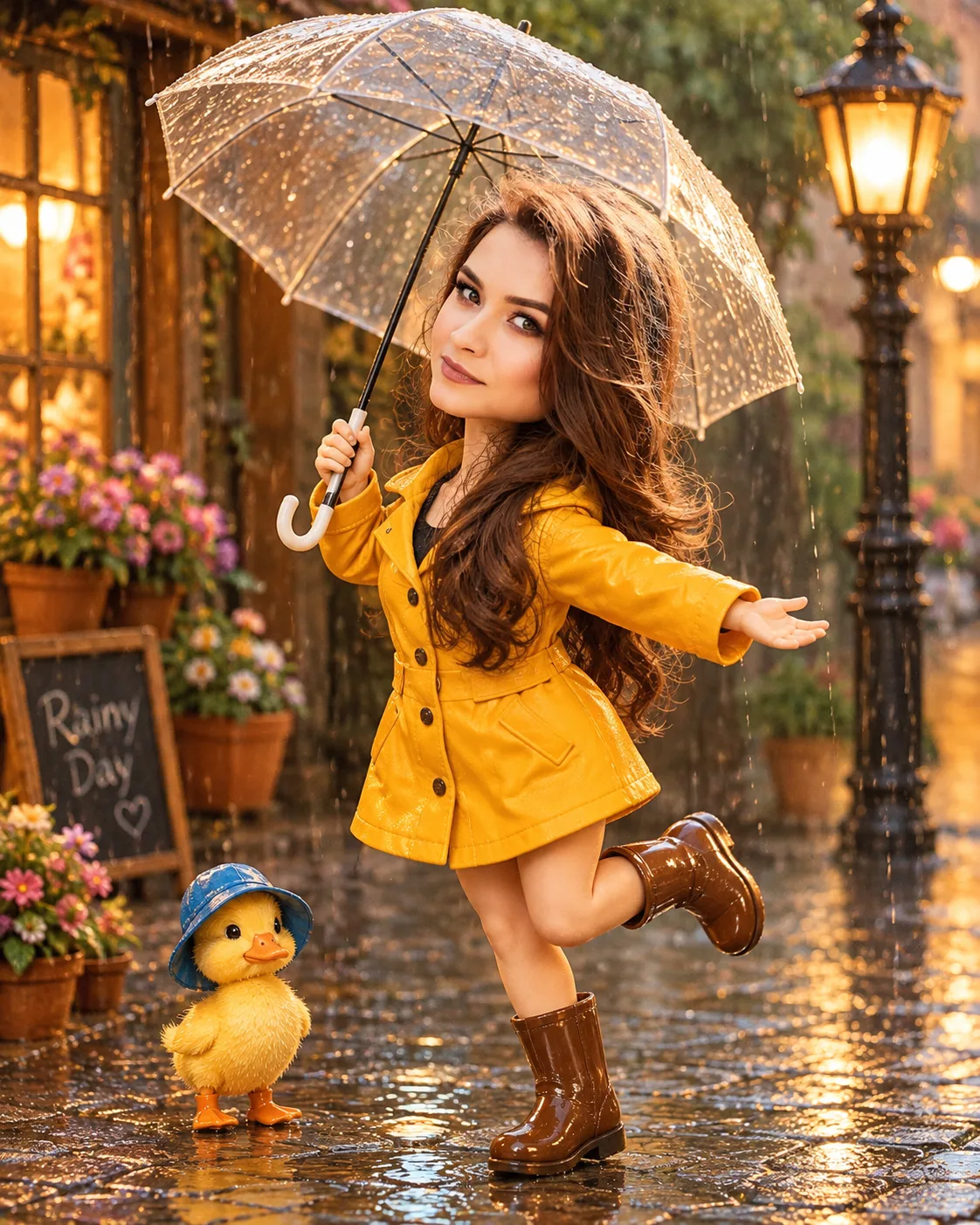
Miniature Rain Dance Character with Baby Duck
Turn your uploaded photo into a handmade miniature rain dancer in a mustard-yellow raincoat, accompanied by a tiny duck on a charming rainy street.
Using the uploaded photo, create a highly detailed handmade sculpted miniature character portrait featuring the same recognizable person dancing joyfully on a charming rainy miniature street. The character must have a petite body, short rounded limbs, softly sculpted cheeks and natural-sized glass-like eyes, while retaining the person's recognizable facial identity. KEEP — Preserve the exact facial identity from the uploaded photograph. Retain the original forehead width and shape, eyebrow thickness and placement, eye shape and natural eye colour, nose bridge and tip, lip shape, cheek volume, cheekbone position, jawline, chin, ears and natural facial asymmetry. Maintain the original skin tone, visible facial marks and natural facial characteristics, translated into a smooth matte sculpted miniature finish. Preserve the original hairline, hair density, hairstyle, texture and facial hair, if present. Keep the person's recognizable head-to-body relationship and natural body proportions. Do not replace the face with a generic cartoon character. CHANGE — Transform the clothing into a miniature mustard-yellow waterproof raincoat made from textured matte rubberised fabric, with tiny dark buttons and a detailed hood. Add miniature brown rain boots and an oversized transparent umbrella with realistic curved edges. Position the character dancing barefoot-style inside the miniature rain boots, with one leg lifted, arms spread wide, eyes closed and a peaceful joyful smile. Add a tiny baby duck wearing a miniature blue rain hat, standing nearby with a serious expression. SCENE — Place the characters on a miniature cobblestone street during early evening after rainfall. Include shallow reflective puddles, tiny roadside flowers, glowing shop windows, miniature wooden doors and warm vintage street lamps. Keep the background softly blurred while the dancing character and baby duck remain sharply detailed. LIGHT — Use soft golden evening light coming from the upper left, balanced with cool blue reflections from the wet street. Maintain natural illumination across the sculpted face. CAMERA — Shoot from a slightly elevated front-facing three-quarter angle using a 50mm lens at f/2.8. Keep the camera near miniature character eye level with shallow depth of field. GRADE — Use warm amber highlights, muted teal shadows, natural mustard-yellow tones and gentle cinematic contrast. Preserve realistic handmade clay textures without glossy plastic reflections. OUTPUT — Vertical 4:5 composition, 2048 × 2560 resolution. Show the complete miniature character, umbrella, baby duck and surrounding puddle details without cropping important elements. DO NOT — Slim the face, whiten the skin, change eye colour, alter facial proportions, replace the identity, remove natural facial marks, apply plastic smoothing, invent jewellery or tattoos, create extra fingers or limbs, or introduce anime styling.
Photo Guide
- Upload a sharp, high-resolution photo with the entire face visible.
- Choose a front-facing or slightly turned three-quarter portrait.
- Use soft, even daylight so facial details remain easy to recognise.
- Keep the forehead, eyebrows, ears and original hairstyle visible.
- A warm daylight portrait blends better with the evening rain lighting.
- Avoid heavy filters or dark shadows that hide facial features.
How to Build
- 1Open Gemini or ChatGPT and select its image generation feature.
- 2Upload your original face photograph as the identity reference.
- 3Copy the complete prompt content into the image generation box.
- 4Choose portrait orientation and a 4:5 aspect ratio.
- 5Select the highest available image quality or resolution.
- 6Generate the image while keeping the uploaded photo as reference.
- 7If the face or pose looks wrong, regenerate with stronger KEEP instructions.
Pro Tips
- Use a photo with clearly visible eyebrows so the sculpted face stays recognisable.
- Keep the original hairstyle visible so the miniature retains your identity.
- Choose a transparent umbrella so the character's face stays unobstructed.
- Keep the baby duck smaller than the main character for clear storytelling.
- Use a sharp face reference so the sculpted facial proportions remain consistent.
- Avoid overly glossy materials so the handmade matte finish stays realistic.
Share This Prompt
About the Author
Naziya
Creative AI writer at MFDA, sharing trendy photo-editing prompts and fresh ideas for beautiful, stylish AI images.